
For most people, setting up a home broadband is simple enough. Pick your preferred Internet service provider (ISP), sign up for a plan, and then get the ISP to install the cables and equipment at your place. Most ISPs include a modem and router as part of the package, possibly even a wireless mesh for good order.
However, these default equipment might not be enough for larger houses or offices. Laying Ethernet cables isn't feasible because mobile devices and some laptops don't have Ethernet ports. You could get more wireless mesh to expand your Wi-Fi coverage, but a more powerful Wi-Fi router could be the better option. Recently, we replaced our office router with the ASUS RT-BE88U, so let's see how this one works for a decent-sized SOHO.

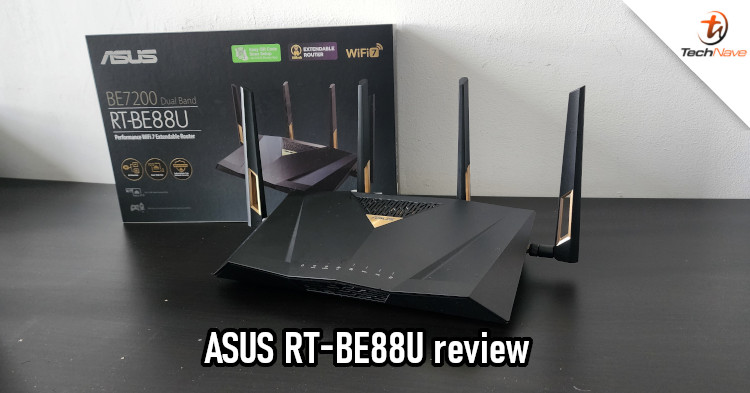
The RT-BE88U sits flat, so it does take up some space
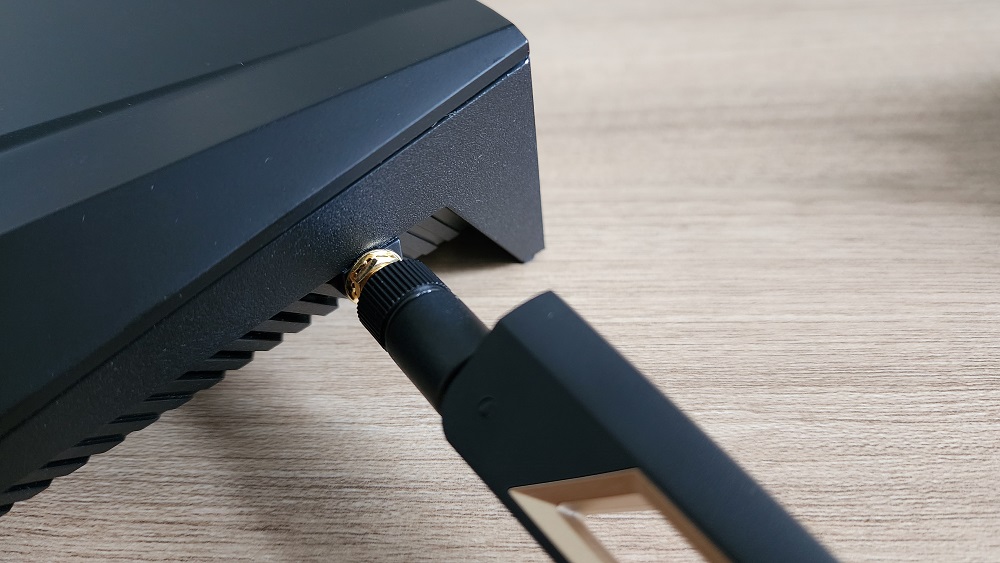
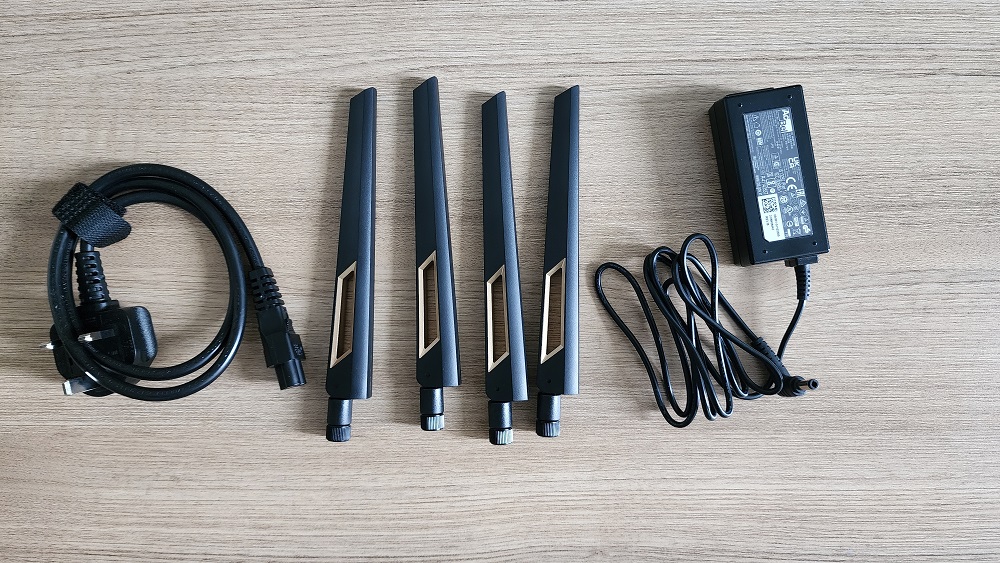
It uses detachable antennas that can bend at 90 degrees, making it flexible enough if you want to mount the router
Since the last router we used for our office was also from ASUS, it's not surprising to see some resemblance in the ASUS RT-BE88U. Of course, there are enough distinct differences to tell them apart. First, the newer model looks more like a traditional router that rests flat on a table, so it requires more space than a vertical stand model. But it's not a real problem unless you have to share a small table with the router.
The RT-BE88U also retains the angular lines and sides that ASUS seems to like. On the top, there's a bronze gold-plated section behind a grille. This is part of the router's cooling system, which is great as it improves the router's longevity. After all, routers do get hot when transferring high volumes of data. Surrounding the router are four external detachable antennas, an upgrade over the three antennas for our older RT-AX86U router. This should result in better Wi-Fi coverage.
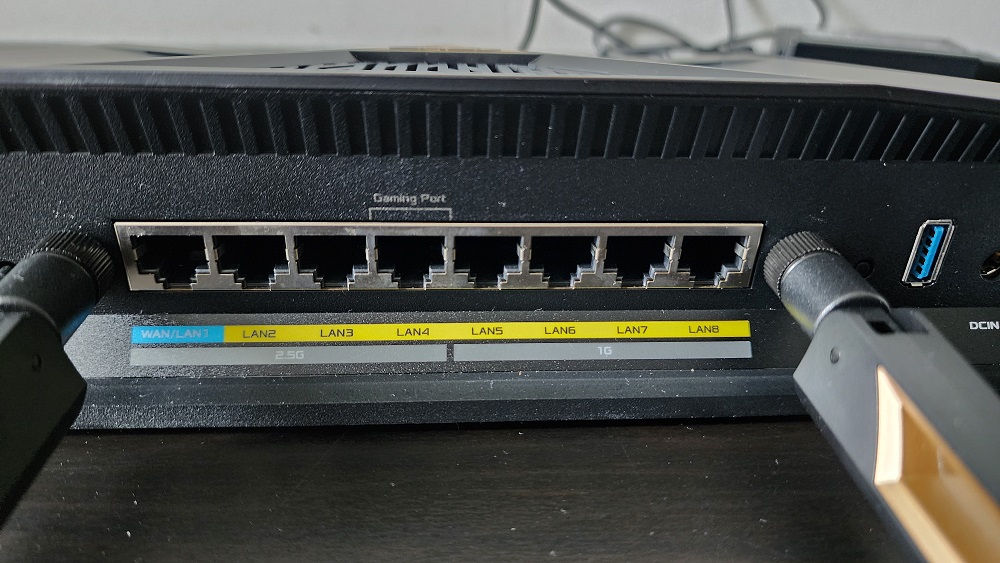
Plenty of LAN ports, even one for gaming (works with the advanced gaming features)
At the back, you'll find plenty of ports. There's a 10Gbps WAN/LAN combo port, a 2.5Gbps WAN/LAN port, a 10Gbps SFP+ port, seven LAN ports (3x 2.5Gbps + 4x 1Gbps), and a USB 3.2 Gen 1 port. There's also a WPS button, a reset button, and a power switch. Overall, the RT-BE88U has enough ports for small offices or even larger corporate offices.
Lastly, you have the bottom cover to provide ventilation for the router. Since this model rests flat on its bottom, it has a pair of 'feet' to elevate the router for better ventilation. There's also a sticker with the default login and Wi-Fi credentials. For easier initial setup, you can scan the QR code on the sticker to quickly connect to the router.
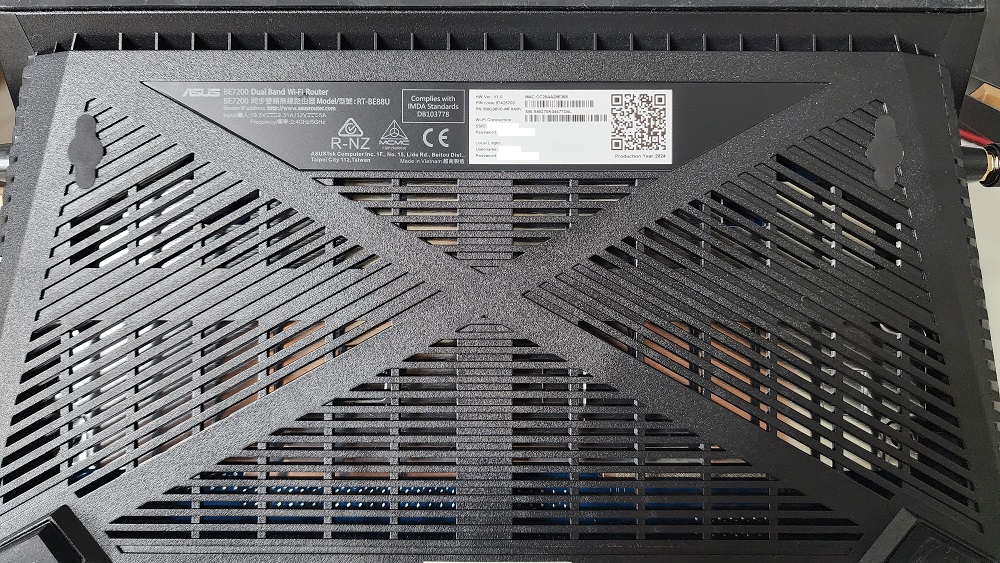
You can check the bottom of the router (or the sticker in the box) for the default settings, but don't forget to change them
For a router, the ASUS RT-BE88U is a high-end model with plenty of features for different users. As mentioned, it even has a 10Gbps WAN port and a 10Gbps SFP+ port. In general, these two ports would be irrelevant for individual homes or smaller offices. However, large corporate offices will appreciate having an SFP+ port, as it allows you to connect Internal network servers or high-speed switches.
The 10Gbps WAN port would also be more relevant in such large companies, which may require more bandwidth and consistent network throughput for the office. It also ensures that your office has the right router for faster broadband plans. For reference, the current fastest fibre broadband plans in Malaysia are rated 2Gbps. These plans offer free Wi-Fi routers and possibly extra Wi-Fi mesh, so you may not need the RT-BE88U.
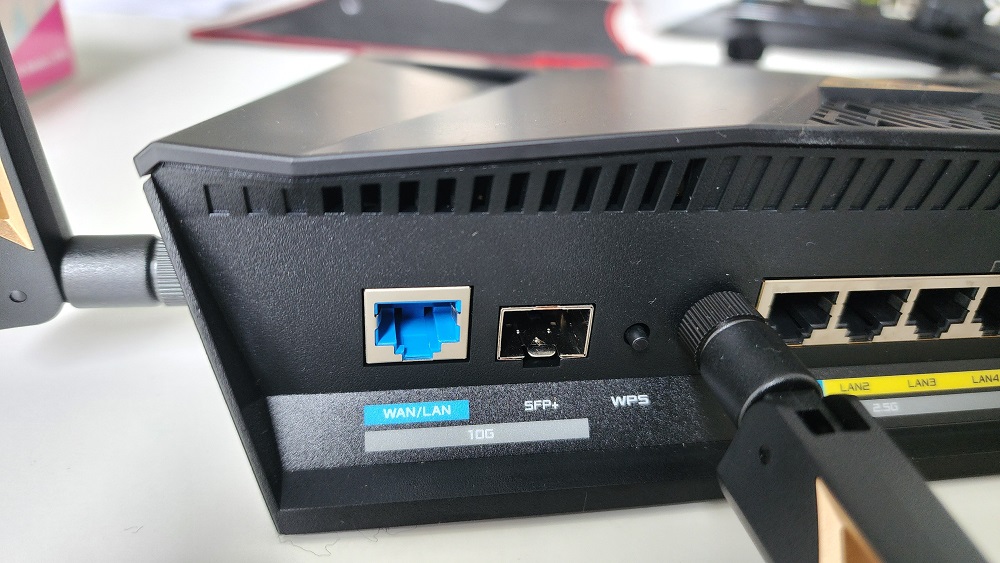
10Gbps WAN and SFP+ ports are great for larger offices or companies that use network switches
Despite being what feels like overkill for many, the RT-BE88U is an excellent router with the features a busy office would want. Setting it up was simple enough. First, connect it to your modem via the WAN port. After that, connect a PC or laptop to the router to access the startup process. You can also do the setup process via the ASUS Router app (available on Android and iOS) on a smartphone or tablet.
The setup wizard was simple and guided us through the basics. It didn't take long to connect the router to our TIME fibre broadband service and set up a Wi-Fi network. Click on the "Create A New Network" option, input our ISP account details, wait for it to connect, and then create the Wi-Fi network. Once done, our office was connected to the Internet again, and we now have a wider Wi-Fi network range.
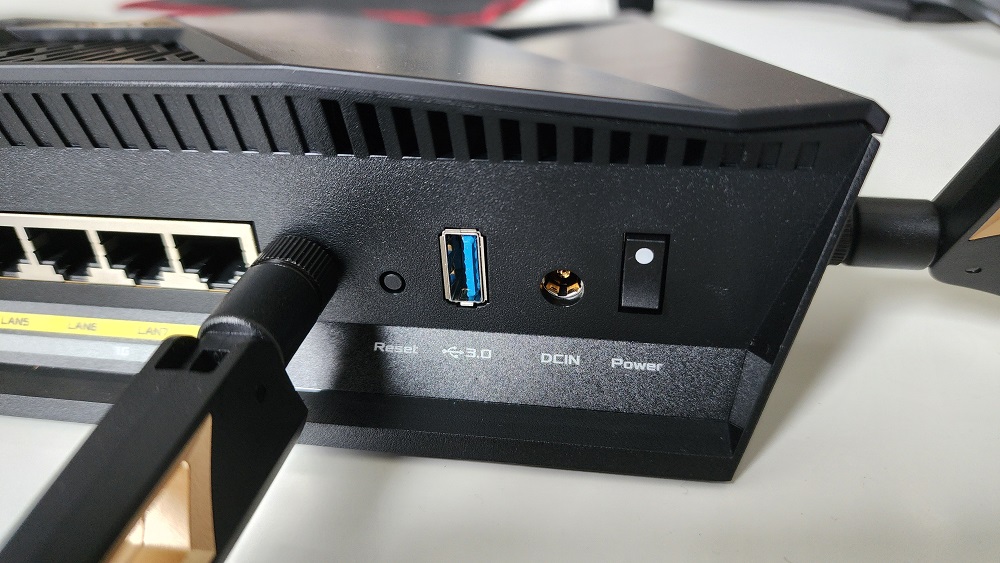
The USB port can be used not just for a Network Attached Storage, but also USB tether to a phone's mobile plan
A nice feature of the RT-BE88U is that you can tether your phone via the USB port. This means you can use your 4G or 5G mobile plan as an Internet provider. Instead of just a smartphone's limited range, you can have wider Wi-Fi coverage using the router and enjoy Wi-Fi 7 transfer speeds. It even charges your phone (slowly) while tethered, so you won't have to worry about running out of battery without warning.
As for the extra features, some of them are enabled by default while others require some manual setup. For instance, the router has its own firewall that's enabled by default. However, you have to change the DNS server manually, assuming you don't want to use your ISP's default option. Advanced features like Adaptive QoS or AiProtection need to be enabled first, while some features like AiCloud 2.0 require a USB-attached storage to be plugged-in to properly function. If you are a gamer, Adaptive QoS is particularly useful, as it lets you tweak your connection to prioritise network traffic for games (both PC and mobile).
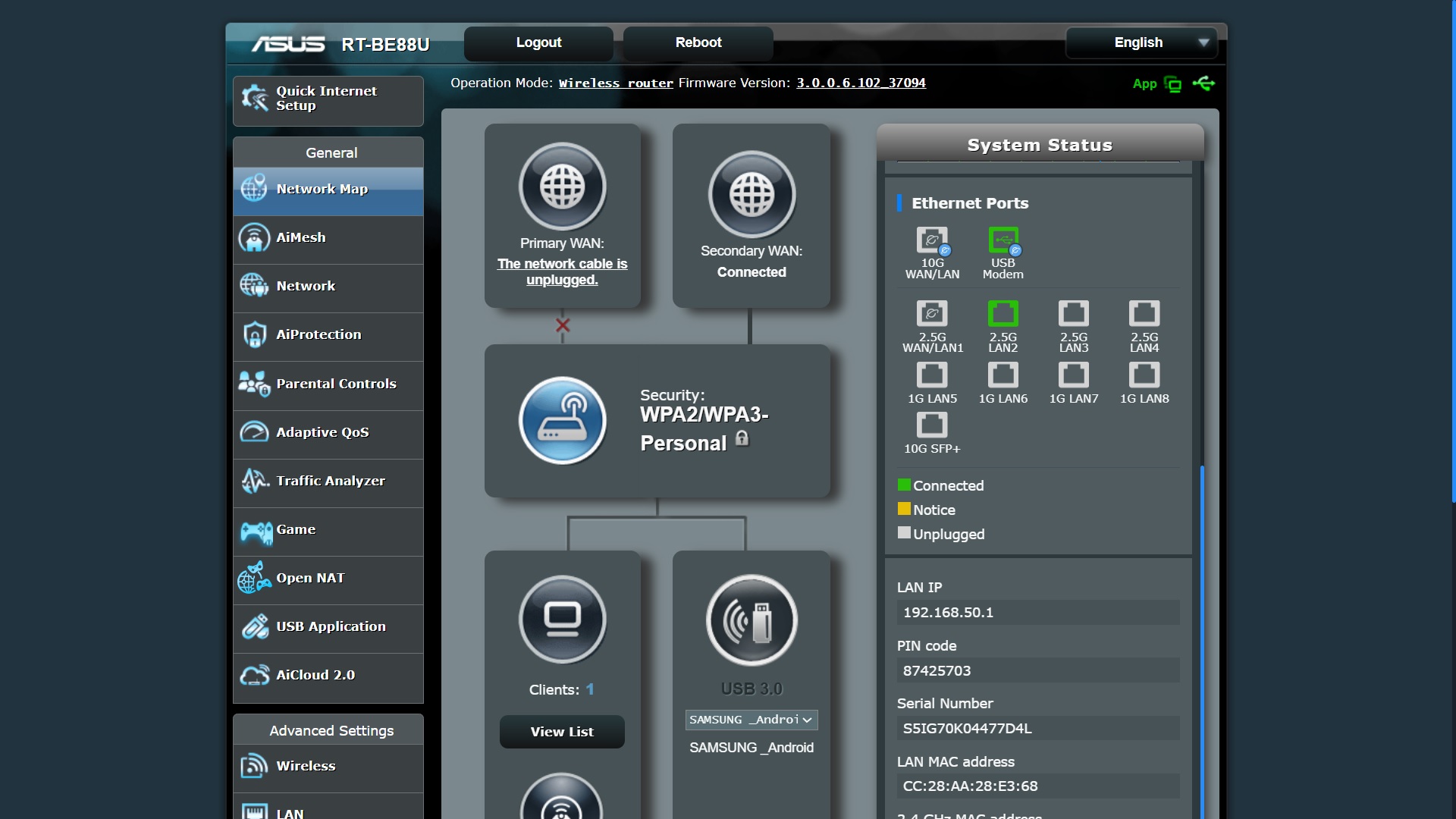
Packed with features you won't find in a more basic router, including some that are useful for gamers
As for performance, we couldn't fully test this router's capabilities as we don't have any Wi-Fi 7 devices in the office. However, what we can confirm is that the RT-BE88U was able to handle more devices actively downloading and uploading files on a typical workday at equal speeds. Connection speeds went as high as 150Mbps while watching 4K/60FPS videos, notably higher than our previous Wi-Fi 6 router. The 5GHz network speed was also excellent, so users that are farther from the router still get better speeds, compared to a Wi-Fi 6 router.
Although some 4K YouTube videos had high frame drops, we were unsure if that was due to latency to the YouTube servers or our network being busy due to too many people watching YouTube videos during lunch hours. For reference, our last ASUS router review was done while the office was practically empty (because of the MCO). Despite that, the overall network throughput is much better, thanks to the higher bandwidth provided by the RT-BE88U.
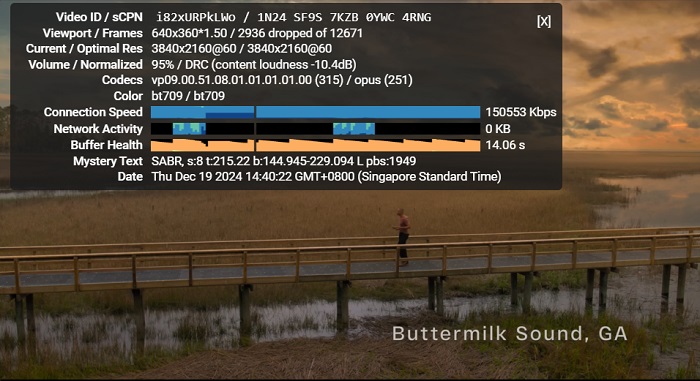
Very fast connection speed, even on an older Wi-Fi 5 laptop
Overall, the RT-BE88U is definitely an upgrade for the TechNave office. It offers more features and options such as the SFP+ port for network switches, 10Gbps WAN for those who want faster Internet connections, and significantly more bandwidth than before. Even if you don't need the advanced features or extra bandwidth, it might be worth getting this router to futureproof your office. Individual gamers or streamers would also appreciate having a router like this, as it can help provide a smoother online gaming or video streaming experience. Of course, you'll have to ask yourself whether these upgrades are what you need and whether you are willing to pay RM1999 for it.
So, what do you think about this high-end ASUS RT-BE88U router? Is this something you'd get for your home or office? Let us know in the comments below, and stay tuned to TechNave for more reviews like this.
Tech specs and features
Here are the tech specs and features for the ASUS RT-BE88U router:
- Wi-Fi standard: Dual-band Wi-Fi 7 (802.11be)
- Antennas: 4 (external)
- Ports: 1x USB 3.2 Gen 1, 1x 10Gbps WAN/LAN port, 1x 10Gbps SFP+ port, 1x 2.5Gbps WAN/LAN, 3x 2.5Gbps LAN, 4x 1Gbps LAN
- CPU: 2.6GHz quad-core
- RAM: 2GB
- Storage: 256MB
- Wi-Fi chip: Broadcom BCM6726
- Peak 802.11be performance: 7200Mbps
- Size: 300 x 188 x 60.5 mm
- Weight: 1060g
- Features: Dual-band Multi-Link Operation, 4K-QAM, Adaptive QoS, 4G/5G mobile tethering, VLAN, AiProtection Pro, AiMesh, Parental Control, Site-to-site VPN, Traffic Analyzer, Mobile Game Mode, Gear Accelerator, OpenNAT
Pros and Cons
Pros - Way more bandwidth makes it suitable for busy offices and heavy streamers; 10Gbps WAN and SFP+ ports included; and USB tethering is possible.
Cons - Practically overkill for anyone else who isn't a heavy streamer.
Conclusion - A good futureproofing WiFi7 upgrade for offices looking to have more internal network bandwidth, faster speeds, and more connection options.




COMMENTS