

The ASUS Zenbook Duo 2026 is no stranger in the line of productivity laptops, but it is still relatively young. It is now in its 3rd generation, and make no mistake: this is one heck of an expensive laptop (RM12,999). And with the current global energy concerns, one would think thrice before opening his or her wallet for this laptop. If you have been considering this one for a while, read on below for our brief review of the 2026 Zenbook Duo.
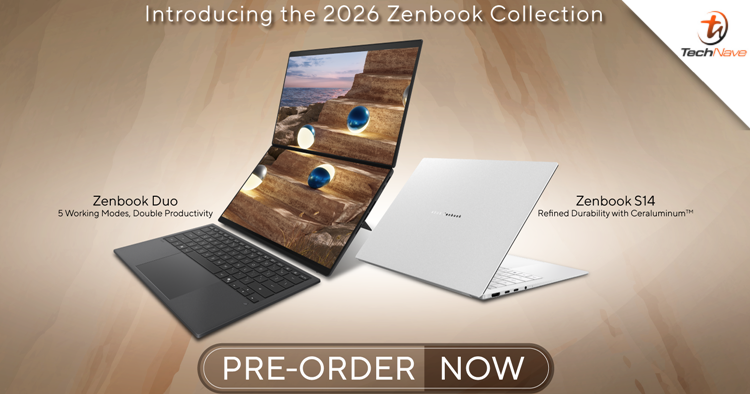
Kicking off with the design, the Zenbook Duo is all bout that "stealth power" aesthetic, featuring a high-tech Ceraluminum chassis in a sleek Moher Grey option. It is slim, but the ceramic feels as tough as a tank. Compared to its predecessors, this model is roughly 5% smaller, weighing in at just 1.35 kg (or 1.65 kg with the keyboard), making it surprisingly portable for a 20-inch workspace.
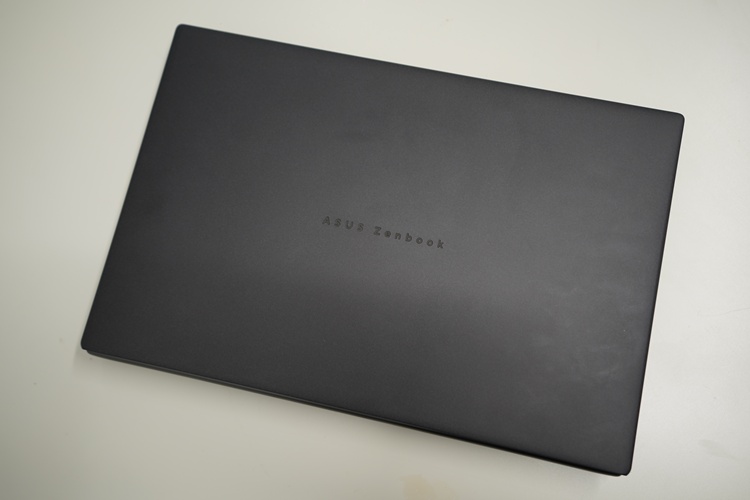
The cover is pretty tough
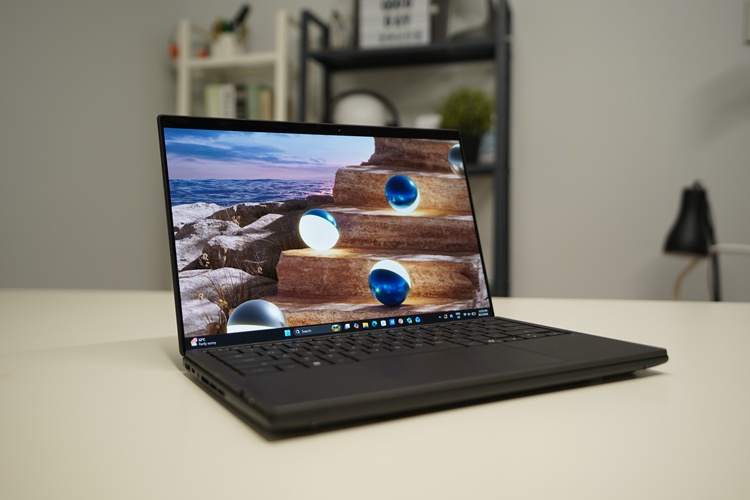
The dual screens do make the laptop look "fat"
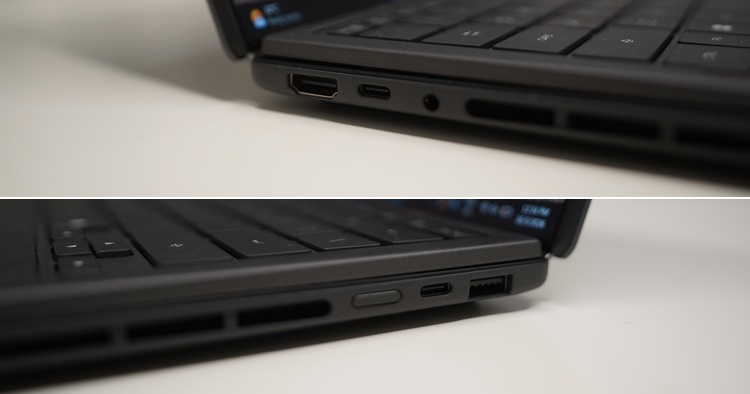
The ports on both sides
A major highlight is the redesigned hideaway hinge, which reduces the gap between the dual 3K OLED screens by 70%, creating a nearly seamless "visual canvas" that almost makes the bezel disappear when you're working. On the back, there's a built-in integrated kickstand that lets you prop the screens up in "Desktop Mode". Its MagLatch keyboard uses retractable pogo pins to dock and charge effortlessly between the screens.
This ensures the whole package stays slim and protected when you're on the move. Despite having seamless bezels between the displays, I hope they can get rid of them to make a big and seamless screen in future iterations. It may seem unlikely, but we can only dream about it.
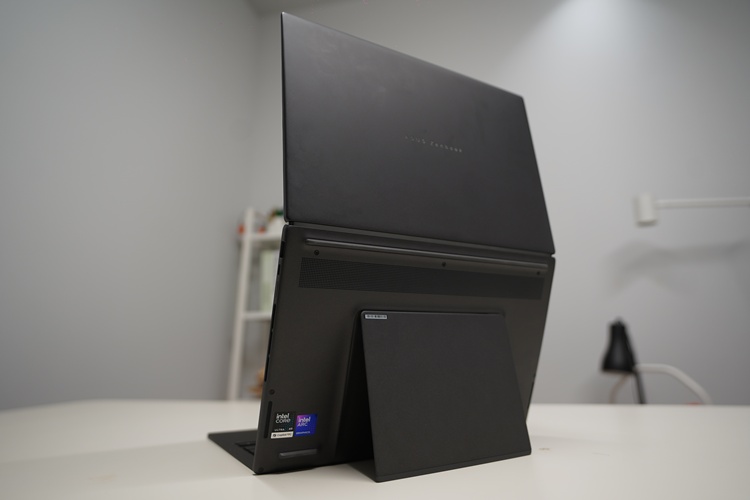
Standing tall
Moving on, the Zenbook Duo features a dual 14-inch 3K Lumina Pro OLED screen. Having an extra screen for doing work, such as video editing, really does boost work efficiency, as the massive 20-inch total workspace minimises the need for constant tab-switching. To add to that, ASUS developed an app for this specific laptop called ASUS Dial & Control Panel. It allows the bottom screen to become a series of shortcuts to toggles you would usually have to hunt for in your software.
For example, if you're using video editing software like Premiere Pro or DaVinci Resolve, you can configure the app to have a physical-feeling dial for scrubbing the timeline, or custom touch-buttons for play/pause and cutting clips. This 2026 model takes it further with the Intel "Panther Lake" chip, featuring a dedicated NPU that handles AI masking and rendering tasks in the background without slowing down your workflow.
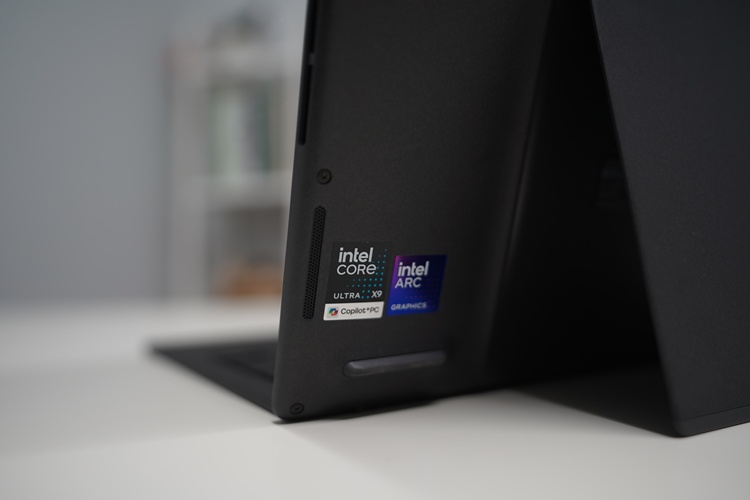
Slim but powerful thanks to the Intel Panther Lake chipset
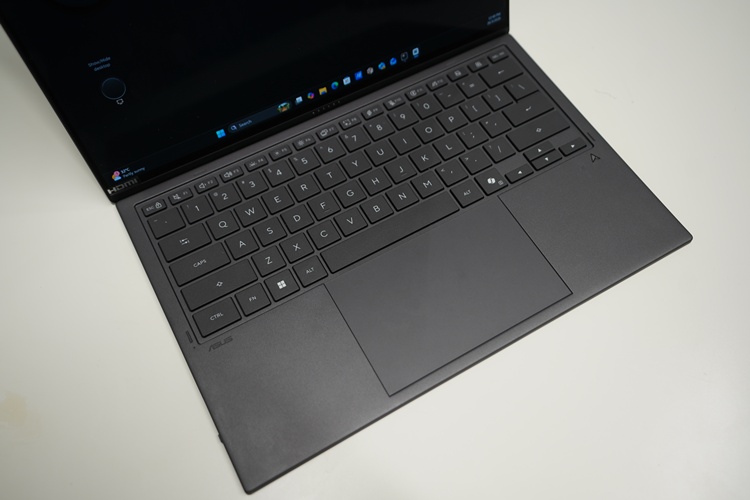
The detachable keyboard
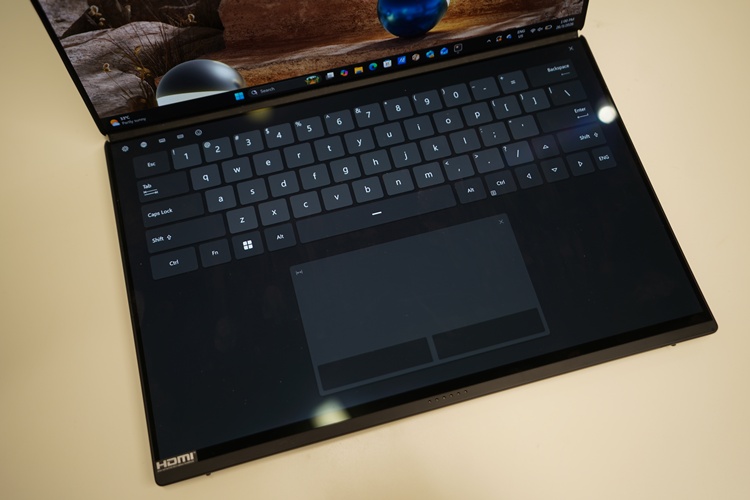
You can turn the other display into a virtual keyboard too!
You also get a detachable keyboard that connects to the laptop seamlessly via magnetic pogo pins. Meaning it charges while attached and has zero latency when removed. And since both displays are 144Hz touchscreens with a nearly invisible bezel gap, the entire experience feels like a high-end desktop workstation that you can simply fold up and slide into a backpack.
Battery is usually the dealbreaker for dual-screen setups, but this one actually lasts. Thanks to the new Intel "Panther Lake" chips and a huge 99Wh battery, you can legit leave the charger at home. With single display use, you're looking at around 18 hours of browsing. Battery life in dual display mode drops to about 12–13 hours for web stuff. Even with video editing and a bunch of Chrome tabs open on both screens, you'll still get a solid 8 to 10 hours.
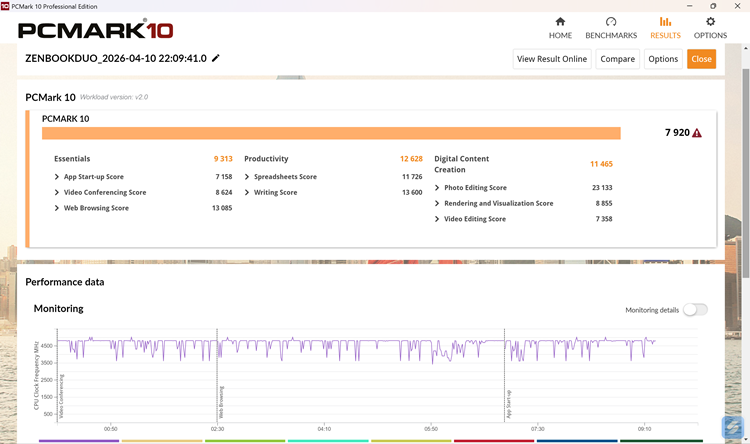
PCMark 10 with an almost 8K score
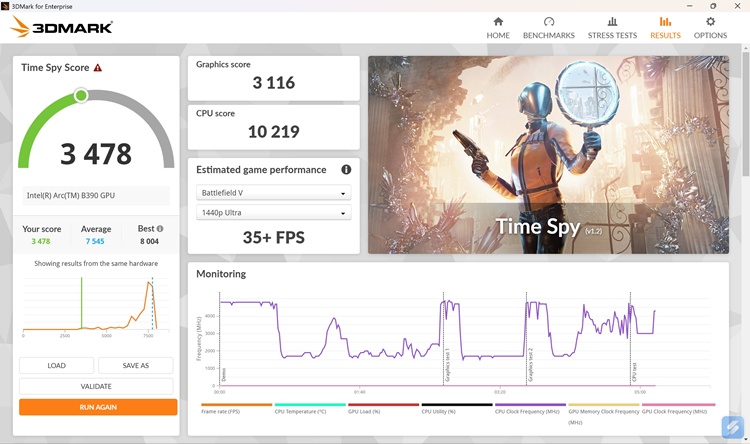
As expected, just an average score on 3DMark since it's not really a gaming laptop
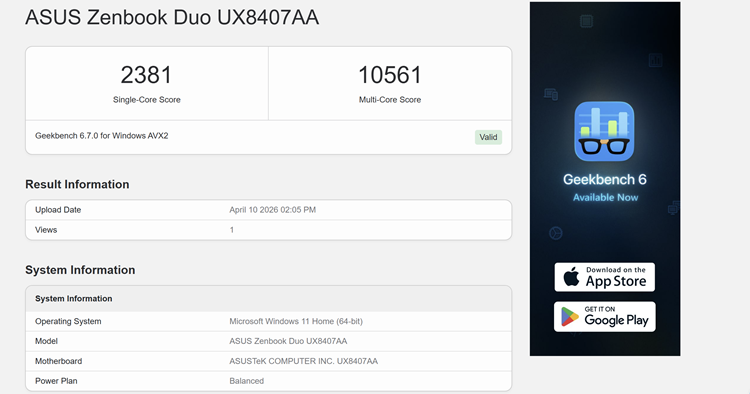
Geekbench score, showcasing its prowess in multi-core performance
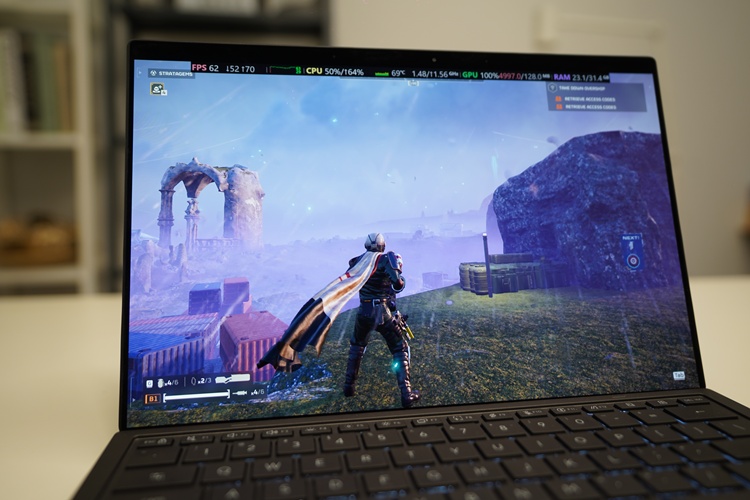
62FPS at 2K in Helldivers 2
Don't let the "work" look fool you; it can actually hold its own in games. It's rocking the Intel Arc B390, which is technically entry-level, but punches above its weight. I tested Helldivers 2 at 1920x1200 with render scaling on ultra quality and graphics on medium settings. The game ran roughly around 40-60fps, depending on the situation. If you're playing slightly older titles, this thing will breeze through them!
Overall, the Zenbook Duo is basically a powerhouse productivity rig that somehow fits in a backpack. Between the massive 20-inch dual-screen setup and the clever ASUS Dial shortcuts, it makes multitasking feel effortless rather than cluttered. The real "secret sauce" is the Intel Panther Lake chip, which gives you enough juice to edit videos or play AAA games like Cyberpunk 2077 without killing the battery in two hours.
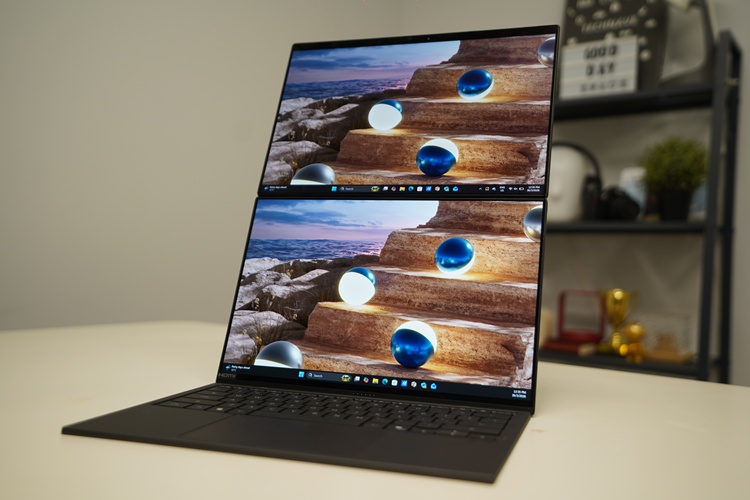
Is it worth buying?
Granted, there isn't really much to say about this laptop. As straightforward as it is, it is a rare beast that offers desktop-level screen real estate with actual all-day battery life. Casual gamers could find it a good fit as well, although we don't think it is suitable. Still, the keyword is having a mobile workstation. We recommend the Zenbook Duo for power users who need a mobile workstation, as content creation is all the rage these days.
But there are some drawbacks to this laptop, one of my main complaints as a content creator is the number of I/O ports. Since one Thunderbolt port is usually occupied by the charger, you'll almost certainly need to carry a USB-C dongle if you use multiple peripherals. Another issue I ran into is that, while Windows 11 has improved, it still isn't perfectly optimised for dual-screen setups. Users occasionally encounter windows "jumping" between screens or orientation glitches when switching between Laptop, Desktop, and Dual-Screen modes.
All that for RM12,999, that's asking a lot. You're going to pay a premium for the ASUS Zenbook Duo (2026), but is it worth it? If you're a content creator who needs that extra display and is always on the go, and needs a laptop that is just as capable as a home workstation, this is the only laptop you're going to need. Sure, it comes at a price, but it's probably going to last you a long time. If you're looking for a laptop that can do all that with just a single screen, there are better options out there.
ASUS Zenbook Duo 2026 Specifications:
- CPU: Intel Core Ultra X9 388H
- Dedicated GPU: Intel Arc B390 (Equivalent 4050)
- RAM: 32GB LPDDR5X (non-upgradeable)
- Display: Dual 14-inch 3K (2880 x 1800) Lumina Pro OLED 144Hz VRR, 1000 nits Peak HDR, 100% DCI-P3
- Storage: 2TB M.2 NVME
- Battery: 99Wh (100w charging)
- Weight: 1.35kg without keyboard and 1.65kg with keyboard
- I/O Ports: 2x Thunderbolt 4 (Display / Power Delivery), 1x USB 3.2 Gen 2 Type-A, 1x HDMI 2.1 (FRL), 1x 3.5mm Combo Audio Jack
Pros - Nice durable design, quite a powerful laptop that can play some AAA games, actual all-day battery life, and a great mobile workstation with an extra quality display.
Cons - Limited I/O ports, Windows 11 not fully optimised for the dual-screen setup, and the RM13K Malaysian Ringgit price tag.
Conclusion - Perfect for content creators who need a powerful mobile workstation with an extra display that can fit into their backpacks easily.
But what do you think of the ASUS Zenbook Duo 2026? Let us know on our official TechNave social media pages. Share this with your friends and family who need a mobile workstation, and stay tuned for more tech gadget reviews only at TechNave.com.




COMMENTS