
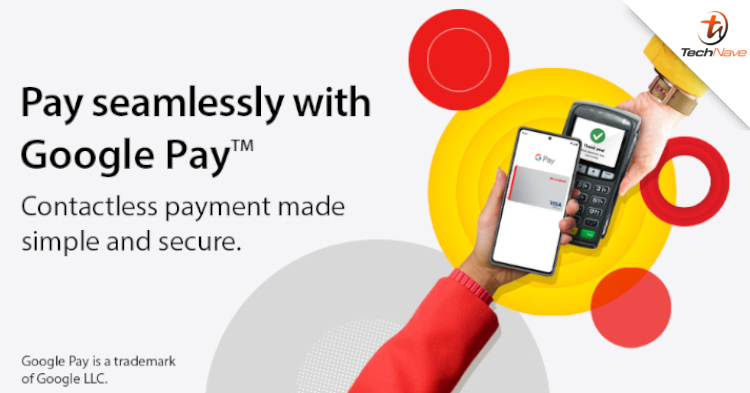
We have good news for AmBank users. Starting today, AmBank has made contactless payments available on Google Pay. That said, what should you know about it?
For your information, this feature allows you to add your cards to Google Wallet. This allows you to make payments via NFC wireless payments. This feature covers both Google’s and Apple’s Apple Pay wireless payment systems for your convenience.
In addition, you might want to read the FAQ because the feature does not exactly covers all AmBank cards. For instance, there is no Google Pay support for the AmBank Union Pay Credit Card and AmBank Debit Mastercard. Otherwise, you can load cards from both AmBank and AmBank Islamic onto Google Wallet like Apple Pay.

Moreover, you can add the same card to 10 different devices. AmBank says if the card does not appear immediately, it will take around 10 minutes for it to be on Google Wallet. Thanks to this support, AmBank now joins CIMB, HSBC, Hong Leong Bank, Public Bank, and Standard Chartered to offer Google Pay facilities for its customers.
To use this feature, you will need to download and launch the Google Wallet app. Then, tap the “Add to Wallet” button on the bottom of the screen, and just follow the prompts. You should be able to see your cards after some time. Your card should be ready for use when it appears on the screen.
Besides that, AmBank says your card should be legal even if the Digital version does not look the same. Your card registration and provisioning are successful if the following are displayed on the Credit Card/-i image:
• AmBank/AmBank Islamic logo
• The Card Network (Visa or Mastercard)
• The last four digits of the physical Credit Card/-i
You can read more about this feature on AmBank’s official page. Hopefully, your online and physical transactions will be made easier after this. Happy shopping.
What are your thoughts about this news? Stay tuned for more news and updates like this at TechNave!

COMMENTS