
This week, we were given an opportunity to check out what OPPO's ColosOS 15 has in store for us. Director of User Experience and Solutions, Software Engineering System of OPPO, Ash Ma was present to give us a rundown on what to expect. So if you're interested in knowing more, read on below for some ColorOS 15 tips.
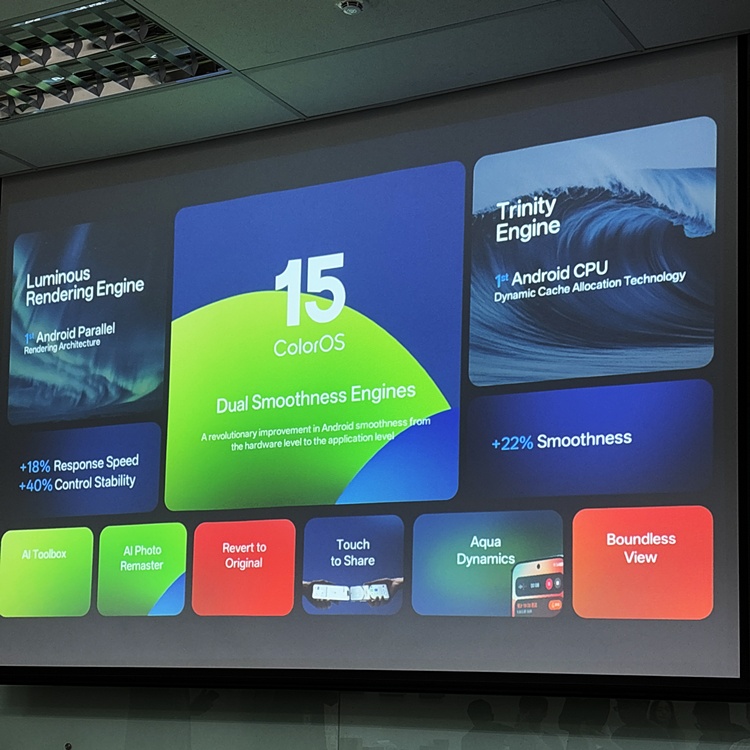
To kick off the workshop, ColorOS 15 is powered by OPPO's Dual Smoothness Engine. Combined with Android's Luminous Rendering Engine (the first Android Parallel Rendering Architecture), it directly subverts the traditional Android "queue first and then executes" operation mode. What this does is process in a multi-threaded accelerator manner on the system, enabling smooth operation for apps. Assisted by the Trinity Engine, it offers +22% Smoothness, +18% Response Speed, +40% Control Stability.
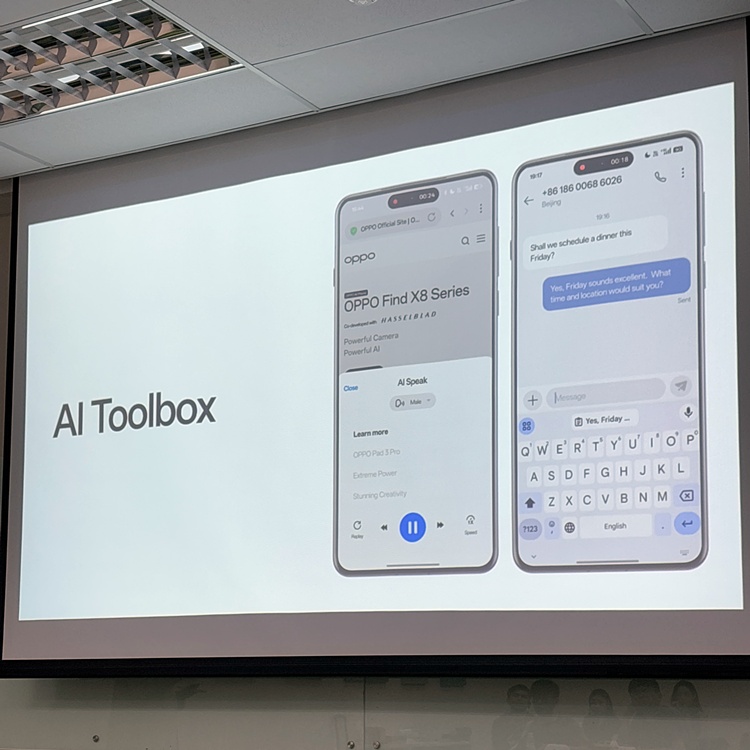
Next, the AI Toolbox is also one of ColorOS 15's secret weapons for mobile photographers. We have touched on the AI Toolbox a couple of times in our news and reviews so here's a recap of what each function does:
- AI Eraser: Remove unwanted objects and subjects in an image with just a swipe.
- AI Reflection Remover: Remove unwanted reflections on a glass or mirror in an image.
- AI Clarity Enhancer: Enhance a blurry old image up to 4K resolution
This is just the tip of the iceberg, as there are also other collections of helpful AI-power assistants to make users' lives easier. This includes AI Speak, AI Summary, AI Reply, AI Assistant and AI Recording Summary.
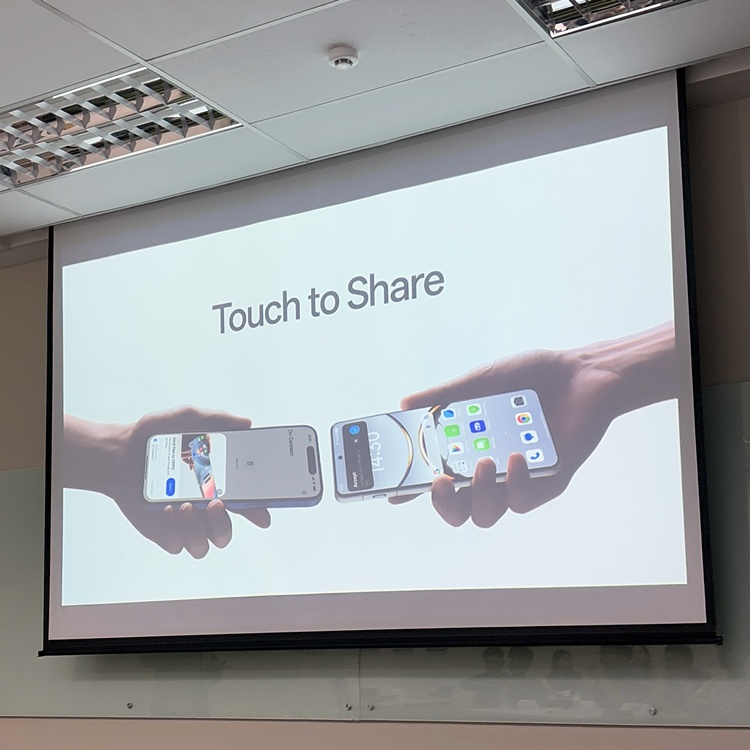
Another innovative ColorOS 15 function is the Touch to Share file transfer function. To put it simply, this is OPPO's version of Apple's AirDrop, allowing the user to transfer pictures, videos and documents between OPPO and Apple devices in seconds via the O+ Connect app. They gave us a demo of how fast it can be and true enough, 1000 pieces of 4K photos were transferred in just eight seconds.
The ColorOS15 also takes its design to the next level, introducing Aqua Dynamics. Granted, it does look like Apple's Dynamic Island but it's said to have more flexibility. For example, a user can swipe, tap or even press hold to preview or switch between tasks. Honestly speaking, this is much easier to operate than the traditional multitasking style.
Coupled with the optimised animation transition and UI design, every visual effect operation felt smooth and "natural". Even the "waiting for the page to load" looks good and fluid. OPPO was also able to showcase operating and switching two apps simultaneously, in this case, it was Spotify and a Voice Recorder app.
ColorOS 15 definitely feels like a big evolution of the Android system, functioning from hardcore technology features to AI, as well as a cross-device transmission to the new UI design. Including ourselves, other positive responses from the media highlighted during the workshop were:
- Smoothness and seamlessness of the OS.
- Very attractive OS design – iOS-like.
- Impressive AI Imaging Features, specifically highlighting the AI Eraser and Reflection Removal features as standouts.
OPPO's ColorOS 15 is no doubt, most impressive. But what do you think? If you want to know more about it, you can visit the official web portal right over here to learn more. Let us know what you think about ColorOS 15 and stay tuned for more trending tech topics like this only at TechNave.com.



COMMENTS