
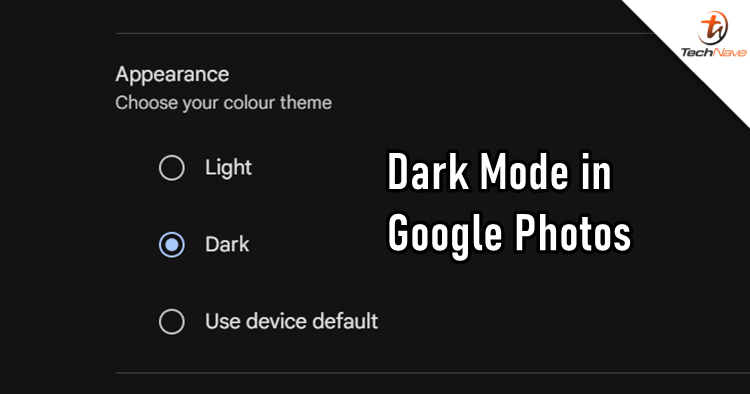
Over the long weekend holidays, Google sent out a new update for Google Photos on the web. So in case you missed it, you can now set a dark mode theme on your Google Photos in your web browser.
Setting up dark mode on Google Photos is very easy. All you have to do is log in to your account on the platform there, click on the settings icons (in between the question mark and dots icons), find ''Appearance'' and then choose your colour of choice. You can also opt for the default setting of your PC.
That's pretty much it! By the way, your Google Photos app will also sync the appearance theme accordingly to what you have set on the web browser version. From the looks of it, there seems to be no way of changing it directly from the app.

COMMENTS