

Smartphones have pretty much taken over almost everything. It has become our wallets, cameras, and personal data hubs, an all-in-one device. But this also makes them prime targets for cyber threats, which we have seen the rise of scams and spam over the years, especially since the pandemic.
Not all is bleak, though. At the same time, modern devices are more secure than ever thanks to significant improvements in operating systems and hardware-level protections. It makes sense for personal computers to have an anti-virus program to help guard against malicious attacks, but what about smartphones? Do you actually need an anti-virus app on your phone?
The Short Answer
For most users, the answer is no. You don’t really need a dedicated anti-virus app on your phone. However, that doesn’t mean such apps are useless. Certain users can benefit greatly from having an extra layer of protection, especially if their usage habits expose them to higher risks. Ultimately, your need for anti-virus software depends less on the device you own and more on how you use it in your daily life.
Built-in Security Is Already Stronger Than You Think
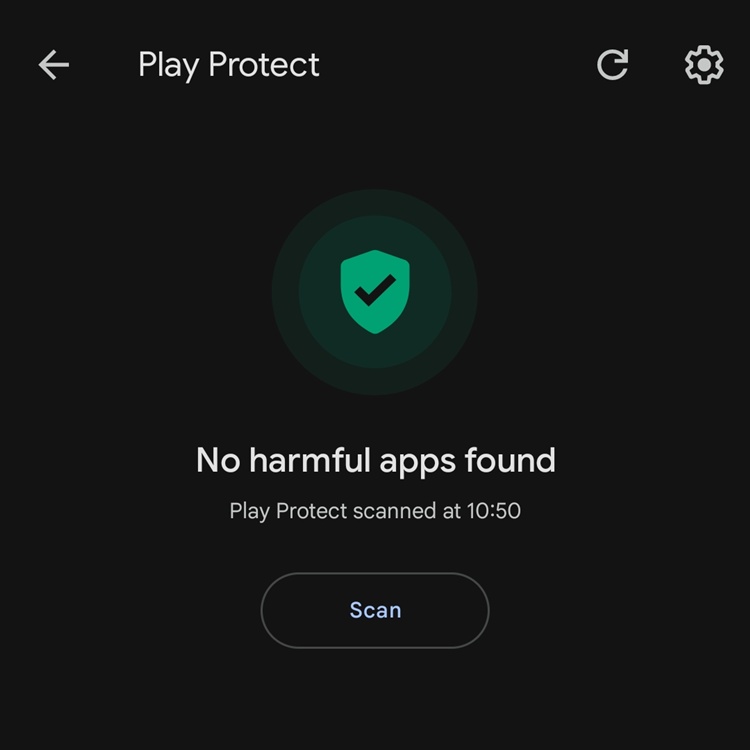
All Android phones with Google Mobile Support already have Google Play Protect
Modern operating systems come with robust, always-on protection that works quietly in the background. These include real-time malware scanning, app sandboxing to isolate apps from each other, behavioural analysis to detect suspicious activity, and curated app stores that filter out malicious software before it reaches users.
Starting with a basic understanding, for instance, the Windows Defender Firewall on your laptop is already the default anti-virus program that provides built-in network and threat protection. So if you're a user who's already careful of how to navigate the online world, you're very much 100% safe.
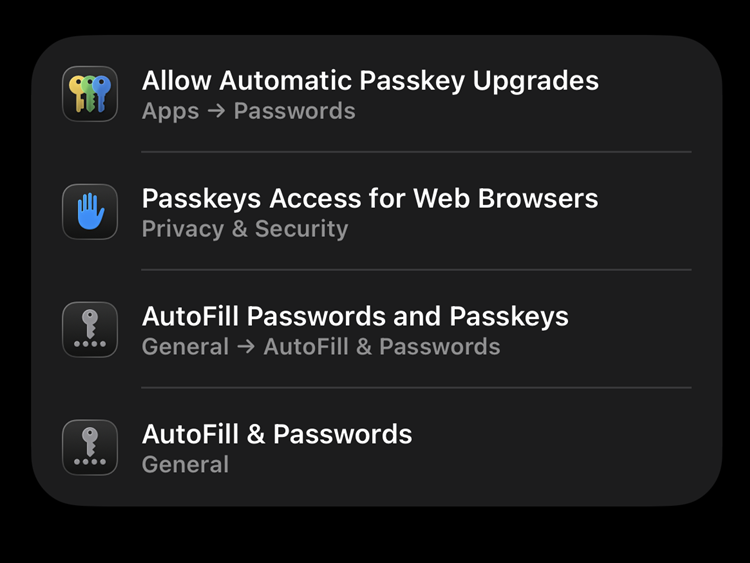
If you're too lazy to come up with a password, let iOS do it for you
For smartphone users, security features such as passkeys and two-factor authentication (2FA) add another layer of protection against account breaches. Google Play Protect also continuously scans apps on Android devices to detect harmful behaviour. These systems are designed to stop threats before they can even run, significantly reducing the likelihood of infection.
Apple goes a step further with deep hardware and software integration. Technologies like the Secure Enclave protect sensitive data such as biometric information, while XProtect blocks known malware signatures and Gatekeeper ensures only trusted apps are allowed to run. Because these protections are tightly integrated into both the hardware and software stack, many users are already well-covered for everyday activities like browsing, messaging, or streaming content.
Android vs iOS: Why It Matters
Speaking of Android and iOS, these two are entirely different operating systems, even though we use them on our Android phones and iPhones every day. As you should know, Android offers a more flexible and open ecosystem, which is one of its biggest strengths but also introduces more risk.
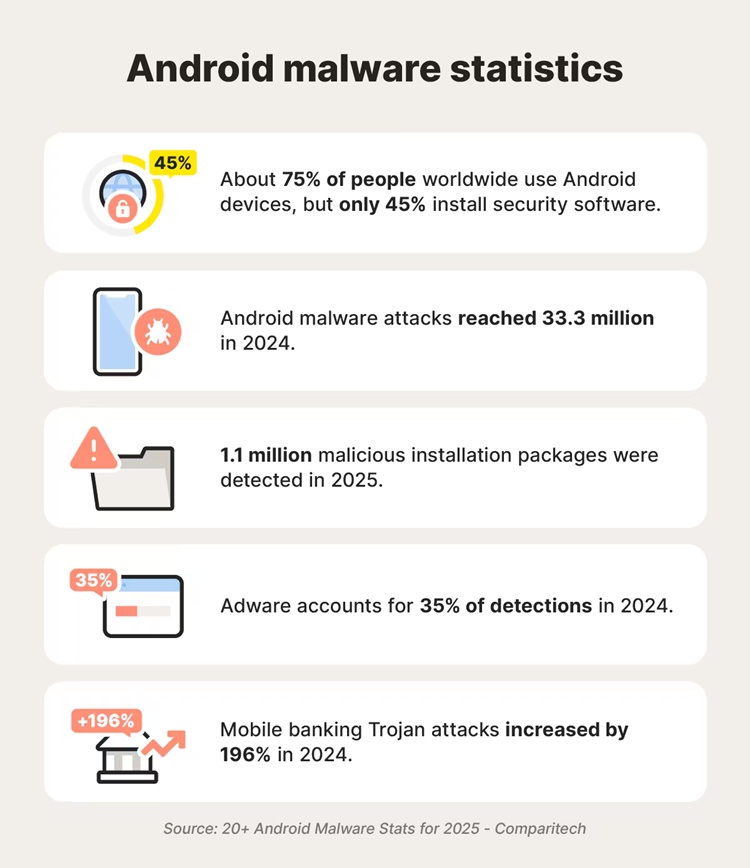
Some fun facts about malware attacks
Users can install apps outside of the official app store through a process known as sideloading, which increases the chances of encountering malicious software. While protections like Google Play Protect exist, Android devices are generally more exposed to malware compared to iPhones. As a result, anti-virus apps are not strictly necessary, but they can be useful for users who frequently install apps from third-party sources or experiment with APK files.
Apple’s iOS operates within a tightly controlled ecosystem, often referred to as a “walled garden.” Apps must go through strict review processes before appearing on the App Store, and strong sandboxing prevents apps from interfering with one another. Because of these layered protections, the risk of malware on iPhones is significantly lower. In most cases, anti-virus apps on iOS devices don’t function like traditional scanners and instead focus on features such as phishing protection, secure browsing, or identity monitoring. For the average user, a dedicated anti-virus app is largely unnecessary.
What Actually Determines If You Need Antivirus
Your personal usage habits play a major role in determining your risk level. Users who frequently download apps outside official stores, click on unknown links, handle sensitive financial data, or use rooted or jailbroken devices are more exposed to potential threats. In these cases, having an additional layer of protection from a third-party anti-virus app can be beneficial.
Your risk profile also matters. Certain groups, such as corporate professionals, business owners, and high-net-worth individuals, are more attractive targets for cybercriminals. These users are more likely to encounter sophisticated phishing attempts, social engineering tactics, and targeted scams that go beyond basic malware.
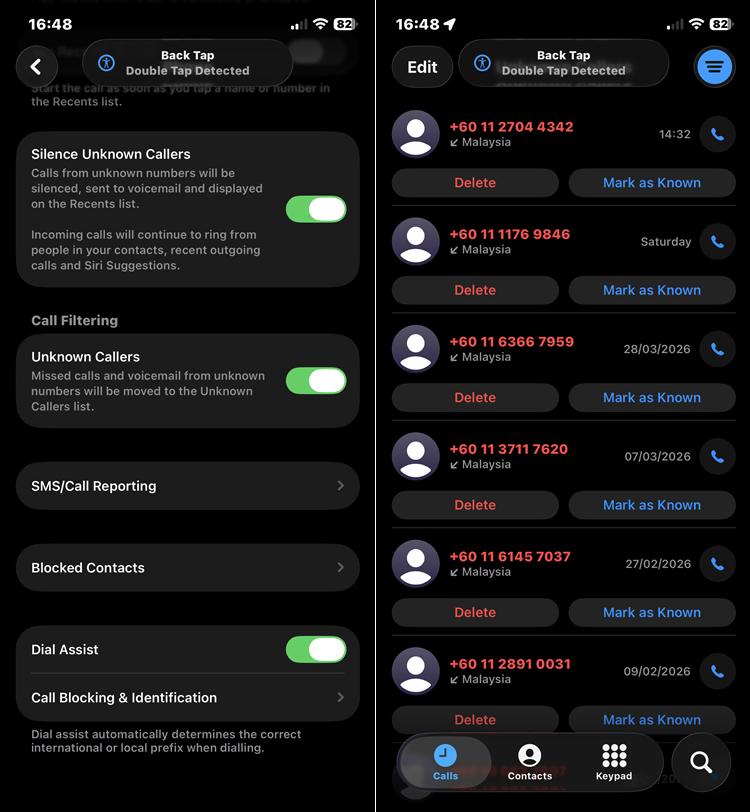
If it weren't for iOS' Call Filtering feature, I would have gotten so many annoying unknown callers
In Malaysia, scammers are also increasingly targeting older users through platforms like Facebook and WhatsApp. Common tactics include impersonation scams, where attackers pose as a family member or friend in distress and request urgent financial help, as well as fake reward scams that lure victims with “free gifts” or “government aid” offers. These often lead to phishing websites designed to steal banking credentials or one-time passwords.
The key point here is that built-in security systems are excellent at stopping technical threats, but they cannot always prevent human manipulation. This is where security apps with features like web filtering and scam detection can provide an additional layer of defence.
Downsides of Antivirus Apps
While anti-virus apps can add value, they are not without drawbacks. On mobile platforms, especially iOS, these apps often have limited system access, which reduces their effectiveness compared to desktop anti-virus software. Some apps may also impact battery life and device performance, particularly if they run constant background scans.
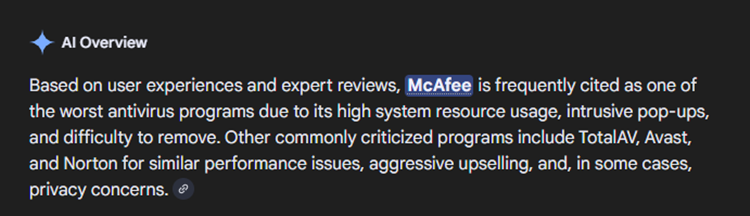
Hey, it's not just me saying it; even Google search says it
Additionally, anti-virus apps typically require extensive permissions to function properly, which can raise privacy concerns. In some cases, certain apps have been found to collect user data, which defeats the purpose of installing a security tool in the first place. This makes it important for users to choose reputable providers and understand what permissions they are granting.
Recommended Security Apps
For users who want more than built-in protection, several third-party security apps offer good value. Modern anti-virus tools now go beyond basic scanning. Many include features like deepfake detection, identity theft alerts, secure browsing, and cloud backup. These extras provide a wider safety net, especially against newer scam tactics.
- Norton 360 is one of the most comprehensive options. The Premium plan covers up to 10 devices, including PCs, Macs, and smartphones. It also includes 100GB of cloud backup and newer features like deepfake protection. In Malaysia, pricing typically starts from around RM219 for the first year. It is a strong option for users who want full, all-in-one protection.
- Bitdefender Total Security is another popular choice. It is known for strong detection rates and low system impact. This makes it ideal for users who want solid protection without slowing down their devices. It is also competitively priced, with one-year plans for a single device available at around RM29.50 on local e-commerce platforms.
- For a more budget-friendly option, Kaspersky Standard remains a common pick. It offers reliable basic protection for everyday use. While it has fewer advanced features, it still covers essential security needs. In Malaysia, the 2026 version can be found from as low as RM17.99 for a one-year, single-device plan on platforms like Shopee.
What Matters More Than Antivirus
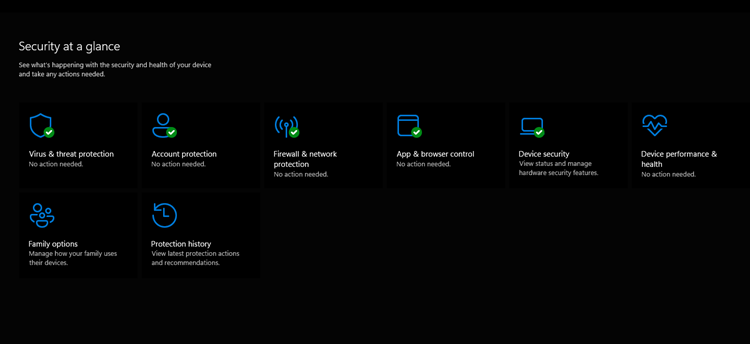
If you only rely on Windows Defender on your PC, chances are you probably don't need an anti-virus app for your smartphone
Regardless of whether you install an anti-virus app, your habits play a far bigger role in keeping your device secure. Keeping your phone updated ensures you receive the latest security patches, while avoiding suspicious links and downloading only trusted apps significantly reduces your exposure to threats. Using strong passwords, passkeys, or biometric authentication further strengthens your protection against account breaches.
In reality, most mobile security issues stem from user behaviour rather than the absence of anti-virus software. Practising good digital hygiene is often more effective than relying solely on third-party tools.
Final Verdict
You don’t automatically need an anti-virus app for your phone, and for many users, built-in protections are already sufficient. All in all, smartphone security today isn’t just about installing the right software. It’s about how you use your device every day. Do you have other recommended anti-virus apps for phones? Let us know on our social media pages. Stay safe and stay tuned for more original tech articles like this only at TechNave.com.



COMMENTS