
Google Veo 3 and Flow are Google's latest generative AI platforms that offer text-to-video prompting. While Veo 3 is the engine, Flow is the platform where the videos are generated and put together. Together they allow users to rapidly create various types of videos using just text prompts.
Recently, Google offered us a chance at trying out Google Veo 3 and Flow. Here are our first impressions of the platform along with our own rather basic attempts at text-to-video. If you're interested in trying it out then do keep on reading.
How to Access Google Veo 3 and Flow

To get access to Google Veo 3 and Flow, you can try out Google AI Pro for a month or if you have the funds, RM 614.90 for Google AI Ultra
Access to Google Veo 3 and Flow is primarily provided through Google's premium AI subscription tiers: Google AI Pro and Google AI Ultra. These plans unlock the advanced capabilities of both Veo 3 and the Flow creative interface.
While Google AI Pro does offer a free trial access, the Google AI Ultra plan provides the highest usage limits and early access to the latest features, including Veo 3. Technically, you can still generate videos in Gemini but you won't have access to all the videos generated for each project.
Checking Out the UI
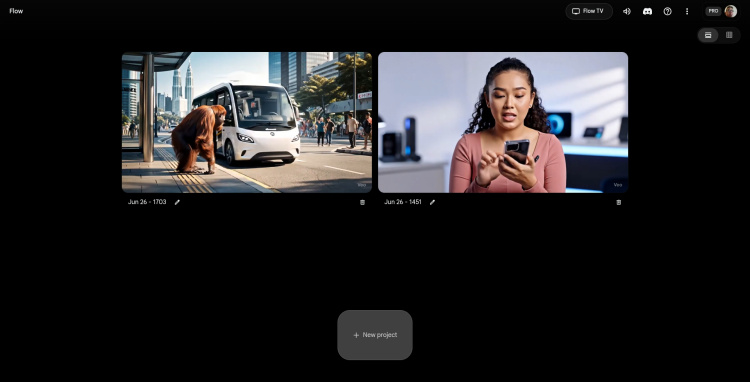
The Google Flow user interface for projects
Upon accessing Flow, the user interface goes for a simple clear space for the projects and prompting text box, which really reminds us of Gemini and NotebookLM. However, for users accustomed to traditional video editing software, the UI might feel somewhat basic.
This is because it features a single timeline that displays generated video clips and limited direct manipulation options within the platform itself. This design choice appears to cater to quick generation rather than comprehensive in-platform editing.
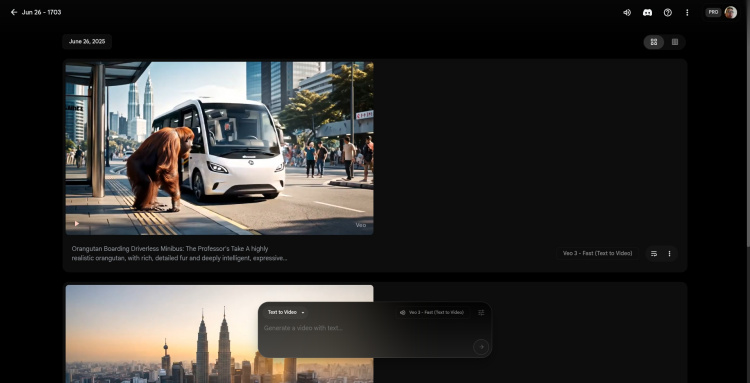
Accessing a project brings up the videos you've created using the prompt box
Text-to-Video
The core functionality of Flow, powered by Veo 2 and Veo 3, is its text-to-video capability. Users input detailed textual prompts describing their desired video content, including visual elements, actions, styles, and camera movements.
The Veo engine then processes these prompts to generate corresponding video clips. A significant advancement in Veo 3 is its ability to automatically generate speech, environmental sounds, and music directly within the video and therefore handling the usually messy process of lip-syncing.
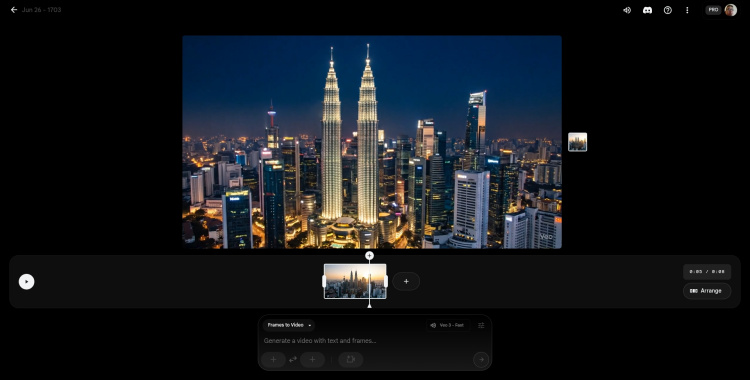
Once you add a video to the scene this is what you'll see, a single timeline.
Frame-to-Video
Flow also supports a "Frame-to-Video" mode, primarily with Veo 3. This feature allows users to provide an initial image (a "first frame") and then guide Veo 3 to generate subsequent video content that extends from that visual starting point.
This is particularly useful for maintaining visual consistency when building a narrative from a specific scene or character design. This mode generally supports environmental sound but may not always include dialogue.
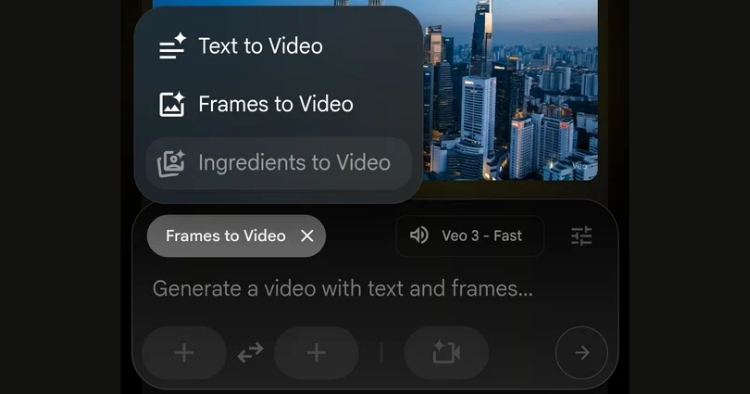
Most of the action happens in the prompt text box
Ingredients-to-Video
While "Ingredients-to-Video" is a feature being developed for Veo 3, it is more prominently associated with Veo 2. This feature allows users to combine multiple elements or "ingredients," such as characters, environments, and objects, to create more complex and consistent scenes across different generated clips. However, it's just for Ultra users so we weren't able to test it.
Veo 2 vs Veo 3
Veo 3 is a significant upgrade over its predecessor, Veo 2. The most notable difference is Veo 3's native audio generation and syncing, which was mostly absent or experimental in Veo 2. Veo 3 also claims improved visual quality, better prompt adherence, and enhanced consistency in generated content, particularly for character and object continuity.
Both Veo 2 and Veo 3 offer "Fast" and "Quality" modes, and if you're not looking too closely both offer nearly similar levels of quality. However, Veo 3 does support "First Frame to Video" and 1080p output, while Veo 2 generations are typically 720p (unless you upscale it).
Subscriptions and AI Credits
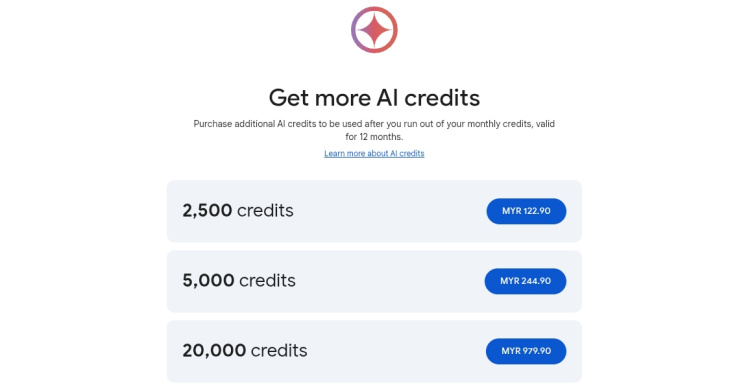
Is this expensive for you? Maybe not for some people...
Access to Veo 3 and Flow operates on a credit-based system. Each video generated consumes a specific amount of AI Credits. On Google AI Pro, users receive 1000 AI Credits per month, while Google AI Ultra subscribers are allocated 12500 AI Credits monthly.
These credits refresh at the start of each billing cycle and unused credits do not roll over. Top-up for AI Credits are available but they only start from 2500 credits at RM122.90 to 20000 credits for RM979.90.
Pros and Cons of Google Veo 3 and Flow?
Based on our initial experience, here are some observations detailing the Pros and Cons of Google Veo 3 and Flow.
Pros:
- Very realistic image generation, skin tone and animation... usually: Highly detailed and realistic, motion for videos generated in Flow is usually very smooth and realistic. However, we have to say that this is mostly for small motions, like walking, turning and looking. The big motions like somersaults and leaps often don't turn out very well.
- Mostly suitable timing for music and audio: When using Veo 3 and it generates music and speech, the syncing is often spot on with matching lip movements.

The music for this movie is very apt (check it out at the bottom)
- Intelligent prompting (prompt adherence): You don't need to be too precise when prompting. Most of the time Flow will understand, but if you know what you want, it's better to be more precise and put all the details in your prompt.
- Plenty of beginner friendly features: These include Frame-to-video and Ingredients-to-video which help to create more consistent videos. There's also Expand-to which lets you create the next video based off of the previous one without having to make a brand new prompt.
- Free 1080p upscaling: While the videos are natively generated in 720p, when you download them you can upscale to 1080p for free.
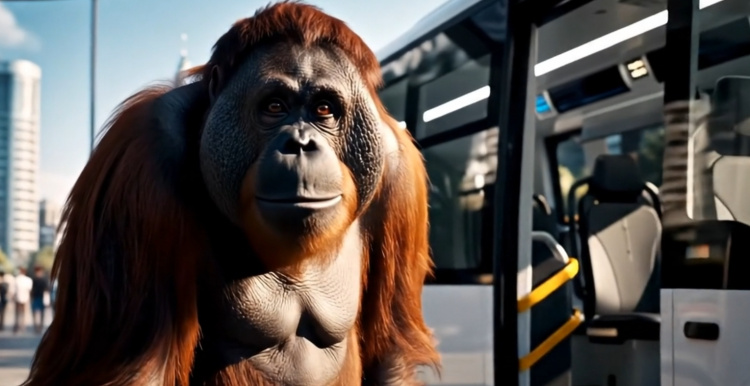
The fur on this orangutan is fairly high resolution with plenty of details, while the design of the driverless minibus is realistic with smooth animation
Cons:
- A bit too beginner friendly: The platform's simplicity, while appealing for quick generations, also means it lacks video editing tools. We frequently found ourselves needing to download each generated video clip and compile/edit them in an external video editor so that it would make sense.
- The UI could use a bit more polishing: Looking through Flow, the interface feels rather basic. It primarily features a single timeline displaying various generated videos, with options for generation and a few basic controls, but it lacks even basic video editing features such as trim, transform and brightness.
- Inconsistent Voiceover (VO) generation: One of the key standout features of Veo 3 is its ability to generate matching voiceovers or dialogue. However, we encountered many times where Veo 3 would unexpectedly fail to generate audio for a given prompt.
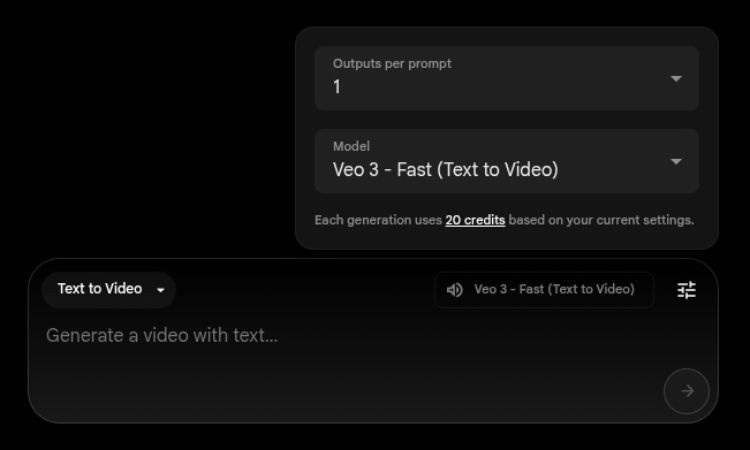
While it does say how many AI credits each generation costs, there's no guarantee that you'll have audio with it
- No refunds for fails: Even worse, there's no refunds for the AI Credits spent for such failures. This can be significantly frustrating, especially after using a substantial amount of credits on a "Frame-to-Video" generation. Flow does say that audio generation remains an experimental feature for now, so we can't fault it that badly though.
- Randomly appearing messed up captions: In some generated videos, captions or text elements appeared distorted or nonsensical even when asked for. Unfortunately, sometimes these captions also appear even though you don't request it.
- Random animation length: Yes, Veo 3 does have a maximum 8 second length for each generated video. However, sometimes when the action you describe in the prompt has already been done, the video does not end, and the characters do whatever (usually looking confusedly at you). The reverse is also true, if your prompt describes actions and speech that exceed 8 seconds, it will just cut off mid sentence.
- Inconsistency: Since text-to-video has the lowest AI credit cost we tried using that most. However even stating that the characters use the same clothes and hair doesn't seem to be enough to guarantee consistency. This results in inconsistent clothes, hair and even voice.
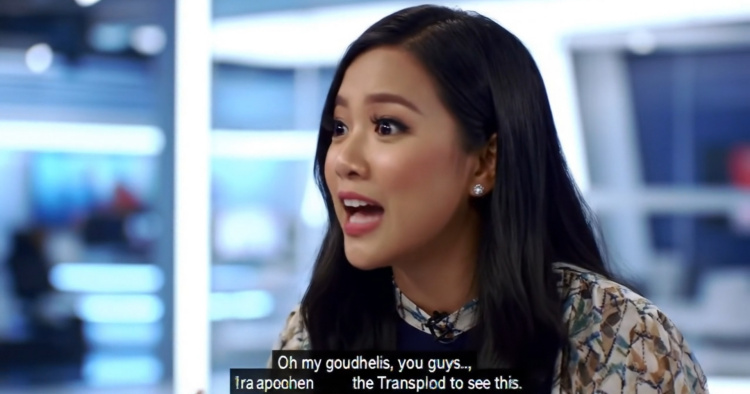
Yeah, these weird captions pop up randomly from time to time
Tips and Tricks
Here are some tips and tricks if you're thinking of trying out Google Flow. First off, reduce the number of generations if you know what you want. Since each video generation uses up AI credits, if your prompt is well-defined and you have a clear vision, generating fewer variations can significantly conserve your monthly AI Credits. Alternatively, if you're exploring options and have a few more AI credits to spare, increasing generations provides more choices.
Just be aware, that even with the most tight prompts, sometimes the video generated in multiple video generations can be completely different than what you want. And this mistaken generation is still counted against your remaining AI Credits, so it seems safer to just limit Generations to 1. Since captions almost always end up being broken or have typos, we just didn't include them at all. However, since they still randomly appear we also added “No Captions” to the prompt just for good measure.
If you're planning to add music or your own audio afterwards, then you can save a few more AI Credits by just using Veo 2. While we do admit that Veo 3 does have higher resolutions, clearer details and the aforementioned automatically added music and voice, in terms of video quality alone, there's not much difference between Veo 2 and Veo 3.
Conclusion - Impressive… but needs a few more actual Pro features
Google Veo 3 and Flow really make it a lot easier to generate videos now, and when they do happen they usually turn out well. However, they aren't perfect. We would have liked it more if there were options for basic video editing or intelligently removing those random captions that appear (something that Runway and Capcut also do with AI).
However, these are still early days and AI is making progress in leaps and bounds. We fully expect Google to implement at least better reliability and consistency soon. We just don't know if they'll add them in the coming months or if they'll wait till Veo 4 comes out.

Even though you can get high quality video generation with Veo 3, it's all a bit frustrating when there's no audio with it
Some other prompters have also pointed out that the number of AI Credits that you get is woefully inadequate. Especially considering that each video generation uses at least 10 AI credits and only has a maximum of 8 seconds.
This might be alright for 30 second ads but for professional movies? With some phenomenal planning and editing you might be able to pull off a single 13 minute short movie but you're likely to blow all your AI credits for the whole month in one go. Even the 12500 AI Credits you get on an Ultra subscription seems just enough for hobbyists when you consider that.
Still, professional movies can blow millions of ringgit on special effects alone. Actual movie people with a budget of hundreds of thousands would probably think that this is a steal not only in terms of production but also time.
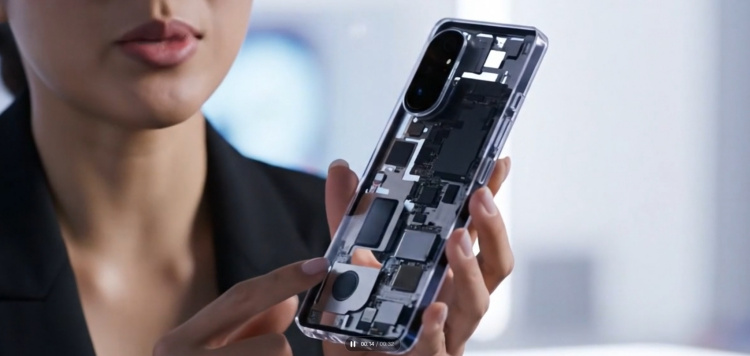
Teaser for the next article: "Who actually needs a transparent smartphone?" video made with Google Flow and Veo 3
Perhaps, it would be better if there were warnings that say you might exceed the 8 second maximum with the prompt you've written. Or that you might not get audio at this time with that prompt before actually generating the video. This might take the guesswork (and frustration) out of it a bit without actually having to improve the reliability.
Then there's the potential for misuse. Already, there have been numerous cases of people (especially the elderly and more gullible) mistaking AI generated videos as being real. Either the AI labels have to be a bit more visible or there has to be clearer disclaimers whenever people spread such AI content on social media.
Despite this, we cannot deny that Google Veo 3 and Flow are already super impressive. We'll be exploring how to make such videos more consistent in the next article, but for now what do you think? Is Google Veo 3 text-to-video generation something you'd be interested in? Share your thoughts in the comments below and stay tuned to TechNave.com



COMMENTS