
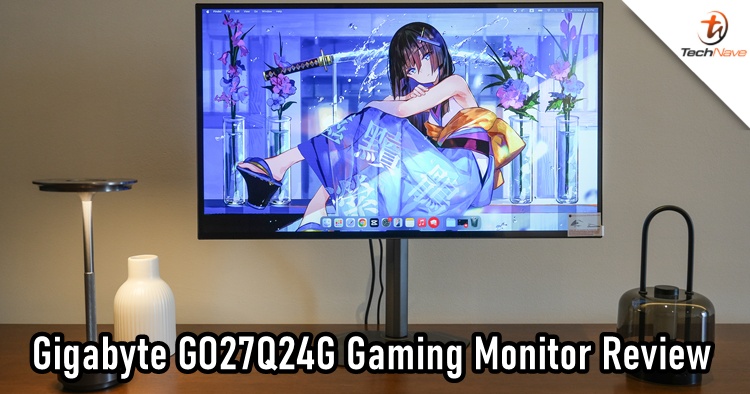
When it comes to gaming monitors, most casual gamers would be just fine with a normal modern monitor. But for those who are into the aesthetics, there are a few brands that can offer that. There's Samsung, ASUS ROG/TUF, Acer Predator/Nitro, LG, MSI, AOC, and even PRISM+, and today, we want to introduce another potential key player that many did not consider: Gigabyte, and its GO27Q24G Gaming Monitor really surprised us.
The Gigabyte brand is usually known for its motherboard hardware, but a gaming monitor? That could be something that's under the radar for most of the gamers. Without further ado, let's take a look at what this gaming monitor offers.
Right off the bat, one of the first things you see is how thin the display panel is. The gaming monitor adopts a relatively understated design compared to many gaming monitors on the market. Instead of aggressive RGB lighting and flashy aesthetics, it features a clean matte-black finish that can fit comfortably into both gaming and work setups, even if it is 27 inches wide (we will get to that soon).
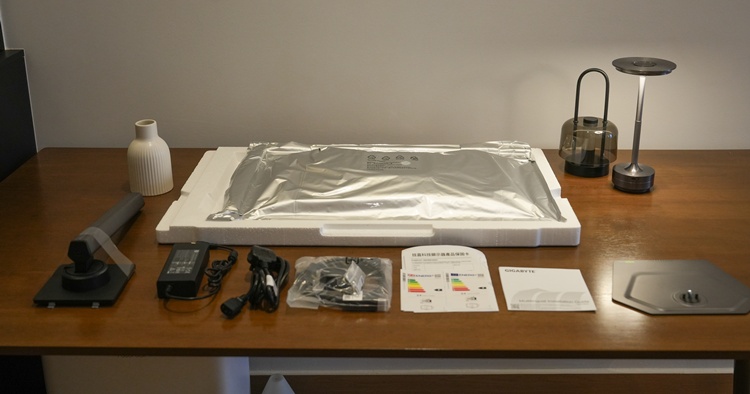
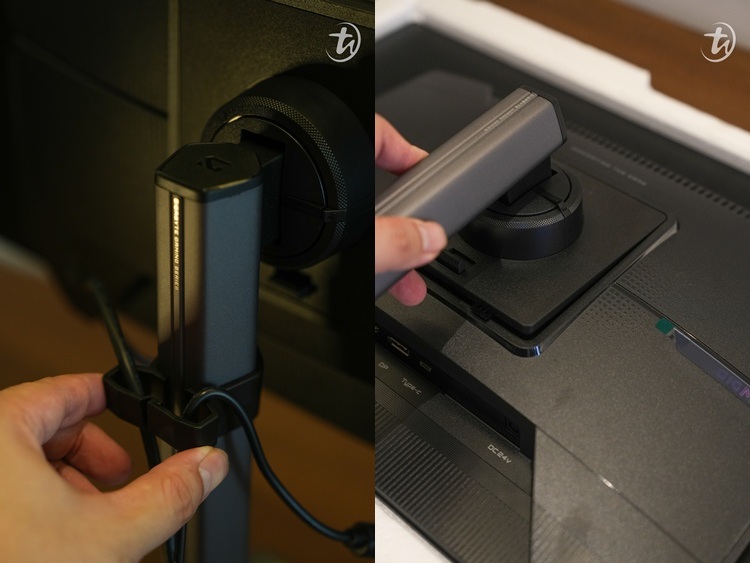
Setting up the gaming monitor
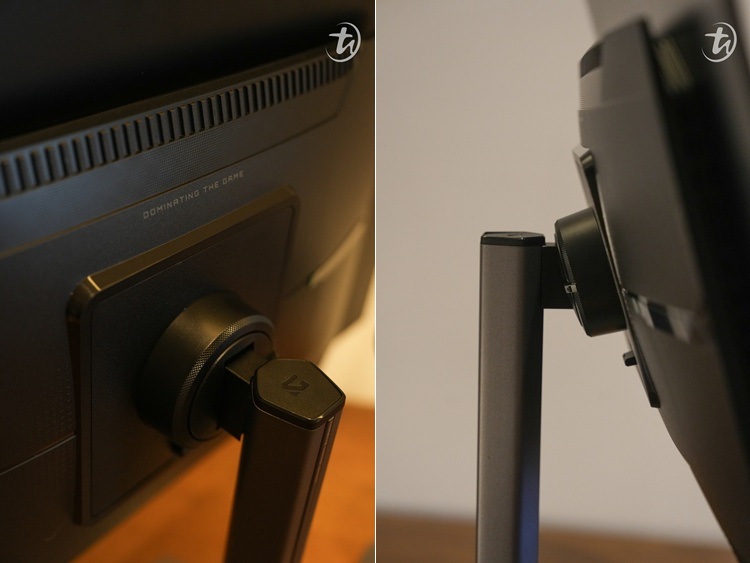
A simplistic design and easy to tilt
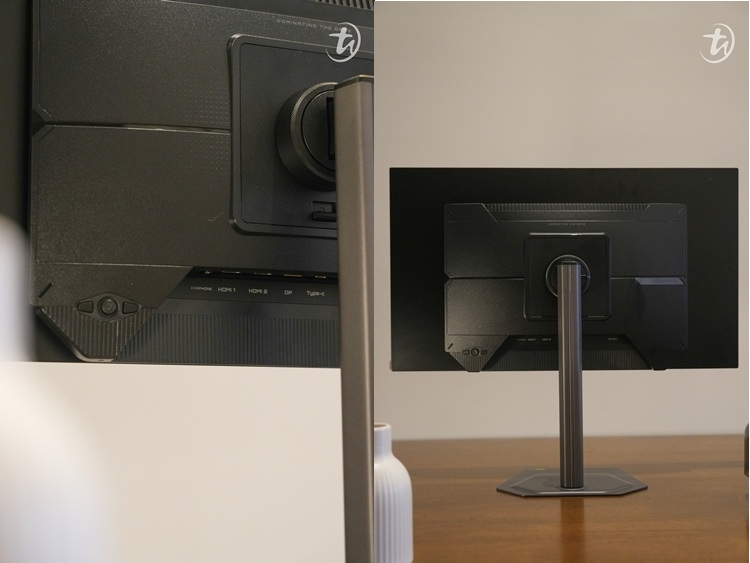
The back design and the connectivity of the menu button, earphone,
two HDMI 2.1, DP and Type-C ports (left to right)
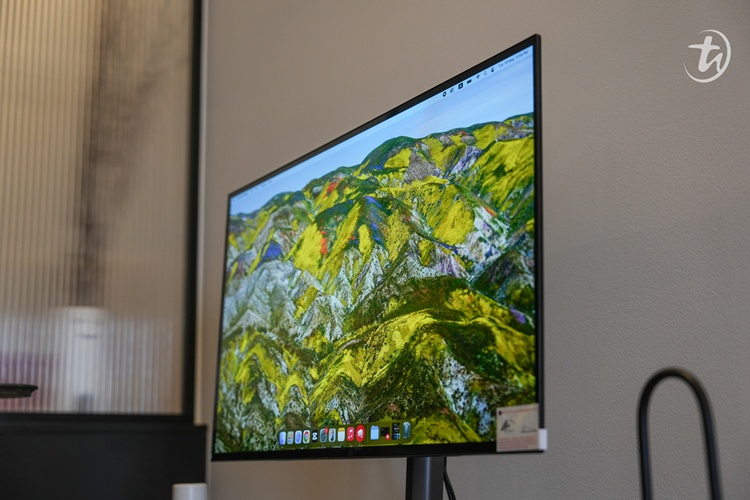
Look at how thin it is!
The monitor comes with a fully ergonomic stand that supports height adjustment, tilt, swivel, and pivot, making it easy to find a comfortable viewing position. Build quality feels solid overall, and the slim bezels help create a more immersive viewing experience, especially for multi-monitor setups. If I'm being honest, the GO27Q24G's design is something that I have always wanted: a non-bulky gaming monitor that doesn't take up a lot of space.
Obviously, the biggest highlight of the GO27Q24G is its 27-inch QHD WOLED panel. With a resolution of 2560 x 1440, it strikes a sweet spot between image sharpness and gaming performance, requiring less GPU power than a 4K display while still delivering excellent visual clarity. I have always wanted an OLED TV (but I can't afford it), so experiencing an OLED gaming monitor truly lives up to the hype.
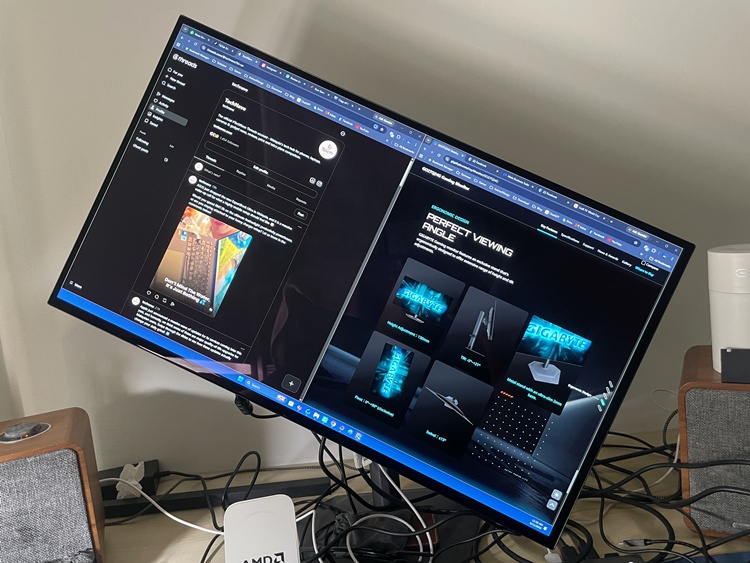
Pardon for the messy setup, but yes, you can turn the monitor to a 90-degree position
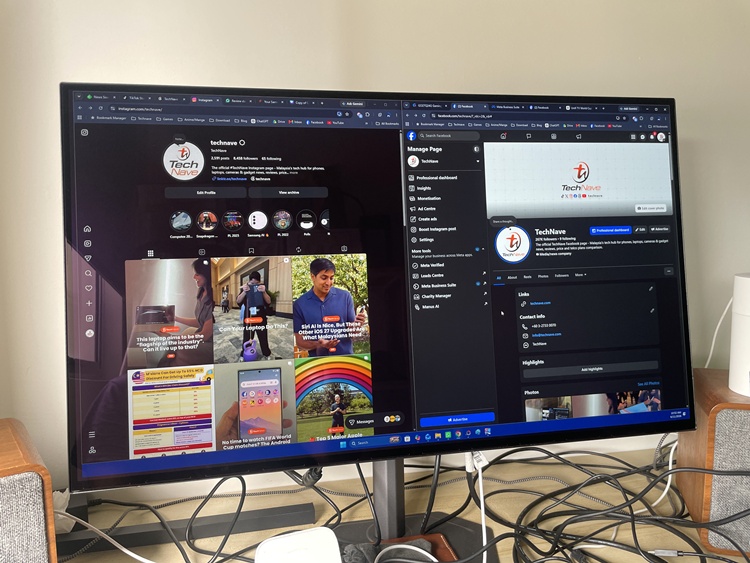
There are still some reflections in broad daylight near the window,
but I can still work comfortably on the monitor
To the uninitiated, OLED panels offer perfect blacks, infinite contrast, and vibrant colours that immediately stand out compared to traditional IPS displays. Gigabyte also incorporates MLA+ technology, allowing the monitor to reach a peak HDR brightness of up to 1300 nits for more impactful highlights in supported content. Combined with its glossy anti-reflective coating, images appear richer and more vibrant, particularly when watching movies or playing visually intensive games in 4K.
Speaking of 4K movies or games, performance is where the GO27Q24G truly shines. The monitor features a 240Hz refresh rate paired with an ultra-fast 0.03ms GTG response time, which is perfect for those hardcore competitive FPS gamers. Unfortunately, I'm not one myself, but I think it's safe to say that those playing CS2, Valorant, Apex Legends, Call of Duty and other similar ones will benefit greatly from the refresh rate and minimal ghosting.
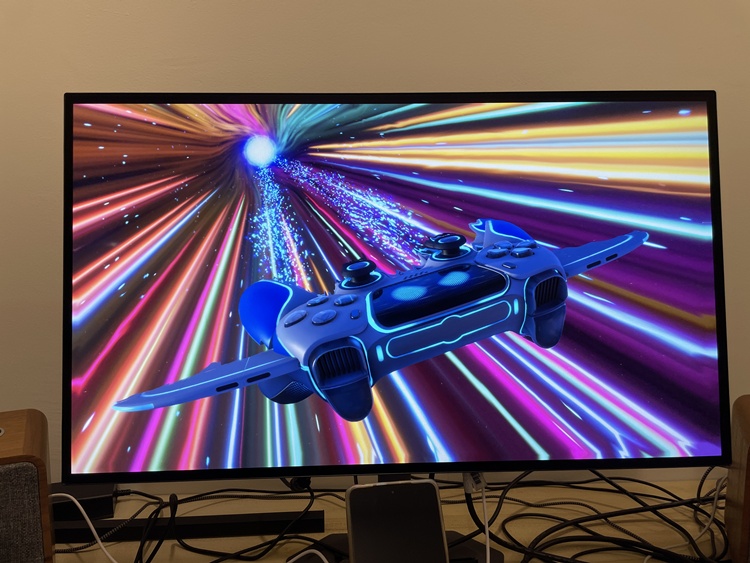
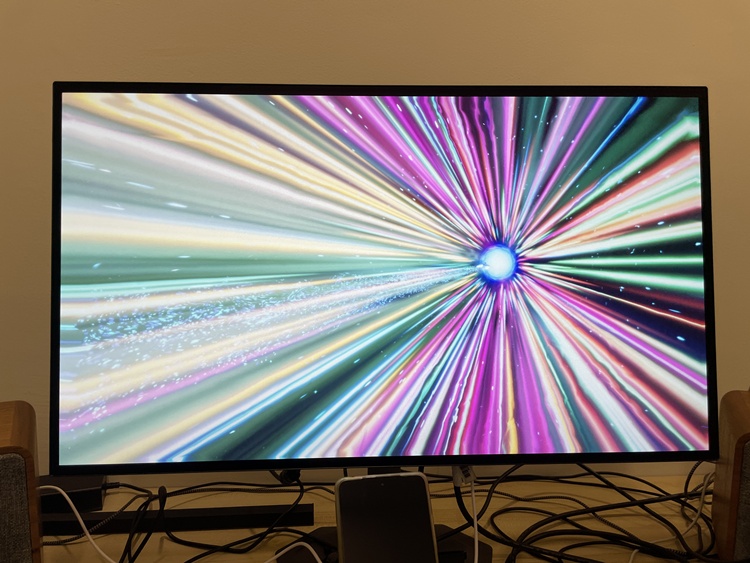
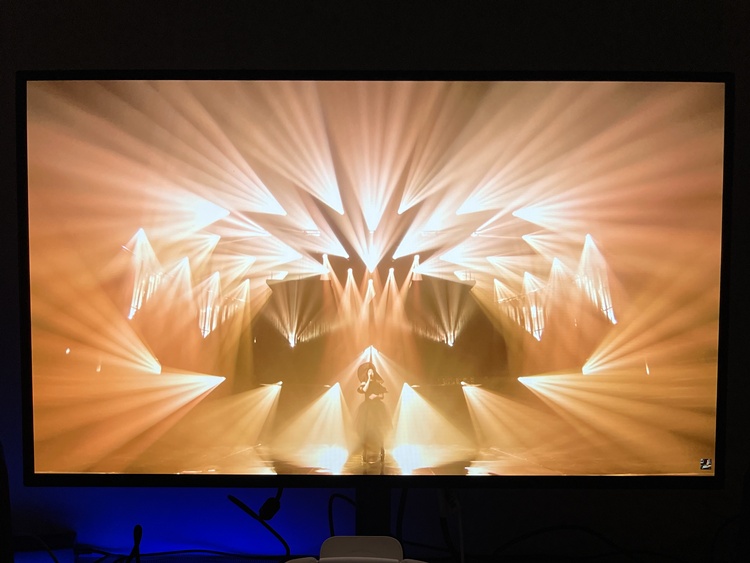
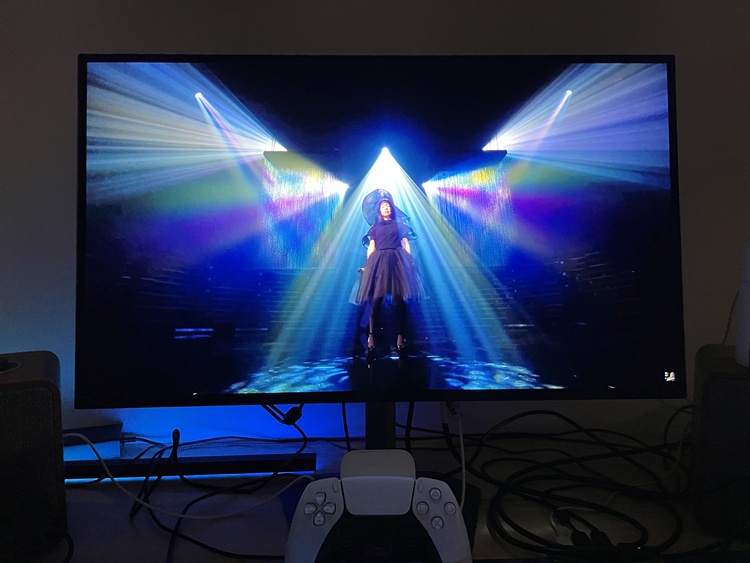
Seriously, these visual presentation photos do not do justice.
You just have to see how stunning it is in person
Moreover, the support for adaptive sync technologies, including G-SYNC compatibility and VRR, helps eliminate screen tearing while maintaining fluid gameplay. Gigabyte also includes several gaming-focused features such as Tactical Switch 2.0, Black Equalizer, and Ultra Clear technology. All in all, the GO27Q24G was designed and built for competitive gamers, but it doesn't mean casual users should stay away from it. With its big, immersive and vivid monitor, using it for work and streaming 4K Netflix or YouTube videos is equally blissful.
If you are worried about any OLED monitor's burn-in issue, Gigabyte addressed this concern by introducing an AI OLED Care suite. It's easy to access through the button behind the monitor at the lower right, and there, you will see various protection mechanisms such as pixel cleaning, thermal management, and panel maintenance, designed to prolong panel lifespan. On top of that, the company also backs the display with a three-year burn-in warranty. So if you're considering getting this as your first OLED gaming monitor, I think your mind can rest easy.
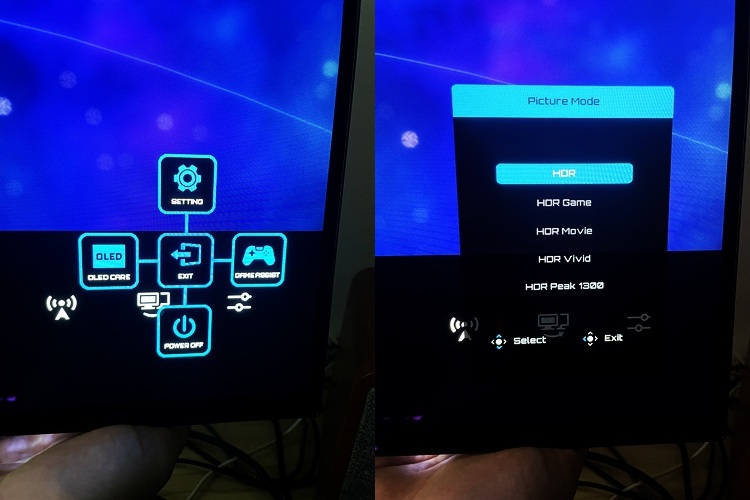
The menu options
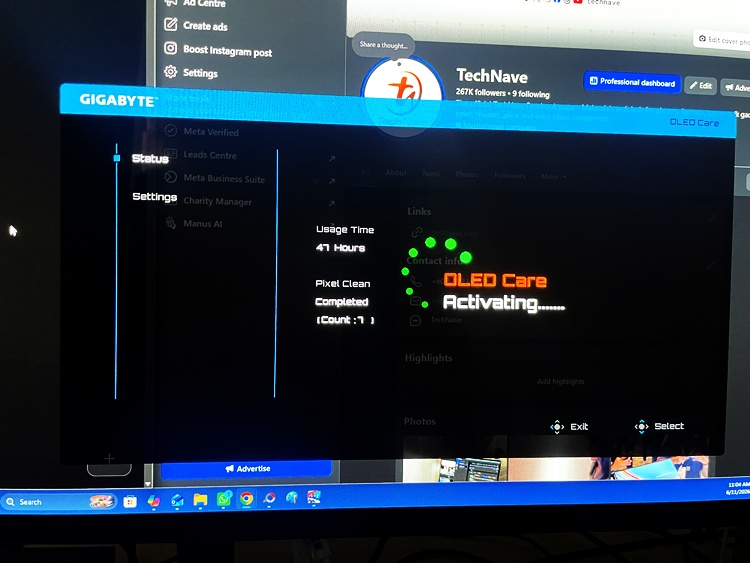
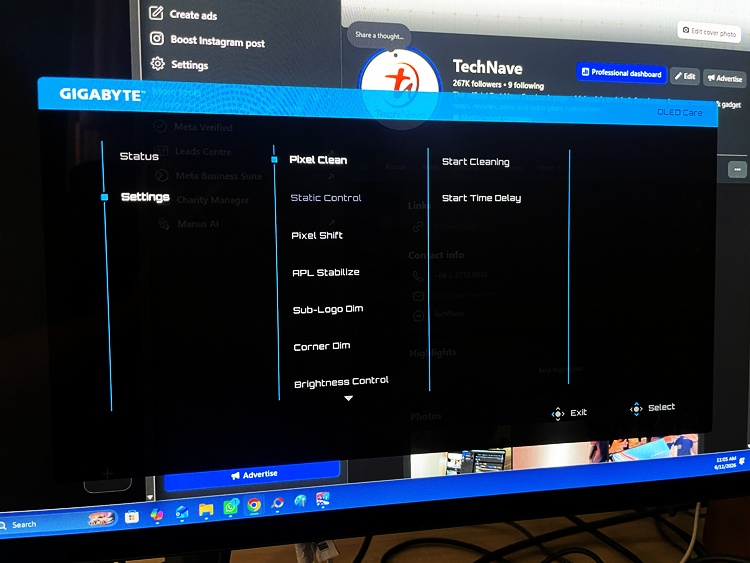
Accessing the AI OLED Care suite
Of course, we can't finish talking about this gaming monitor without its connectivity. The GO27Q24G offers the necessary connectivity options suitable for both PC and console gamers, which include two HDMI 2.1 ports, a DisplayPort 1.4 connection, USB-C support, and even a headphone jack (in case you want to plug in your headphones or Bluetooth wireless speakers). The inclusion of HDMI 2.1 is particularly valuable for PlayStation 5 and Xbox Series X owners, allowing them to take advantage of higher refresh rates and modern gaming features. USB-C connectivity also adds flexibility for users who wish to connect compatible laptops using a single cable solution.
For some reason, Gigabyte Malaysia has not publicly listed an official Malaysian price for the GO27Q24G on its product page yet. However, we got an official word from the company that it is priced at RM1,829. You can also find other Malaysian retailers online that are selling the same gaming monitor, albeit at a slightly higher price by a few Ringgit.
RM1.8K sounds like a lot to many users like yourself, but it is actually below the standard premium gaming monitor prices in the market, considering its OLED technology and other key features. At that price point, you are getting a 27-inch QHD WOLED panel, with 240Hz refresh rate and 0.03ms response time support, HDMI 2.1 ports and a 3-year burn-in warranty. That's a fair deal.
If compared to other OLED monitor brands, Gigabyte is seriously undercutting them by a huge margin. Just take a look at the contenders below:
- ASUS ROG Swift OLED PG27AQDM/PG27AQDP (from RM3,500 - RM4,500)
- LG UltraGear 27GR95QE/27GS95QE (from RM3,800 - RM4,800)
- MSI MAG 271QPX / MPG 271QR QD-OLED (from RM3,200 – RM4,200)
- AOC AG276QZD / Q27G3ZD (from RM2,500 – RM3,200)
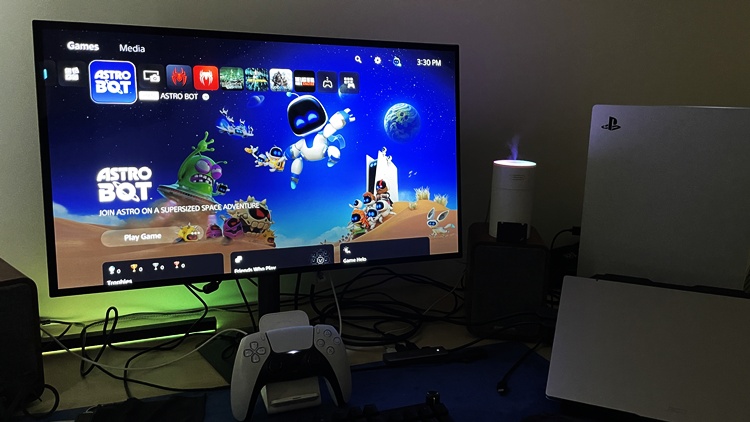
Same OLED experience…but RM1,000+ cheaper than most rivals. Just saying
Overall, the Gigabyte GO27Q24G Gaming Monitor just has excellent colour reproduction and HDR performance, not only for gaming, but for content consumption and creative work as well. There's really nothing much to say, except that it has a visually stunning image performance. Also, the ergonomics and design make it ideal to save space on your desk.
Gigabyte GO27Q24G Gaming Monitor Specifications
- Panel - 27-inch WOLED, 99% DCI-P3, 2560 x 1440 (QHD)
- Measurement - 586.75 x 330.05 mm (display viewing area), 130 mm (height adjustment), 604.4 x 526.5 x 187.5 mm (physical dimension with stand), 604.4 x 350.2 x 54.4 mm (physical dimension without stand, 5.6 kg (with stand), 4.1 kg (without stand), 8 kg (gross weight)
- Features - Glossy and Anti-Reflection display, up to 240Hz refresh rate and 1,300 nits peak brightness, 0.03ms GTG Response Time, HDR Support, VESA DisplayHDR True Black 400, 10-bit colour, AI OLED Care, Kensington lock and tilting ergonomic movement support
- Connectivity - 2 x HDMI 2.1, 1 x Displayport 1.4, 1 x USB Type-C, 1 x Earphone Jack
- Power - 36W (consumption), <0.5W (saving mode), <0.3W (power off mode), and AC 100-240V ~ 50/60Hz (voltage)
Pros - Offers a great display performance for gaming at an affordable price range for the OLED gaming monitor category (likewise for visual content and work), as well as a simple and sturdy design.
Cons - Minor nitpicks: the anti-reflection is not perfect if you're close to a window, and the monitor will flicker for a while when turning on the charging power to the laptop when connected.
Conclusion - This is arguably the most affordable OLED gaming monitor in the Malaysian market that is just as good as the other premium contenders
For more information, you can visit Gigabyte Malaysia's official web portal for the GO27Q24G Gaming Monitor here. Let us know what you think, and do stay tuned for more tech gadget reviews only at TechNave.com.




COMMENTS