
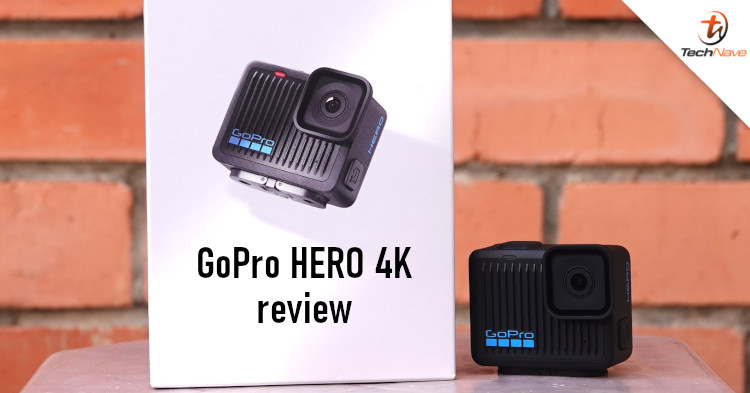
All action camera brands share the same design philosophy: Compact body, rugged build, and ease of use in any situation. This is why cameras like the GoPro HERO Black, DJI Action and Insta 360 feature a solid design and minimal buttons. But can you create a simpler camera than that?
GoPro seems to think the answer to that question is the GoPro HERO 4K. This action camera works like the early GoPro cameras from the early 2000s. It's smaller, has no front screen nor removable battery, but is priced at only RM999. While it's no match for the HERO13 Black (review here), it could be the better deal for you. Read on to find out if that's the case.
This camera measures 56.6×47.7×29.4mm, which makes it smaller than the HERO13 Black. Its weight of only 86 grams also makes it very easy to carry around. While testing it, we often left it in our pockets and even forgot it was there. If you want an action camera with a minimalistic and lightweight body, you would be hard-pressed to find a better one.
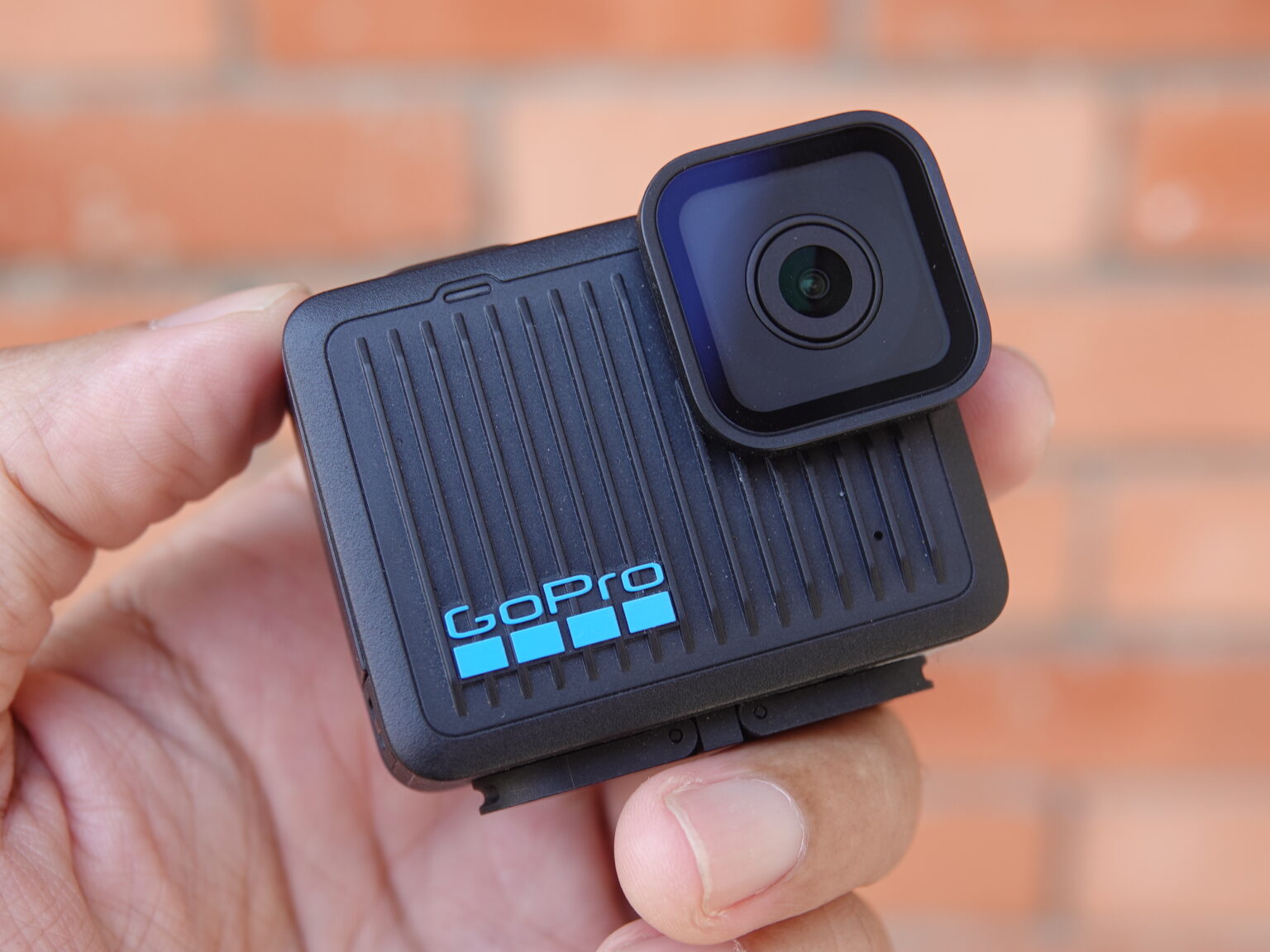
No front screen, just some pattern
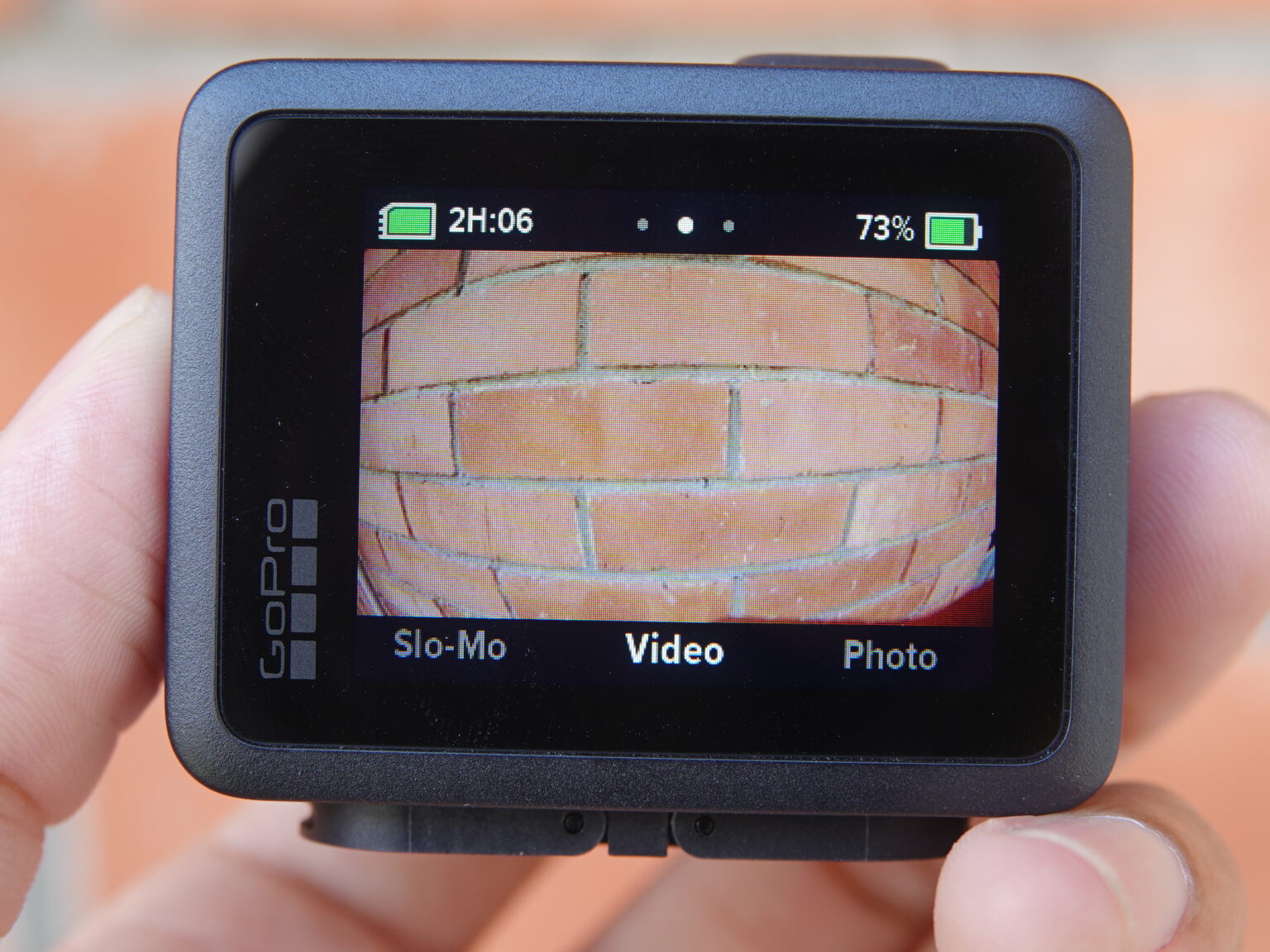
Touchscreen at the back
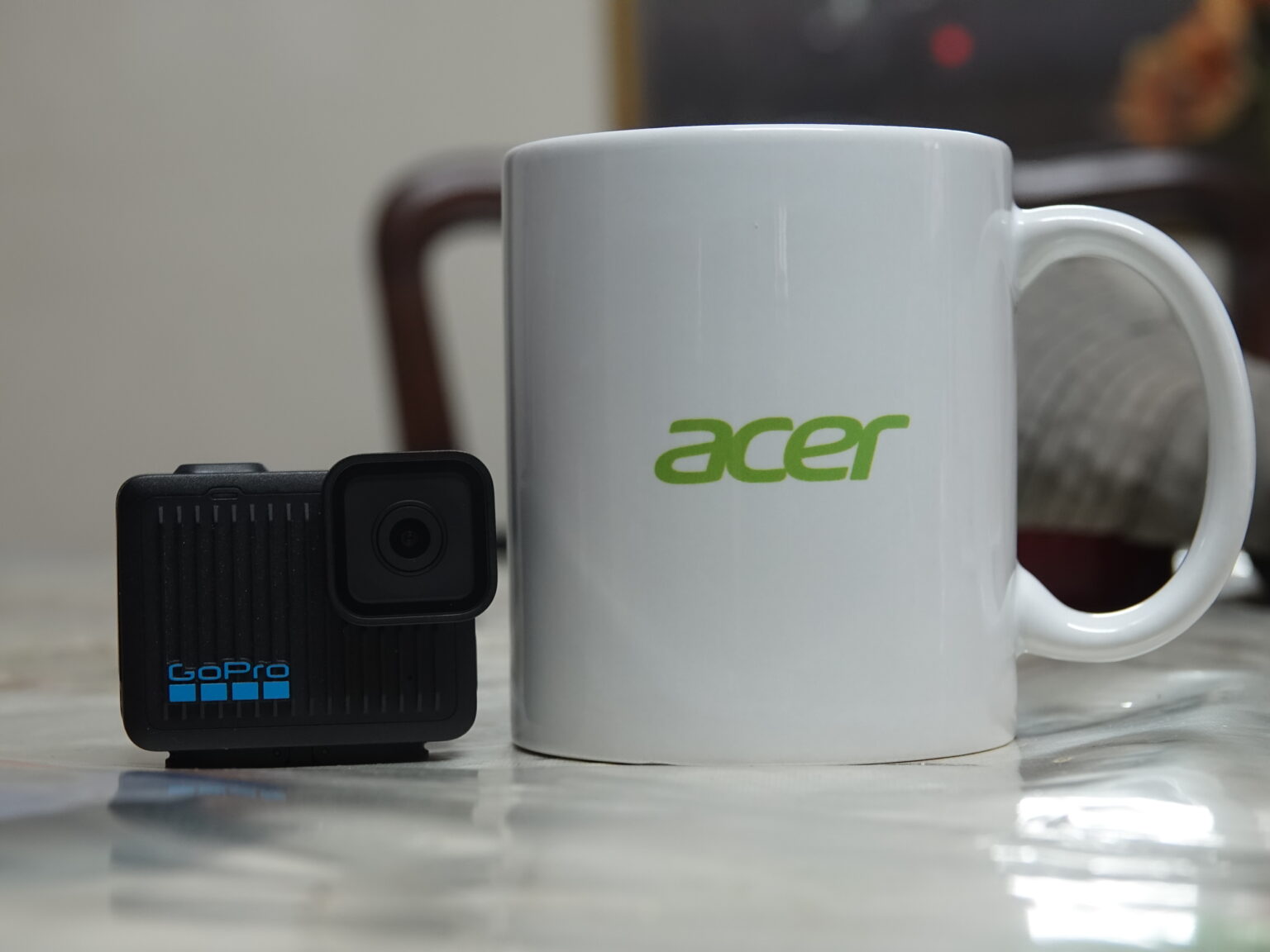
Size reference for the GoPro HERO 4K
Despite its small size, it still has a 1.76-inch LCD touchscreen on the back, where you can see what is being recorded and change settings through simple and easy-to-understand icons. However, the lack of a front screen makes it difficult to record yourself, so this might not be the right camera for vlogs.
The GoPro HERO 4K only has two buttons, one power button on the side and another record button on the top. At the bottom, it has the standard GoPro Folding Fingers to attach to various GoPro accessories. However, it lacks a ¼-20 mount screw hole, so you can't attach third-party tripods or other accessories.
Another disadvantage of the GoPro HERO 4K is the battery. Unlike the HERO13 Black, the HERO 4K's battery is non-removable. Power banks become a must whenever there's a need for extended video recording sessions. In addition, the non-removable battery is protected by a hatch that makes this camera submersible up to a depth of 5 metres. For reference, that's half as deep as the HERO13 Black's.
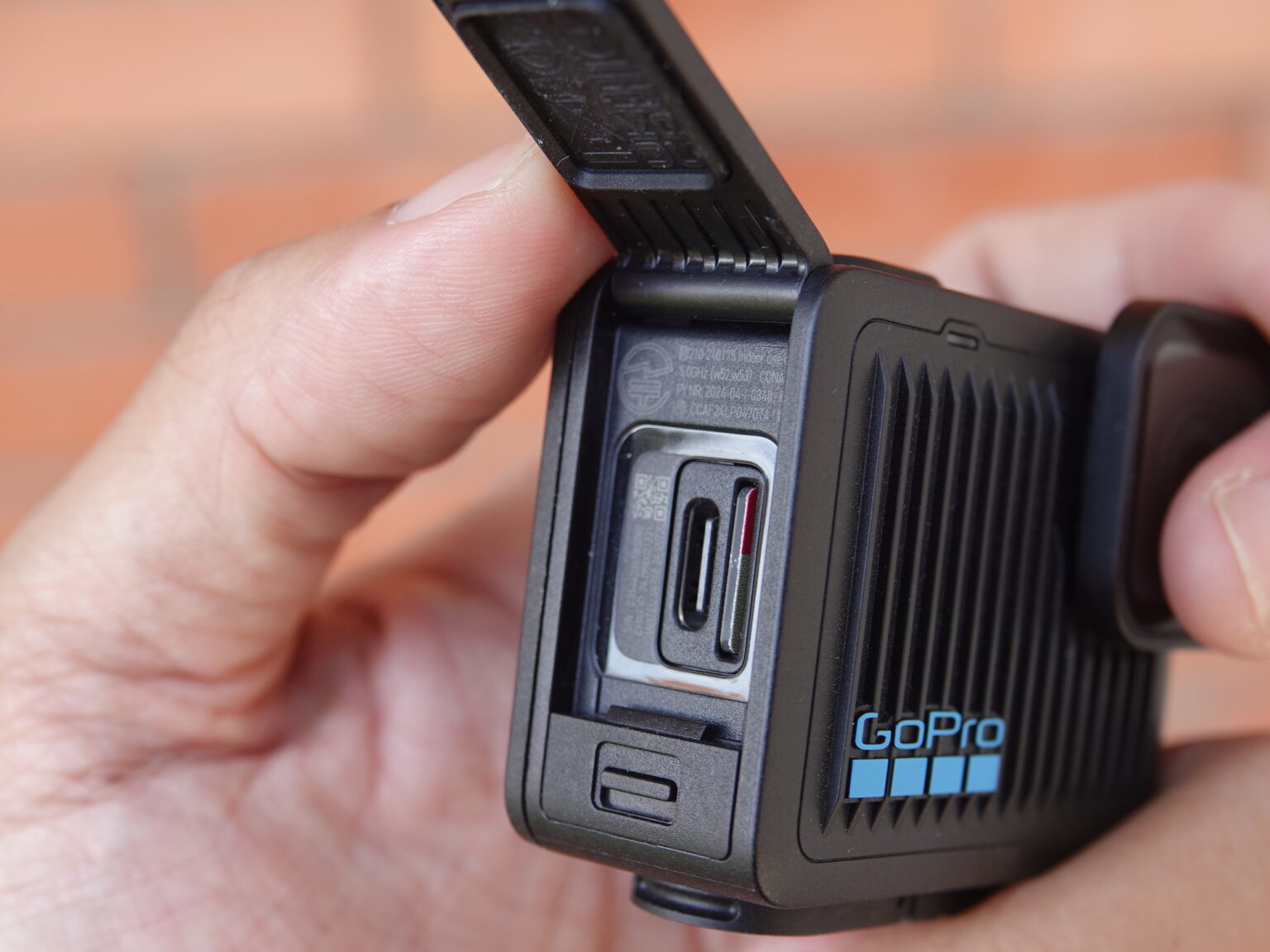
USB-C port and microSD card slot protected by this hatch
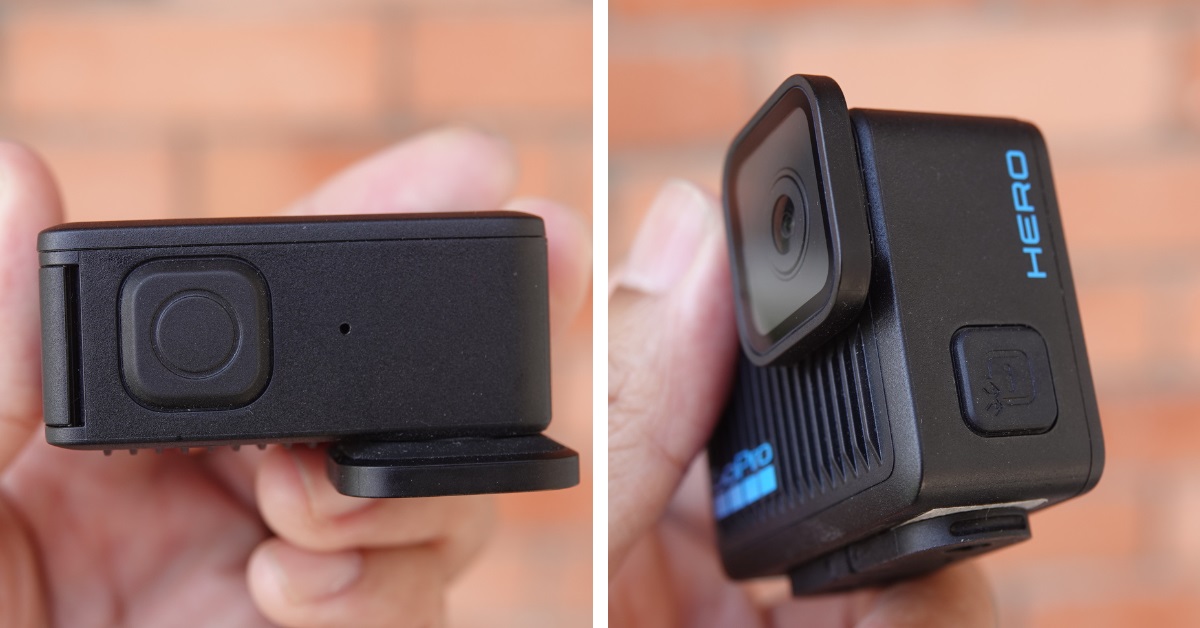
The two buttons found on this camera are the record button (left) and the power button (right)
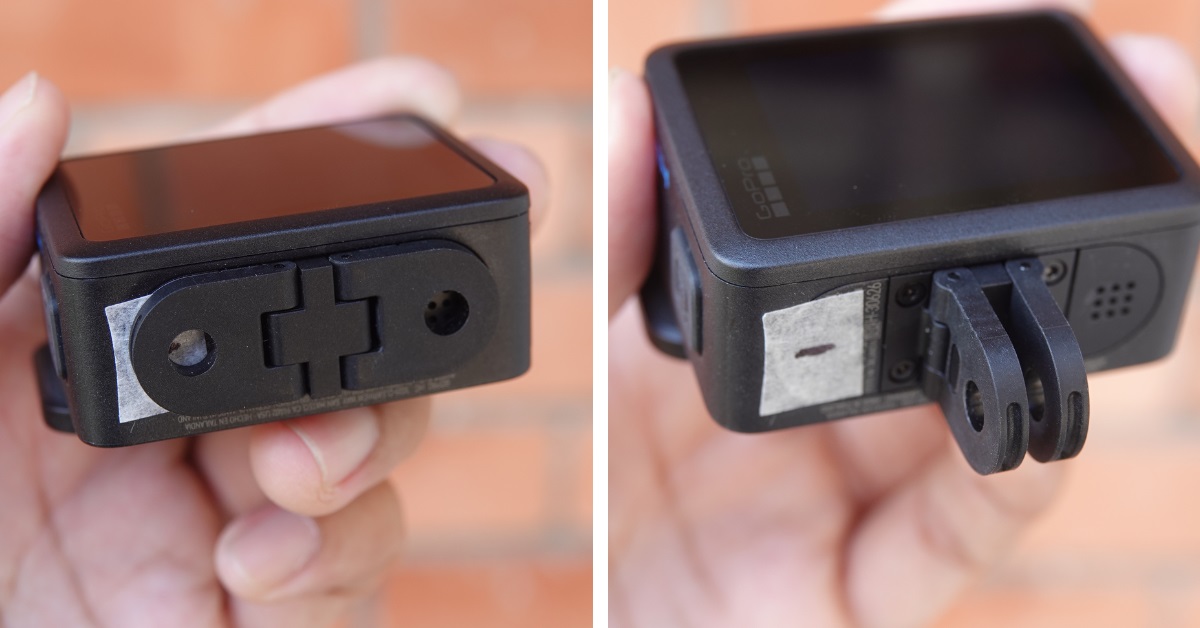
The Folding Fingers can be mounted on various GoPro accessories
Now, let's move on to the recording experience with this camera. In Video mode, it can record at 4K resolution 30fps in normal mode, or you can lower it to 1080p 30fps in Battery Saver mode. Unfortunately, you can only choose between these two resolutions, as the FPS is limited to 30 in Video mode.
If you want to record slow motion video, Slo-Mo Video mode can record at 2.7K 60fps or 1080p 60fps in Battery Saver mode. Like Video mode, you can only select the video resolution. In our opinion, 60fps doesn't even count as slow motion, so this mode feels pretty useless and limits the type of videos you can make. But considering its price tag, we're not surprised by the compromise in functionality.
The video quality is good, on par with the HERO13 Black, with beautiful colour reproduction if you shoot in bright situations. Recordings in low-light situations look a bit blurry, but that's a problem shared by all action cameras. What's disappointing is the absence of features like Horizon Leveling, HindSight, Live Streaming, TimeWarp and Star Trails. Long-time GoPro users will miss them, but this is also a compromise to lower the camera's cost.
The GoPro HERO 4K's battery is also pretty short, which is expected since its 1255mAh capacity battery is smaller than most action cameras. GoPro's website says the HERO 4K battery can last up to 141 minutes if you record videos in Battery Saver mode (1080p 30fps). However, our tests found that the typical battery life is approximately 110 minutes on a full charge.
On the flip side, the small battery does have a minor advantage: Charging time. Using a 25W phone charger, we could charge the HERO 4K from 0% to 100% in under 40 minutes. A power bank might take longer to charge but won't tie you down to a power socket. While you could buy a 25W (or faster) power bank, the extra cost might not be worth it.
Another issue we want to highlight is the camera's stabilisation. Even if you shoot while running, the videos captured on the HERO 4K look stable enough. The HyperSmooth stabilisation technology definitely works well, delivering smooth videos on the level of the GoPro HERO13 Black. However, the HERO 4K's HyperSmooth implementation really annoys us.
If you record a video and then directly transfer it to a computer via a USB cable, you will find that the video appears shaky and very unstable. Why? Because the stabilisation doesn't happen on the camera. Instead, you have to transfer files wirelessly to your phone via the Quik app. Only then can you use the app to stabilise your videos using HyperSmooth.
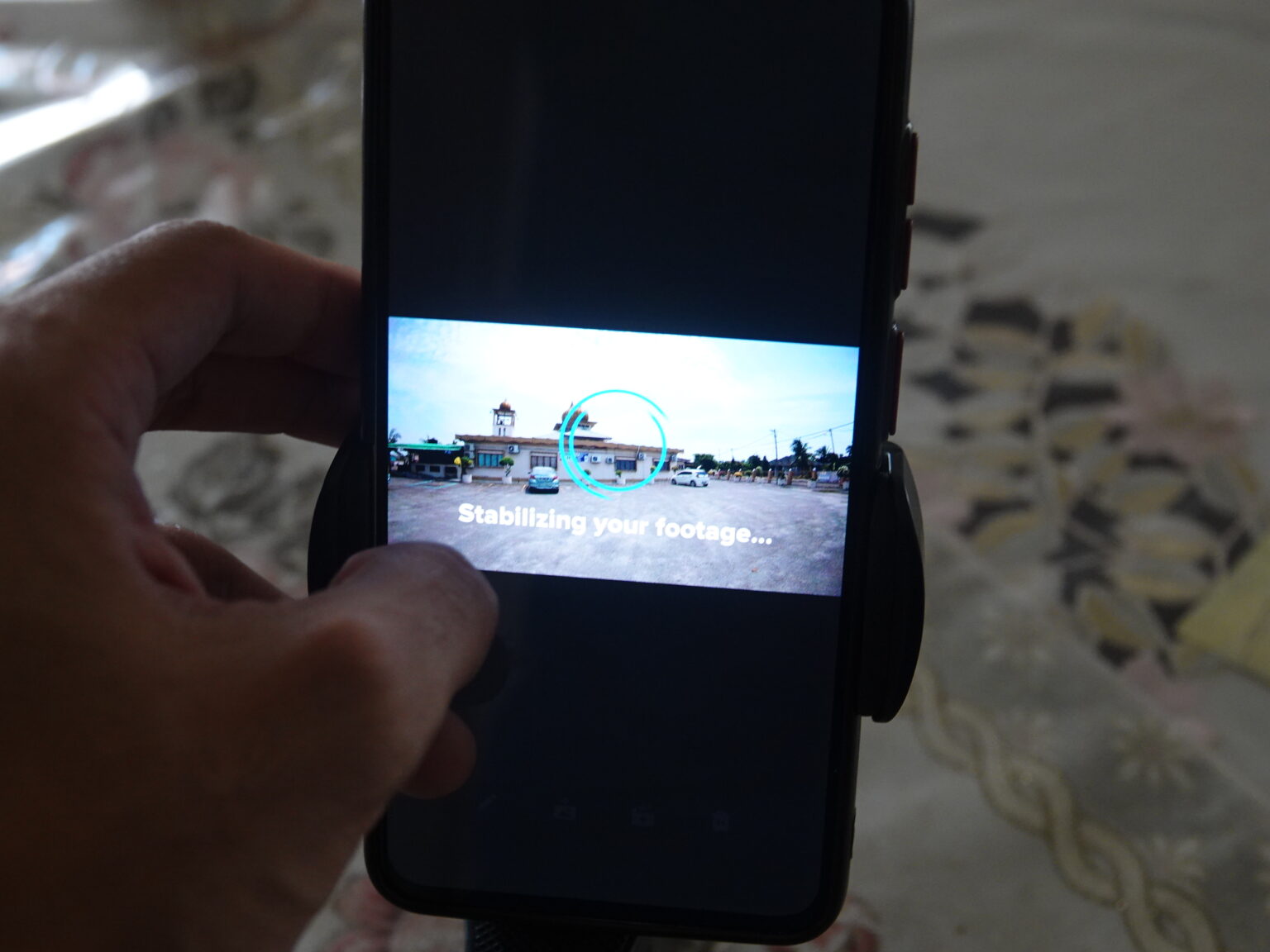
Video stabilisation can only be done through the Quik mobile app
Those who regularly shoot long videos for vlogs and professional projects would find these extra steps unnecessary. This is because you have to transfer the videos to your phone and wait for the Quik app to stabilise them before you can transfer them to a computer or the GoPro Cloud for further edits. Although the stabilisation process for each video doesn't take long, it adds extra steps to your workflow and wastes a lot of time.
If you just want to shoot a 30-second or 1-minute video and then upload it to social media, maybe this HERO 4K stabilisation method is acceptable. Unfortunately, this camera might not suit you if you want to edit longer videos (5 minutes and above) or prefer to edit on a computer. It would have been better if the HyperSmooth stabilisation was directly built into the camera, like in the HERO13 Black.
To be fair to GoPro, this might not be a big problem if the Quik application was available for Windows PCs. However, the only PC version is for macOS, which limits the number of users who can access it. GoPro did confirm that a Windows version "will be offered in the future" but didn't specify when.
So, who is this HERO 4K intended for? It's most suitable for content creators who want to create short videos for TikTok, Instagram Reels, YouTube Shorts, etc. It's simple to use, good enough for short video clips and lets you edit on smartphones. Once you have edited the videos, you can easily upload them to social media platforms via the apps on your phone. Given that the social media landscape is currently dominated by short videos, it could be why GoPro made the HERO 4K.
The GoPro HERO 4K can also be used as an additional camera for your phone, perhaps as an ultra-wide camera that is much more durable and easy to use. However, you need the Quik mobile app to take full advantage of it, unlike the HERO13 Black, which can be used on its own. Fortunately, the mobile app version of Quik is available through both the Apple App Store and Google Play Store.
If you regularly shoot longer videos, we wouldn't recommend using the HERO 4K. We're referring to people who record long travel vlogs, cycling tour adventures, surfers who record videos of their surfing sessions, and more. Those within that category would be better off getting the GoPro HERO13 Black or DJI Osmo Action 5 Pro. An older HERO Black model (like the HERO12 Black) would also be preferred over the HERO 4K for longer videos.
Okay, that's it for our GoPro HERO 4K review. Does it look like an action camera you would buy? Let us know what you think of our review in the comments on our Facebook page, and stay tuned to TechNave for more reviews like this.
Tech specs and features
- Size: 56.6mm x 47.7mm x 29.4mm, weight 86 grams
- 1/2.8” 12MP CMOS camera sensor, 4000×3000 resolution
- 4K 30fps video resolution recording, or 1080p 30fps in Battery Saver mode
- 2.7K 60fps slow motion recording, or 1080p 60fps in Battery Saver mode
- HyperSmooth stabilisation (requires Quik app on a phone)
- 1.76-inch rear screen (touchable)
- Enduro 1255mAh battery (non-removable)
- Waterproofed up to 5 meters
- Operable in temperatures from -10º C to 35º C
- USB-C port
- Two internal microphones
Pros: Small and compact, very lightweight, and easy to use.
Cons: Quik app (mobile and macOS only) required for HyperSmooth stabilisation, shorter battery life, and limited features.
Summary: An affordable action camera suitable for creating short videos.




COMMENTS