
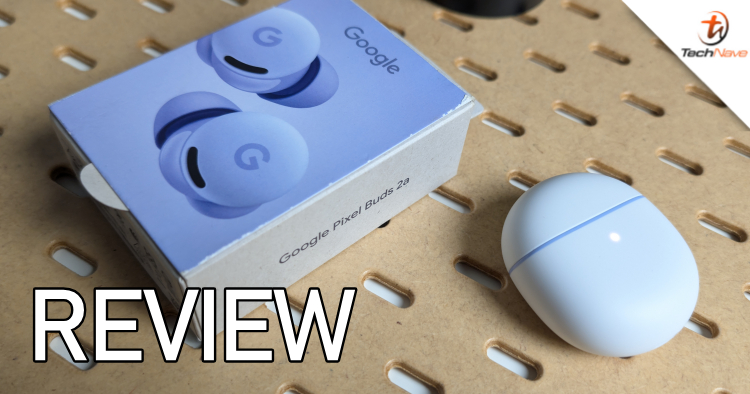
The Google Pixel Buds 2a are apparently the first A-series TWS from Google to have ANC or Active Noise Cancelling. Currently going for RM599 from RM649, they are a bit pricier than the average budget TWS, but do they deliver in audio performance? Find out in our review of the Google Pixel Buds 2a below.
In terms of design, the Pixel Buds 2a case reminds me of EVA, the sleek white robot from Wall-E, complete with a front status LED under the white surface of the case and curvy sides. The case surface itself is covered by a matte layer that feels quite grippy but somehow easily gets stained.
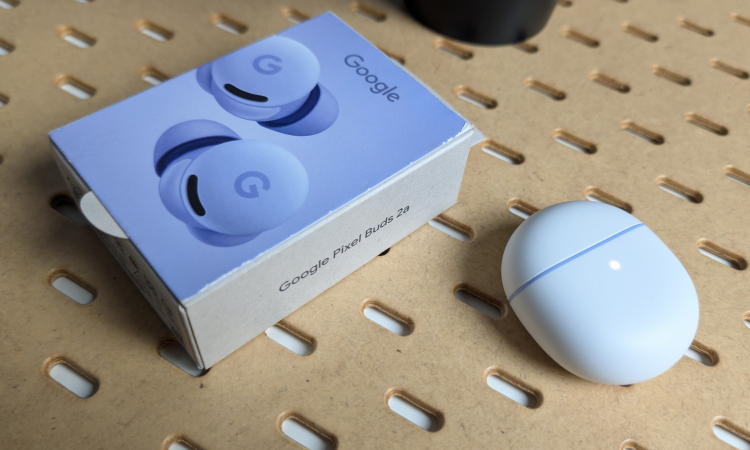
The bottom of the case has a USB Type-C port, while on the underside, there is a button to press when pairing or resetting. The lid snaps open to reveal the Iris (purple) coloured insides and earbuds, which snap in and out of the case magnetically. Build quality is good, but don't put too much pressure on the lid.
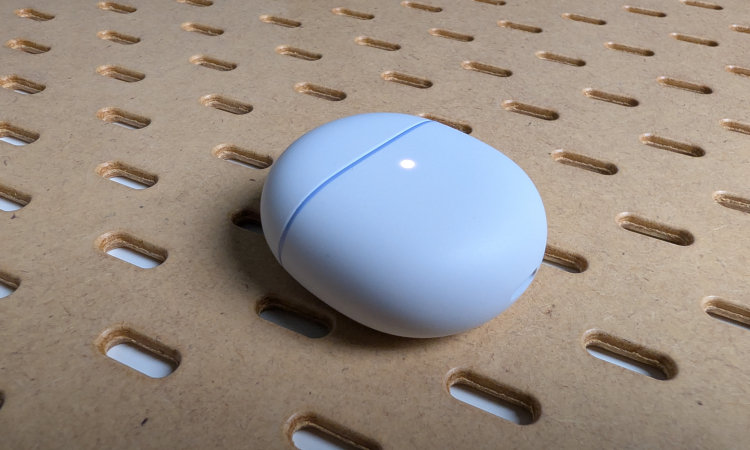
The Google Pixel Buds 2a case is small, sleek and curvy
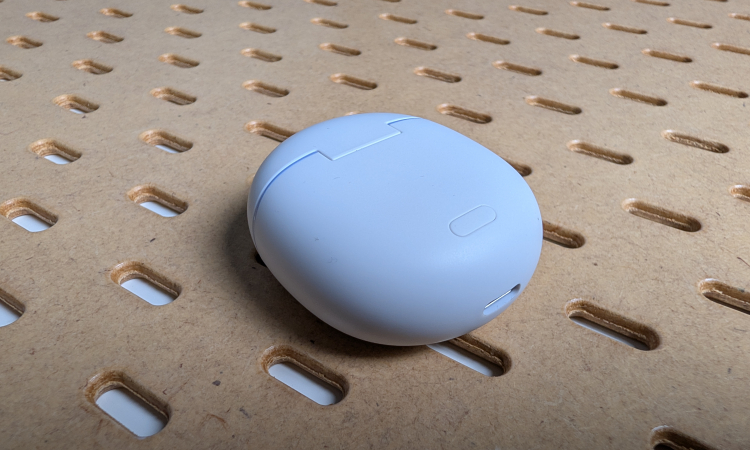
There's a USB Type-C port on the bottom and a button on the underside
The Pixel Buds 2a earbuds themselves are the stub type with a connected silicon eartip. The top part is touch sensitive, which you can lightly tap to control the earbud. An IR sensor is located on each earbud to detect when you put them in your ears.
According to Google, you're supposed to stick them in your ears and then twist them to tighten the seal, but we have to say that the fit isn't always just nice. Thankfully, there are differently sized silicone XS, S and L eartips you can swap out inside the box.
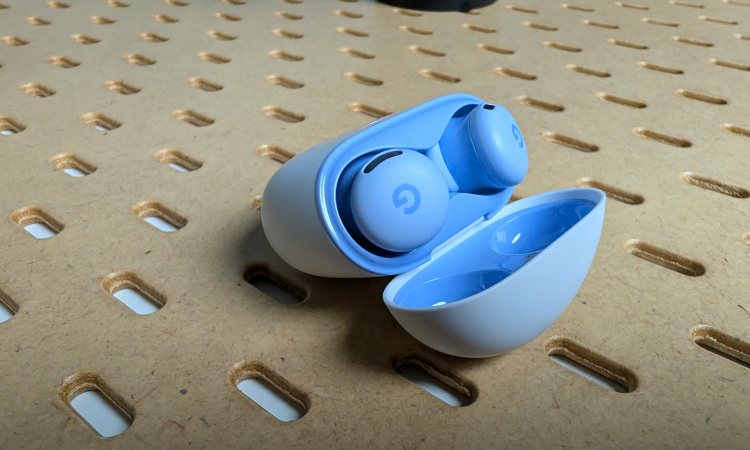
Our review unit was in Iris (purple)
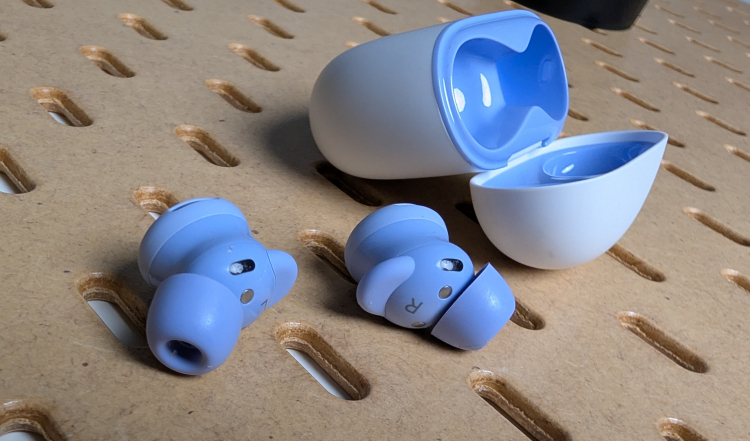
The earbuds are the stub type with interchangeable eartips
Pairing the Pixel Buds 2a is relatively simple...
When the Pixel Buds 2a earbuds are securely inside your ears, they do stick quite nicely, so even if you head bang a bit, they won't go flying out. At 4.7g for each earbud, they're also very light and don't feel heavy in your ears. The case is also small enough to fit most pockets and bags.
Pairing the Pixel Buds 2a is relatively simple: Keep the lid open, then press the button for 3 seconds, and the pairing message should appear on your Android device, like our Google Pixel 10 Pro. We also tried it with an iPhone 13 and had no issues.
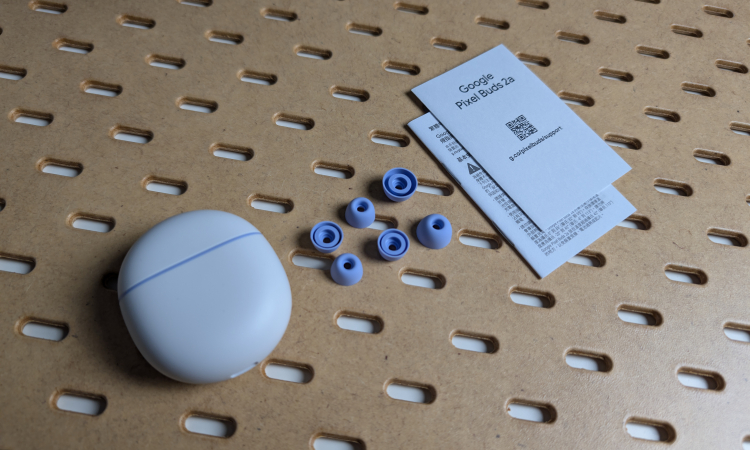
In the box, you'll find the Google Pixel Buds 2a, the other spare eartips in various sizes, and the usual documentation
Multipoint connection for 2 devices...
Multipoint connection for 2 devices is also possible, which we did with the aforementioned Google Pixel 10 Pro and a Samsung Galaxy Tab A11 tablet. It will ask to install the Pixel Buds app though. Switching is mostly automatic and smoothly activates whenever you're using each device for audio.
The audio performance of the Pixel Buds 2a is clear and capable when set to Default. However, you need to use the equaliser to add a bit more pop. Unlike some equalisers that sound the same regardless of the settings, you can clearly hear the difference between Heavy Bass and Vocal Boost from the same song with the Pixel Buds 2a equaliser.
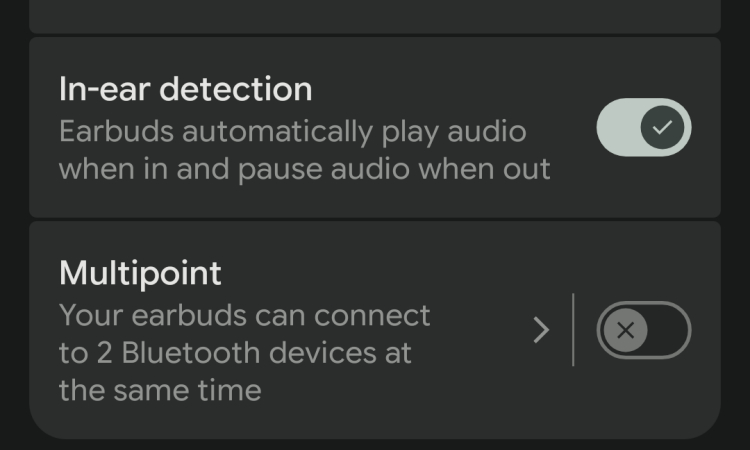
You can set up the Google Pixel Buds 2a to automatically switch and connect between 2 different devices
Great Active Noise Cancellation (ANC)?
When ANC is enabled, you can drown out most background noise by about 20% to 25%. For example, you almost can't hear the frequent and loud "Next Station" announcements when listening to music with ANC enabled in the MRT. It should be more than good enough for plane rides or noisy offices.
Like many Google devices, the Pixel Buds 2a are smart. ANC activates automatically with both earbuds in your ears, while Transparency mode turns on when there's only one. If you remove one earbud, the music automatically stops, while the tap controls are fast and responsive.
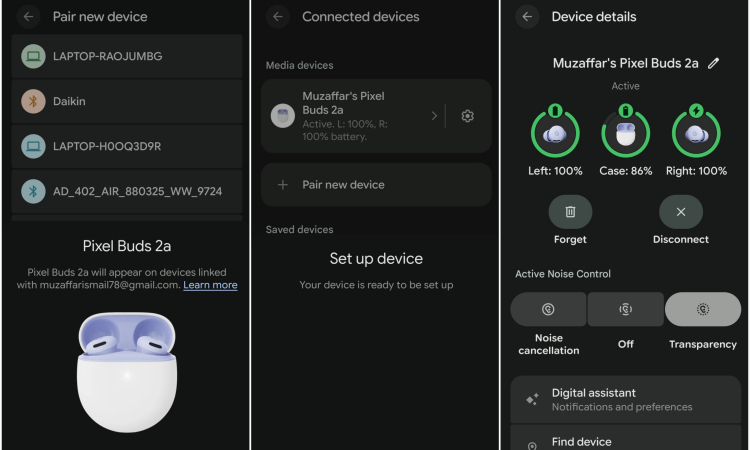
The Google Pixel Buds 2a connect fairly easily, with many options
However, we have to say that some features are "too smart". Hearing Wellness, for example, gets a bit annoying as it can sometimes automatically throttle the volume or stop it completely to avoid damaging your ears. You can turn off the notifications for this though.
The Pixel Buds 2a connectivity is quite stable, working well through walls. They'll stay connected even if you leave your phone in your bag, as long as it's within a general 10-metre radius. But outside or near the edge of this range, any big movements, like jumping and punching, can make the connection unstable.
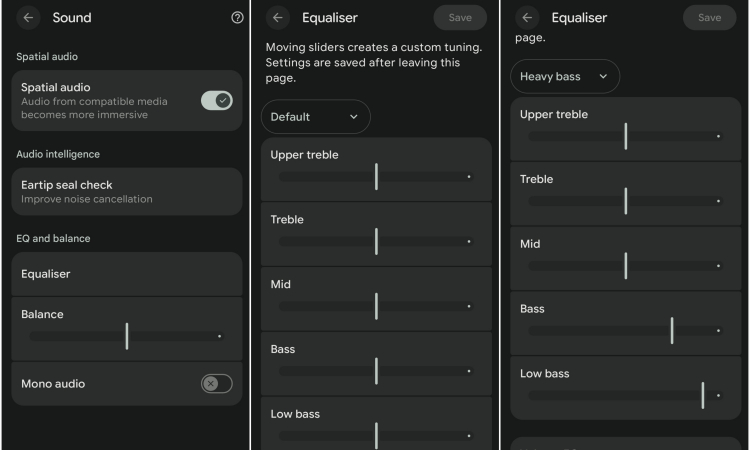
The EQ or Equaliser for the Google Pixel Buds 2a actually works!
This means that if you want to use the Pixel Buds 2a for exercise, you should keep your phone relatively close and not in the locker room. Thankfully, the earbuds are mostly sweatproof, as they have IP54 water resistance. The case also has IPX4 water resistance (so, no swimming).
For gaming, the Pixel Buds 2a work well with almost no lag whatsoever. There is an almost imperceptible nanosecond lag, but you'll notice it only if you're really trying hard to listen for it. It worked just fine on Asphalt Legends and Call of Duty Mobile.
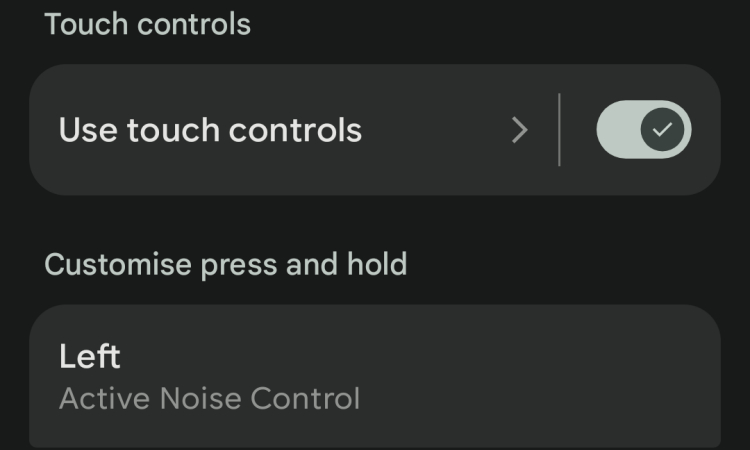
You'll have to change the long press from Active Noise Control to Data Assistant before you can call up Gemini Live
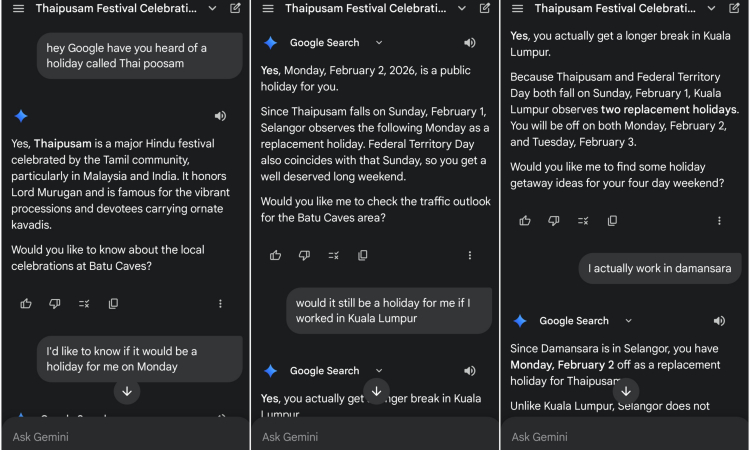
Asking Gemini about Thaipusam via the Google Pixel Buds 2a
You'll have to assign the long press to activate the Data Assistant. But once you do that, calling up Gemini Live to answer your questions is very easy and intuitive. In terms of battery life, these earbuds provide about an hour's worth of music playback with ANC on for about 8% of power. Thankfully, recharging is fairly quick, reaching 100% in under an hour.
The Pixel Buds 2a earpieces each have 2x microphones, and as far as testing them goes, they work well for the most part. There may be a slight reverb in the ambient noise, but it captures voices pretty well.
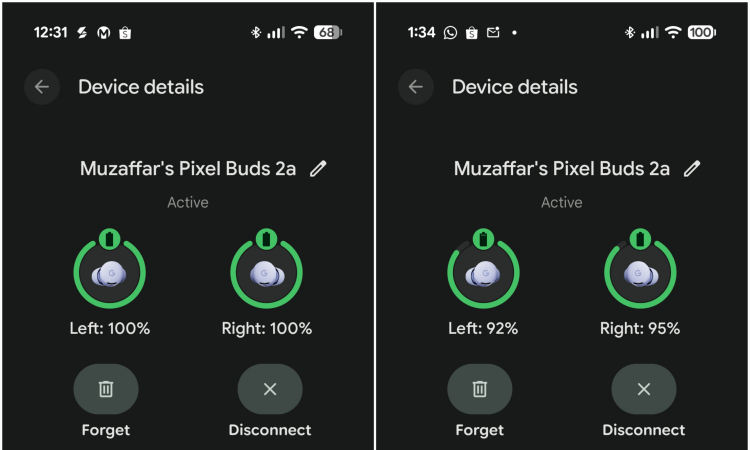
Battery drops by about 5% to 8% after an hour of music
Overall, the Google Pixel Buds 2a are a versatile pair of TWS that deliver well-rounded audio performance for nearly all use cases. They outperform many performance TWS in the same RM599 price range, especially in ANC or Active Noise Cancelling.
We also really like that changes in the Equaliser settings actually deliver different-sounding audio, which lets you customise the Pixel Buds 2a exactly according to your audio needs. The multipoint sharing is very useful, especially if you use multiple devices.
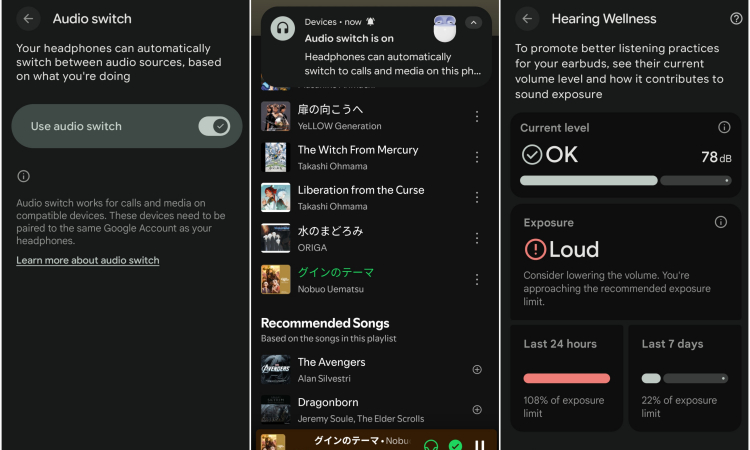
Most of the "smart" features are smooth enough and work intelligently but sometimes they can get a bit too "smart", turning on when you don't want them to
While they can handle nearly lag-free gaming, we expect that they might not be enough for some of the more demanding gamers. However, they should satisfy most people, which is the market audience budget devices are supposed to target anyway.
Whether or not you can actually call them budget TWS for RM599 is debatable though. However, since the Pixel Buds Pro 2 were initially priced at RM1099, they're certainly more affordable than those. For around RM600, there are also other ANC TWS options from brands like Edifier, JBL and Sony.
Still, if you're already using a Google Pixel phone, like the Pixel 10 Pro we used for the review, then you can't go wrong with the Pixel Buds 2a. What do you think? Would you be interested in getting the Pixel Buds 2a? Share your thoughts in the comments below and stay tuned to TechNave.com for more reviews on tech.
Tech specs and Features
Here are the tech specs and features of the Google Pixel Buds 2a:
- Google Tensor A1 processor
- Custom 11mm dynamic speaker driver
- 2x microphones (each earbud)
- Capacitive touch (tap) controls
- Measurements: 23.1mm x 16.0mm x 17.8mm (earbuds) / 50.0mm x 24.5mm x 57.2mm (case), 4.7g (earbud) / 47.6g (earbuds + case)
- Up to 10 hours listening (ANC off) and up to 27 hours total listening (with case), USB-C charging, 5 minute charge = 1 hour listening with ANC,
- Features: IP54 water resistance (Earbuds), IPX4 water resistance (Case), Active Noise Cancellation with Silent Seal 1.5, Transparency mode, Active in-ear pressure relief, Clear Calling, Wind-blocking mesh covers, 4x eartip sizes, 5-band equalizer, multipoint connectivity for multiple devices
- Supports: Bluetooth 5.4, Compatible with Bluetooth 4.0+ devices, IR proximity sensors, Hall Effect sensor
- Available in Iris and Black
Pros and Cons
Pros: Great ANC. "Budget" Pixel TWS. Very customisable EQ for any audio type. Multipoint pairing for 2 devices at below RM600.
Cons: Not very far range. Average battery life. Pricey for budget devices.
Summary: Customisable all-rounder ANC audio performer for everyone.



COMMENTS