
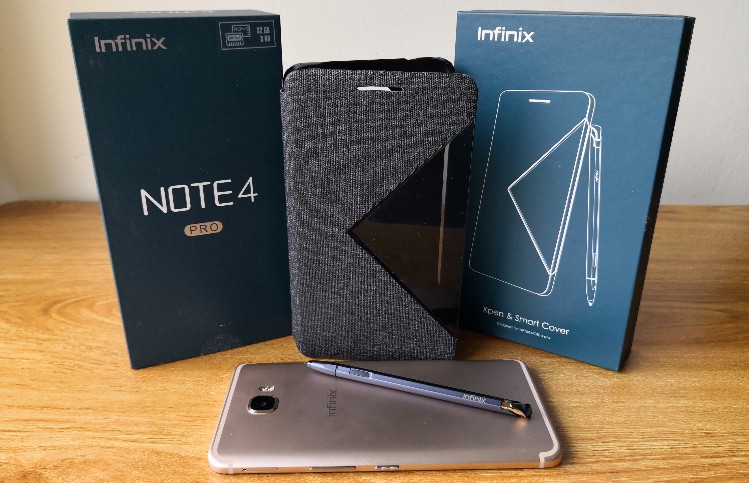
It isn’t often that we see stylus capable smartphones asides from the standard Samsung Galaxy Note series, but the Infinix Note 4 Pro is a fairly unique big metal phablet that comes with a stylus case that you can add-on. Going for RM999 with the X-Pen Stylus case for free, does it offer enough to satisfy Malaysia’s smartphone stylus users? Is it a worthy alternative to a Galaxy Note smartphone? Read on to find out in our review of the Infinix Note 4 Pro.
Design - Big metal phablet + add-on Xpen stylus case = Uniquely premium
By itself, the Infinix Note 4 Pro is a solidly built metal bodied smartphone with a large 5.7-inch full HD display. The curved antenna bands on the back make it look somewhat like an Apple iPhone. The metal back may be somewhat fingerprint resistant but it is also quite slippery.
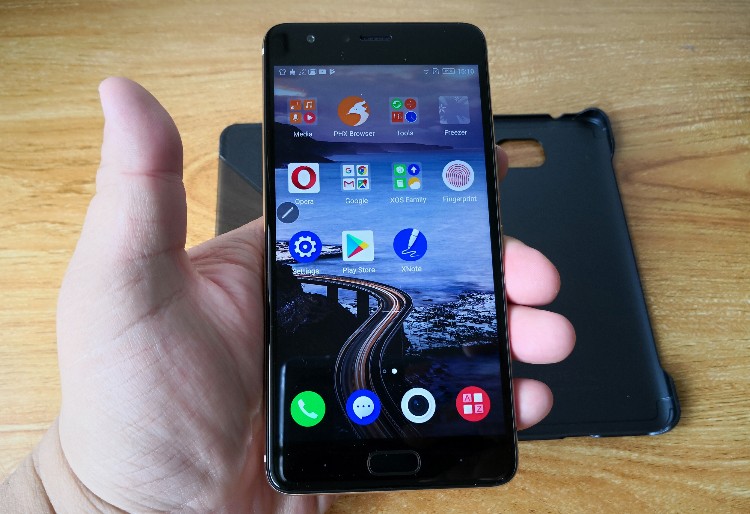
Front fingerprint button with dots for the back and apps capacitive keys
The front fingerprint enabled home button dominates the bottom but there are actually capacitive keys for back and recent apps beside it. For some reason, Infinix have decided not to label them but they are there as dots nonetheless.
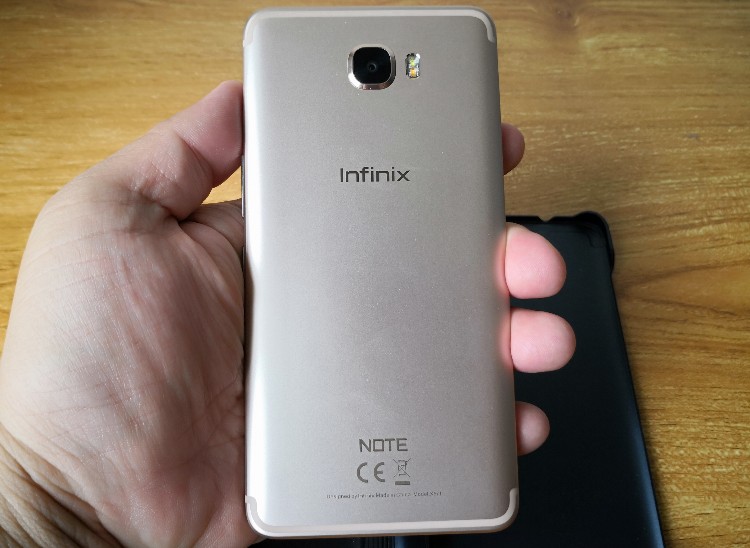
The back looks rather similar, especially those antenna bands
The rear camera hump is raised a bit but this doesn't matter with the X-Pen stylus case. While the phone itself may look rather generic, once you clap on the case it looks very unique with front case slider controls for the torch and music.
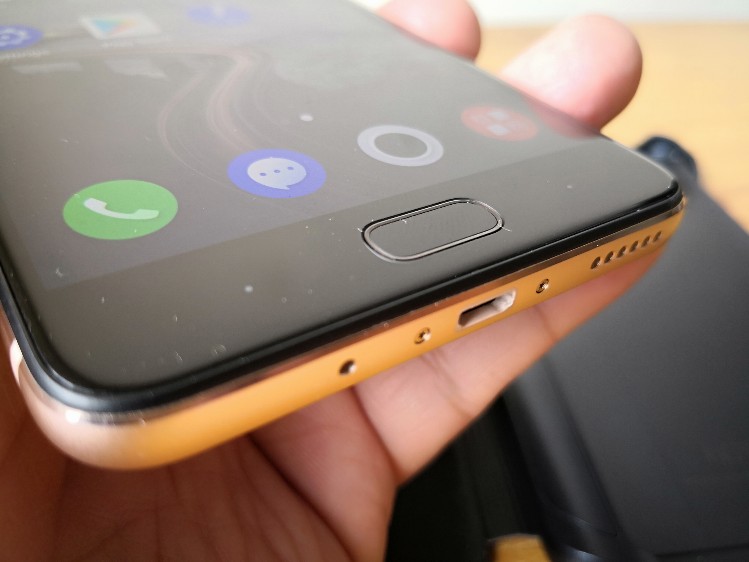
There's a microUSB port and speakers on the bottom
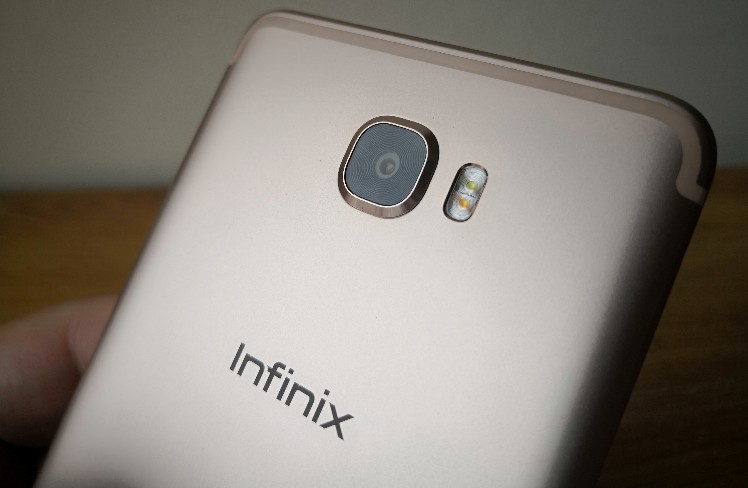
The rear camera hump is quite raised
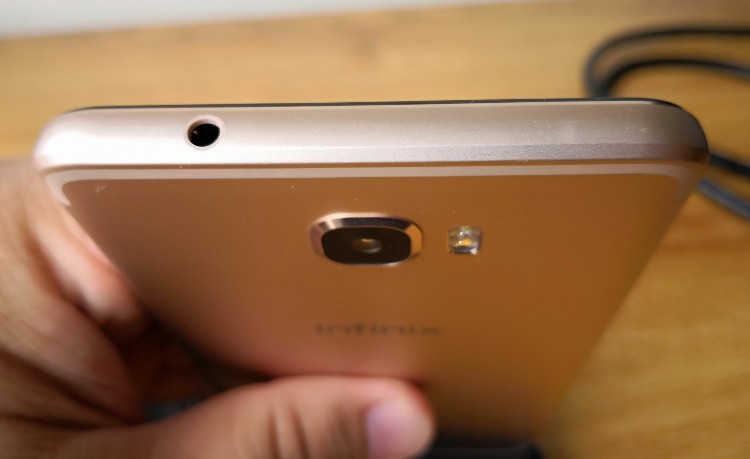
It comes with a 3.5mm audio jack
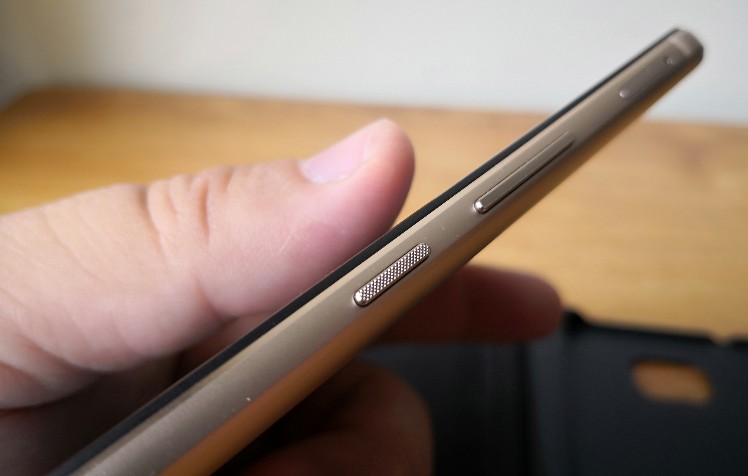
Metal power and volume controls
At 200g just by itself the Note 4 Pro feels plenty heavy already but adding on the X-Pen Stylus case makes it weigh in at nearly 300g, which is normally about the weight of most 7-inch to 8-inch display tablets. To be honest, it feels like a brick despite what is clearly premium build quality.
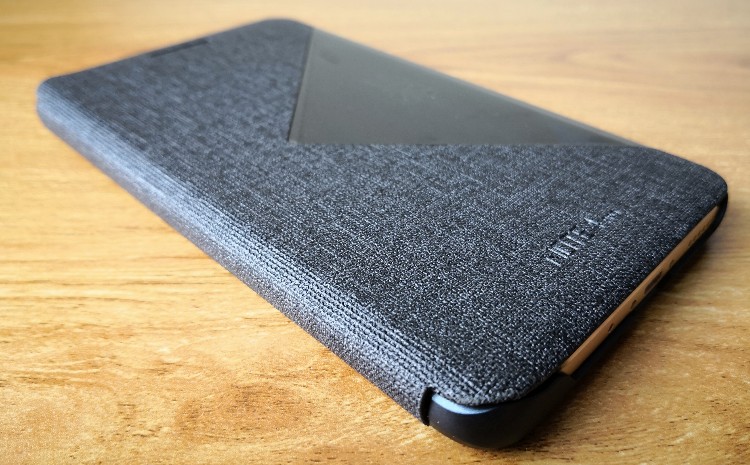
With the X-Pen stylus case, the Infinix Note 4 Pro looks quite unique
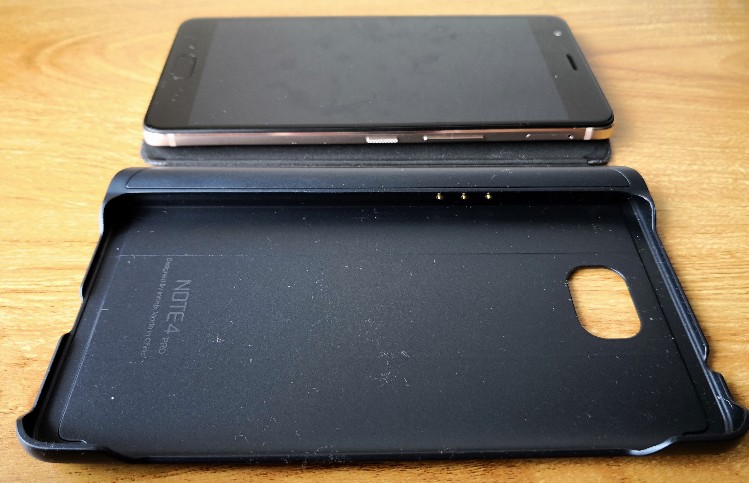
The case gets its charge from the phone which then charges the stylus
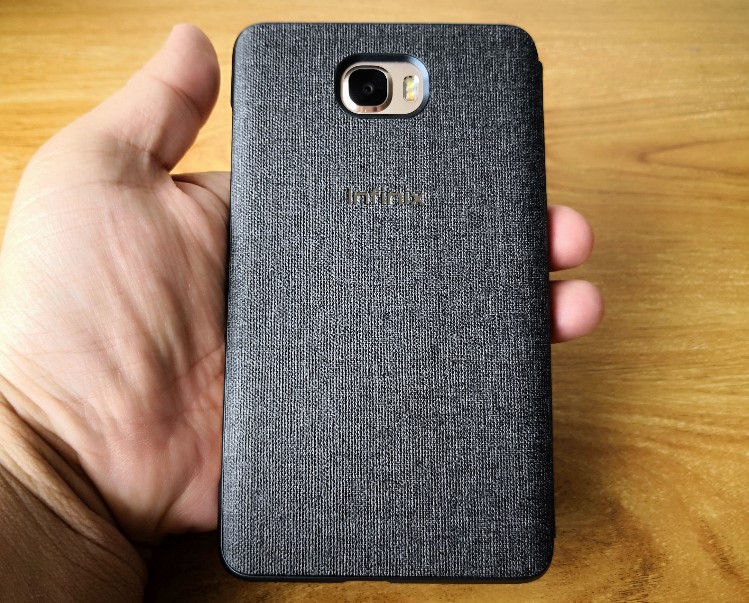
Nice back
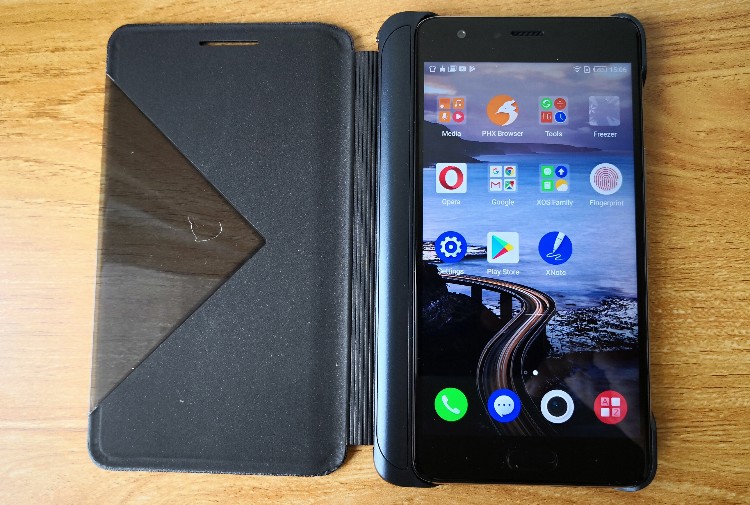
The X-Pen stylus case increases overall weight
The X-Pen stylus case slots in the stylus but also acts as the charger, which only charges when the phone is being charged. Due to the slim, small sized X-Pen stylus, there isn't much space for the built-in battery but more on that later. The stylus has a button to help call up the X-Pen menu and can hover.
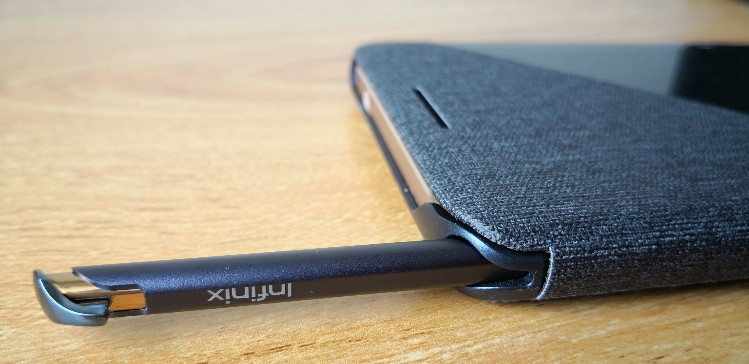
The X-Pen Stylus slots into the case
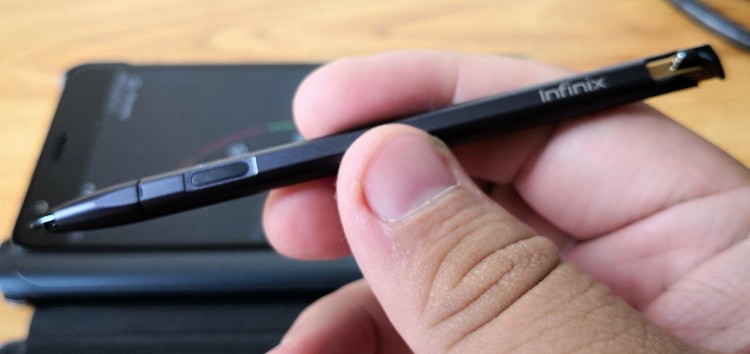
The X-Pen Stylus has one button
Tech Specs and Features - modular stylus case + entry-level to midrange metal phablet
Here are the Infinix Note 4 Pro tech specs:
- 1.3GHz MediaTek octa-core processor
- 3GB RAM
- 32GB storage + up to 128GB microSD
- 5.7-inch display (IPS LCD, Full HD, 1920 x 1080 pixels)
- 13MP rear (Autofocus, LED flash) camera + 8MP front camera
- features a front fingerprint sensor, 4G LTE, dual nano SIM slot, A-GPS, hotspot
- supports Wi-Fi 802.11 a/b/g/n, Bluetooth 4.2, micro USB port,
- 159.6 x 78.8 x 8.3mm | 200G (just phone) /
- 4500 mAh battery
- Android 7.0 Nougat + XOS
- available in black, blue, gold and grey
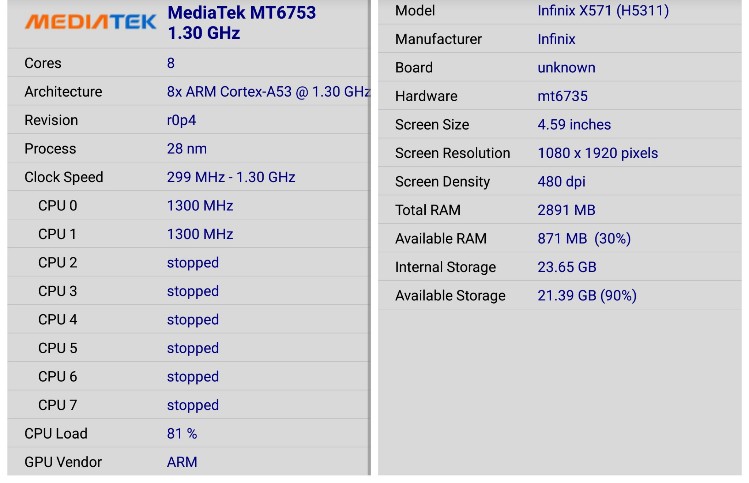
Reasonable midranger tech specs
By itself, not much really stands out but with the X-Pen Stylus case, the Infinix Note 4 Pro is one of the few smartphones in Malaysia outside of the Samsung Galaxy Note series to pack in a stylus. At RM999 there is practically no other stylus-driven competition as even a Samsung Galaxy Note 5 is more than RM1.8K.
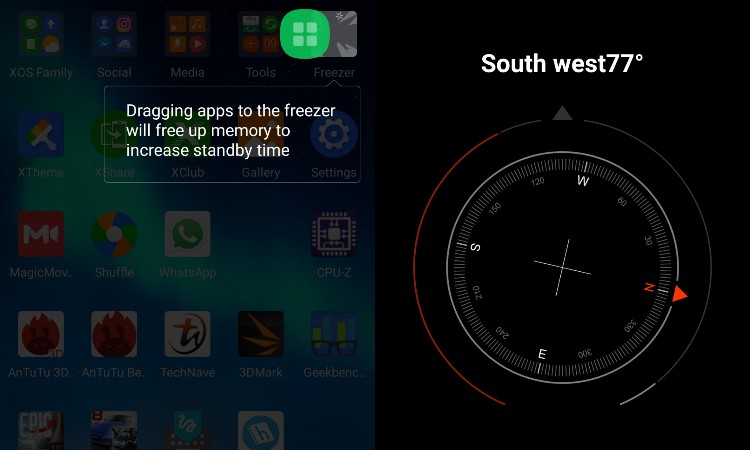
As expected, the Infinix Note 4 Pro comes with a whole bunch of XOS apps but we have to say that they are mostly bloatware with some being third-party (from a publisher not related to the phone maker) bloatware at that (the browser, the keyboard app, etc.). Unfortunately, you can only disable them, not uninstall and the system takes up a good portion of the 32GB of storage. There are some which are useful like App Lock, Compass and Freezer (which automatically stores apps you don't use and stops them from taking up space) though.
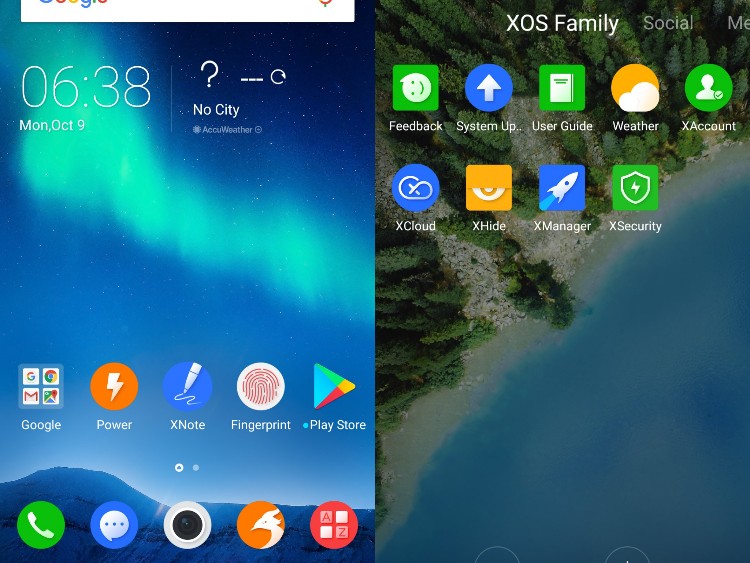
The Infinix Note 4 Pro offers up several X-Pen functions including Note, Memo, Smart select and Screen write. Note opens up their stylus driven note taking app, Memo for short notes you can pin to the screen (and which opens up automatically when your remove the X-Pen stylus on standby mode), Smart select for screen capture using the X-Pen stylus and Screen write to just jot down whatever when the screen is on standby. For the most part, these work well except if you want to share out these notes to others but you can just save them as images despite no built-in contacts or social media sharing options.
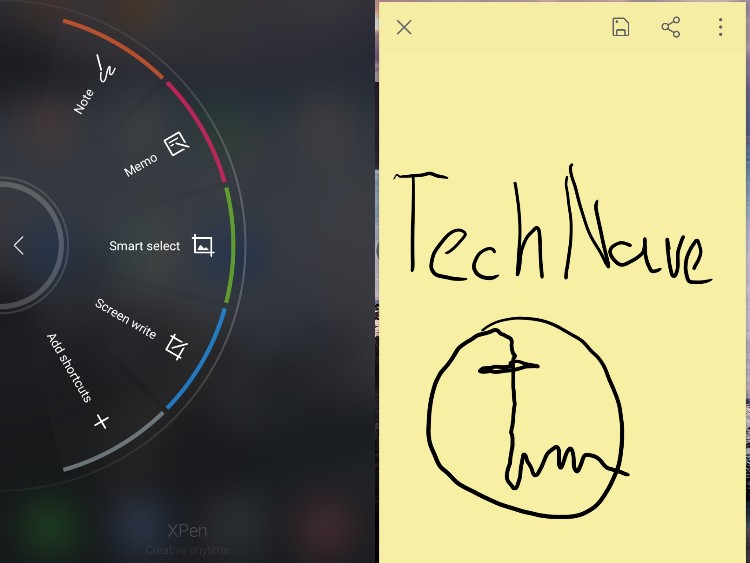
Despite all of these note taking stylus functions, the built-in keyboard does not come with native handwriting functions. To get that, we had to install the Google Handwriting Input app, with this entire paragraph handwritten using the X-Pen stylus, proving that it can be used. It still makes silly mistakessmellnes Sometimes though. (not typos - spelling mistakes were left as is)
Camera features were basic at best with a Normal (auto) mode, Professional mode (not bad actually), panorama, wide selfie, beautify and Pip or Picture-in-Picture. The last feature, Pip is interesting in that not many phones offer this anymore but it isn’t the same as the bothie being offered by the Nokia 8. Effects are also available.
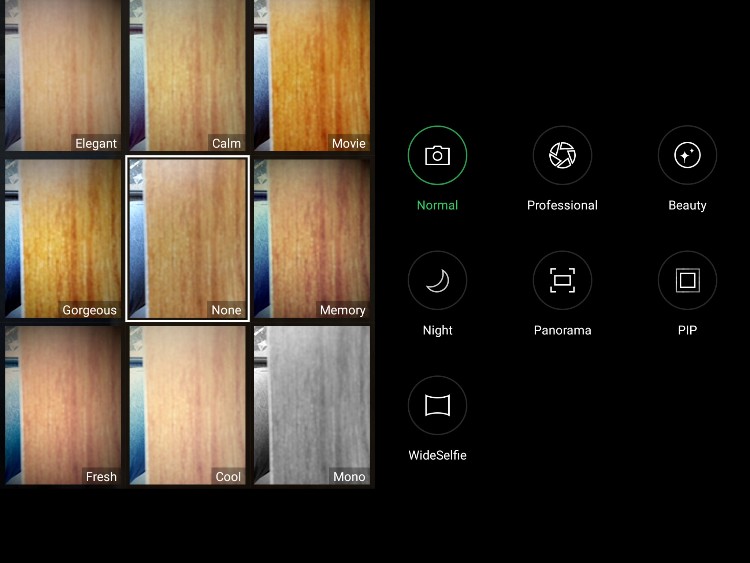
Not many camera features but all the basic stuff are here
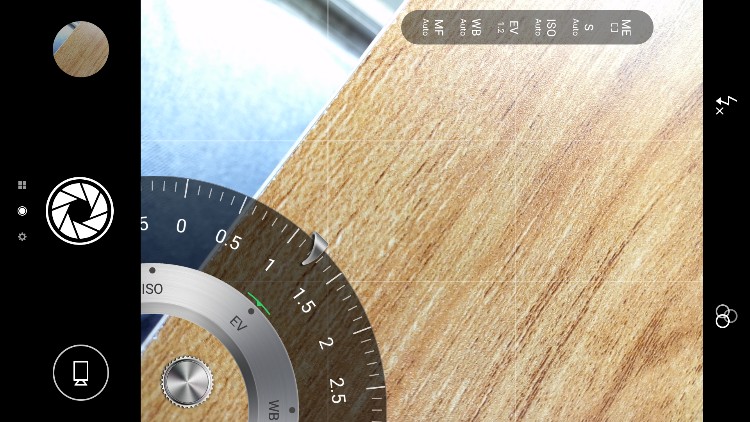
There's even a manual mode
Performance - Works well… after some work
After you've uninstalled or disabled the keyboard, installed a new browser, setup the Google Handwriting Input and done other customization, you can finally use the X-Pen stylus and Infinix Note 4 Pro as a stylus driven smartphone. However, the challenges don't end there as the small built-in stylus battery does not hold enough charge for it to last very long and it only charges when the microUSB cable is plugged in.
Due to the small battery in the stylus, if you leave the phone inactive for a while, the X-Pen stylus may become completely unusable while the phone retains nearly full power. This is good news for the phone in that it has fairly long 1 day and a bit more than a half battery life but bad for stylus users hoping to use the X-Pen stylus until the phone needs to be charged again. This could be solved if an update lets you see how much charge is left and charge the stylus on demand or automatically but it remains to be seen if Infinix will do so.
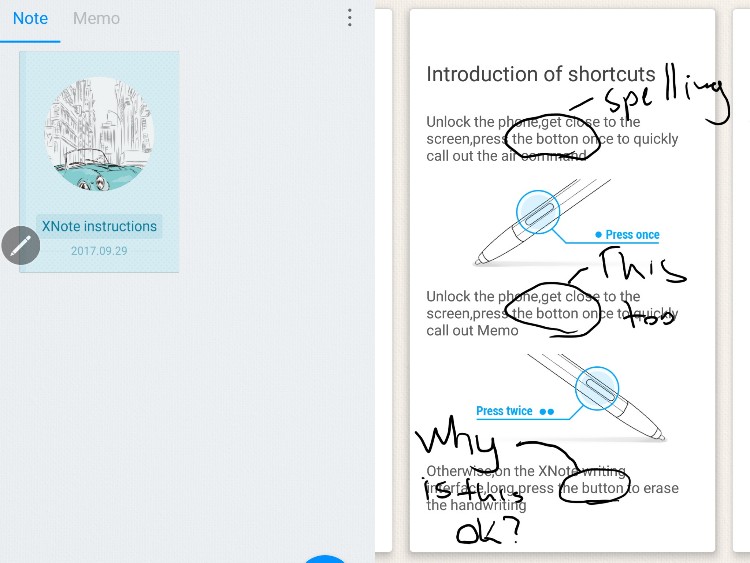
The X-Pen stylus itself feels somewhat flimsy with rather sticky pressure sensitivity but the hover and X-Pen menu functions work for the most part. With some practice you can draw some fairly good sketches and so forth while circling and commenting on articles is quite easy. The numerous English typos and spelling mistakes in the various help screens can get a bit annoying though, especially if you are a grammar Nazis.
Performance-wise, the Infinix Note 4 Pro manages a slightly below average (quite a few below RM1k phones do better) midrange score in Antutu and Epic Citadel but the phone is fast enough to handle most tasks without any serious lag. It can handle Asphalt 8: Airborne but we had to lower visual quality settings lower than high to get smooth gameplay.
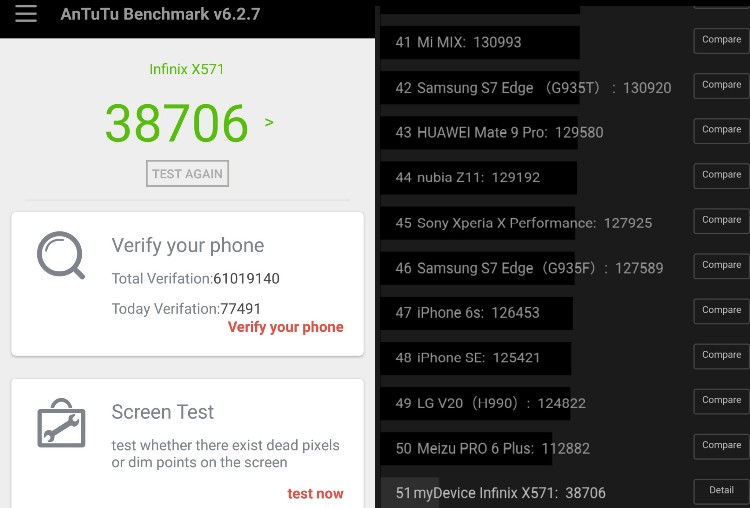
AnTuTu

Asphalt 8: Airborne works nearly lag free but you have to bump down visual quality settings to either low or medium

Epic Citadel clearly shows below 30fps framerates, so don't expect smooth gameplay with most games
Audio quality is clear for the most part, as is movie performance, with smooth full HD video. It would have been nice if the case also offered a stand mode, but perhaps this would be for the next iteration, either for the case or the phone. Call quality and WiFi connectivity work just fine and the phone does not feel too hot thanks to the case. The full HD screen is fairly good for watching movies while the speakers are quite loud.
The camera pleasantly surprised us with quick auto focus and mostly accurate colour reproduction but like most entry level to midrange smartphone cameras, it has issues with too much light or when there isn’t enough light, causing blurriness in photos in low-light conditions. Selfies work fine as well while the manual or Professional mode does offer a few more options for the more experienced photographer. It isn’t easy to take shots with the X-Pen stylus case, but it is fairly quick to pop it off as well.

Auto

Auto

Panorama

Selfie Panorama ~ quite wide here

Auto ~ Pretty clear selfies

Auto ~ You can clearly see details like fur, proving it is a fairly good camera

Auto ~ You can really take some good shots if you know a little bit more about photography

Black and white ~ Autofocus is quite fast

Auto ~ you do notice a good amount of noise and glare under low-light conditions though
Conclusion - Plenty of raw potential for those Stylus users willing to do a bit more prep work
Overall, the Infinix Note 4 Pro + X-Pen stylus case make for a very interesting stylus driven smartphone, one that could appeal to Malaysian stylus users mostly because there are no other alternatives in its RM999 price range. The phone and case together look very unique but are a bit too heavy to use without a table for long periods of time (my hand holding the phone went numb after 15 minutes). It also takes a good deal of DIY customization to get the phone working properly as a stylus driven smartphone.
Those looking for a gaming phone with a stylus should probably look towards the higher-end (and more expensive) Samsung Galaxy Note series. But, if you’re on a budget but like to use a stylus, then you should certainly consider this Infinix Note 4 Pro + X-Pen stylus case combo for the affordable pricing alone. Many of the issues we found above can probably be fixed with a good update patch, but it remains to be seen if Infinix is listening. A better X-Pen stylus case with a longer lasting stylus would also be much appreciated but we’re looking forward to what other stylus driven smartphones Infinix or other smartphone makers might come up with for Malaysia in the future.




COMMENTS