
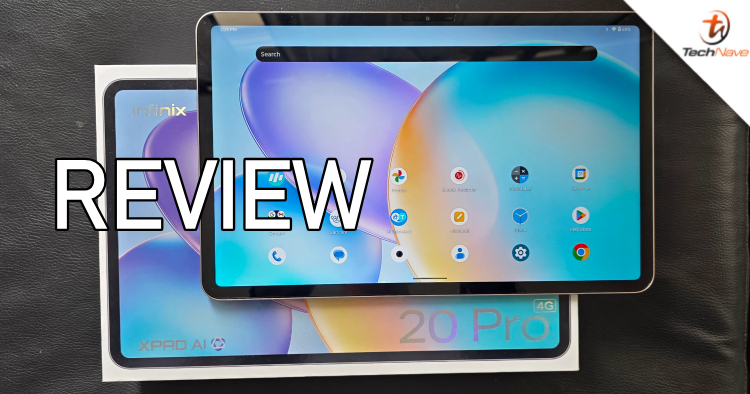
Currently, most flagship and midrange tablets offer plenty of AI features. However, the entry-level tablets don't often offer much in terms of AI. The RM999-priced Infinix XPAD 20 Pro takes this a step further with built-in AI features like an AI assistant you can chat with and more.
Featuring a MediaTek G100 Ultimate chipset, a 12-inch 2K display with 8GB RAM, 256GB Storage, 4G LTE connectivity and more, how does this below RM1K tablet perform? Find out in our full review of the Infinix XPAD 20 Pro below.
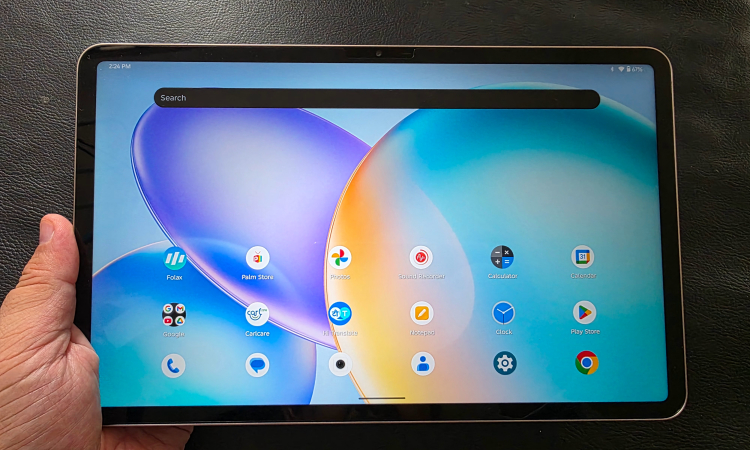
The Infinix XPAD 20 Pro has a 12-inch 2K LCD display with up to 90Hz refresh rate
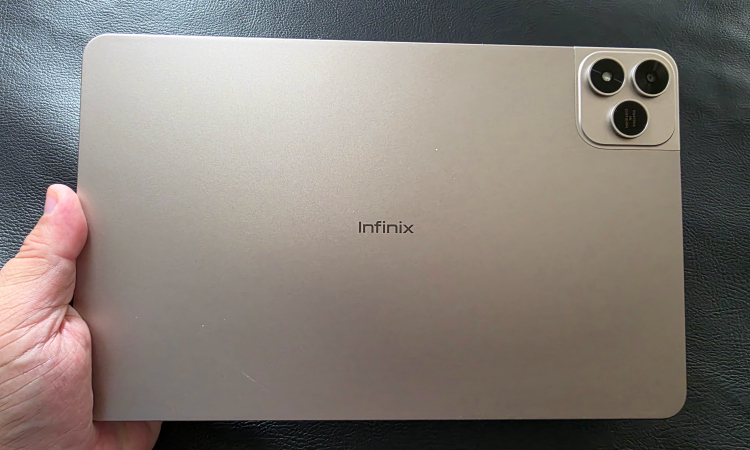
The Infinix XPAD 20 Pro has a metal back, which makes it somewhat anti-fingerprint
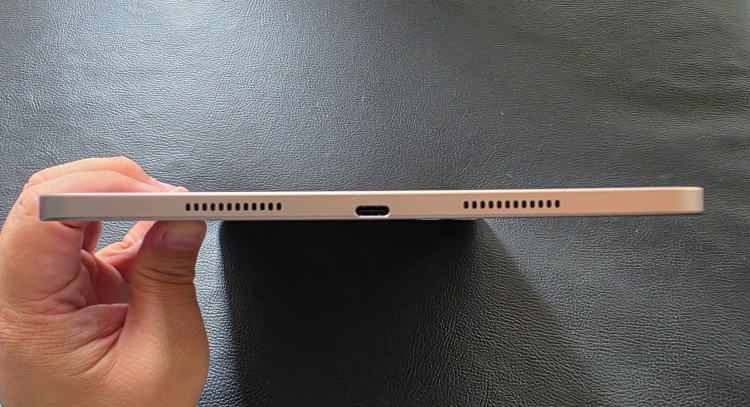
The tablet is 6.58mm thick with dual speakers on each side, with one of the sides also sporting a USB Type-C port
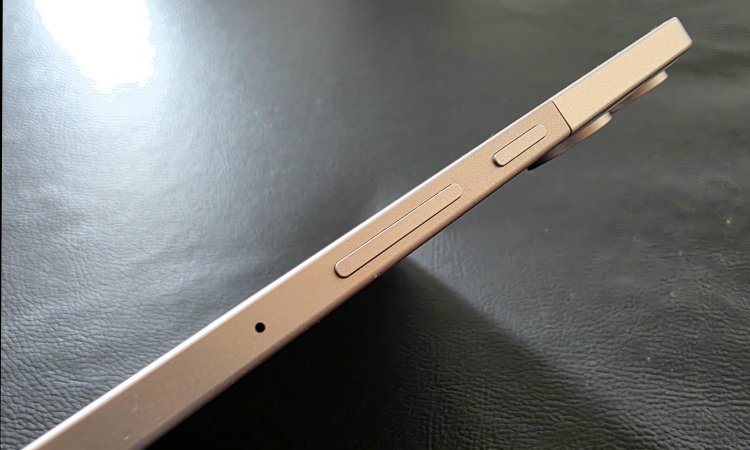
The power button and volume rocker
In terms of design, the Infinix XPAD 20 Pro doesn't stray too far from the template of flat sides and rounded corners. Build quality is pretty solid with a 6.58mm thick metal chassis that has 2 speakers on each side (or top and bottom, depending on the orientation) for a quad speaker setup.
Weighing in at 545g, it is a bit heavy to carry one-handed for long periods of time. Controls include a power button and volume rocker on one side, along with a memory card and 4G SIM card tray, while a USB Type-C port is on the other side.
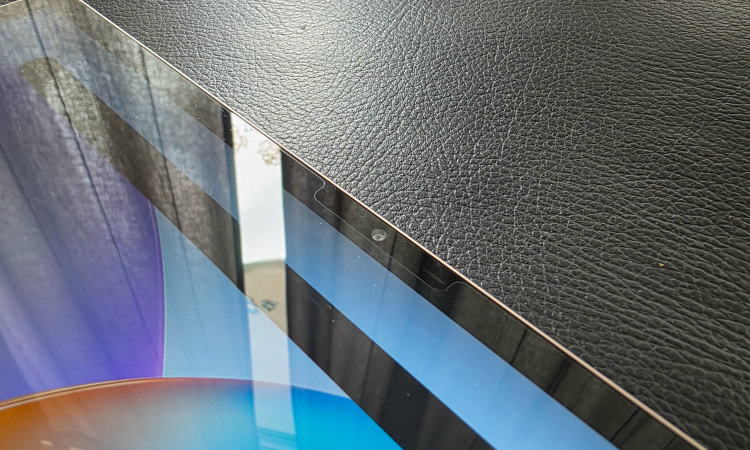
The bezels are quite large, with more than enough space for the 5MP front camera
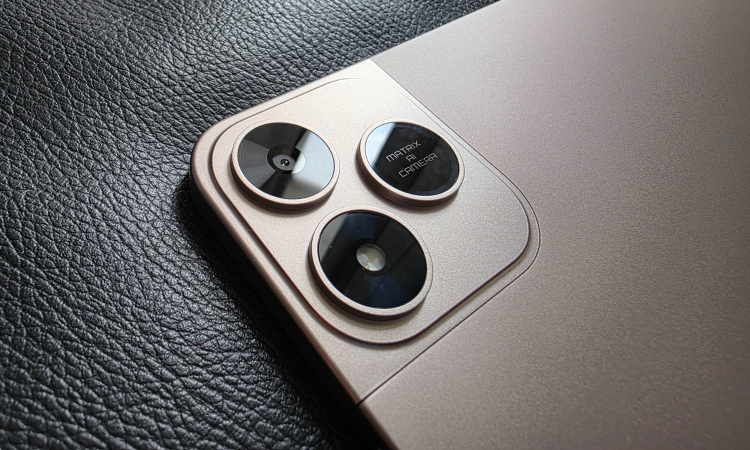
While it looks like there are three cameras, only one contains the 8MP rear camera
On the front, the 12-inch 2K display offers up to 90Hz refresh rate and 2000 x 1200 pixel resolution with a 6mm bezel. This is enough space for the 5MP auto-focus front camera, but it is located in the top bezel if the tablet is in landscape orientation.
On the back, there's the flat metal backside and what at first glance appears to be a camera hump with 3 cameras in the usual iPhone Pro arrangement. However, upon closer inspection, only one of these contains the 8MP rear camera. The other two have the LED flash and the label for the camera, which Infinix have named Matrix AI camera.
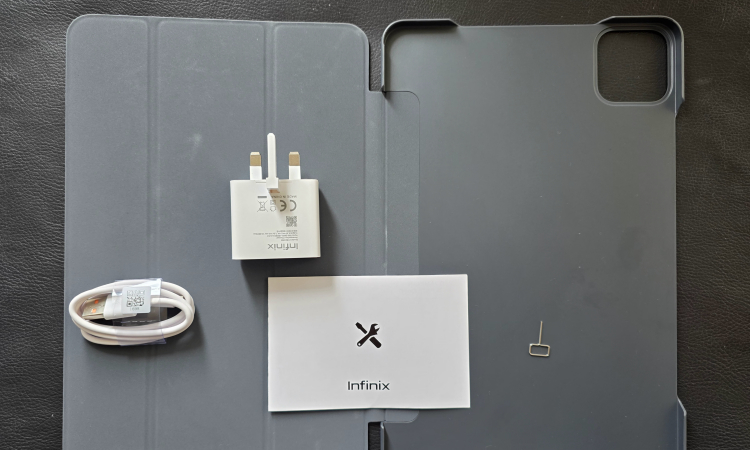
Here's what you get in the Infinix XPAD 20 Pro box
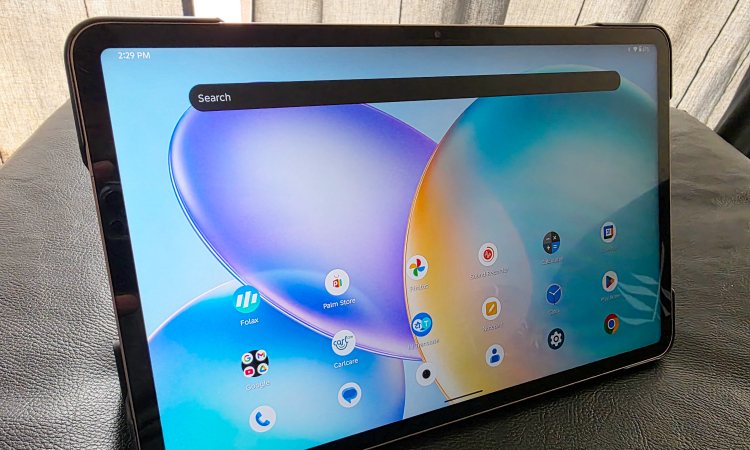
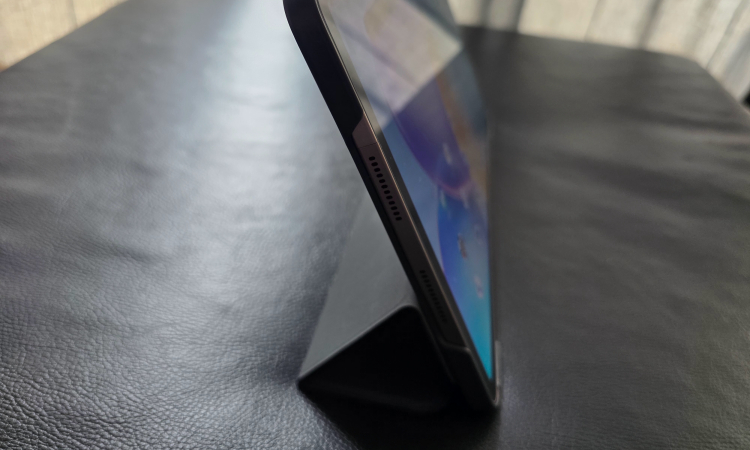
You can use the Infinix XPAD 20 Pro case as a stand
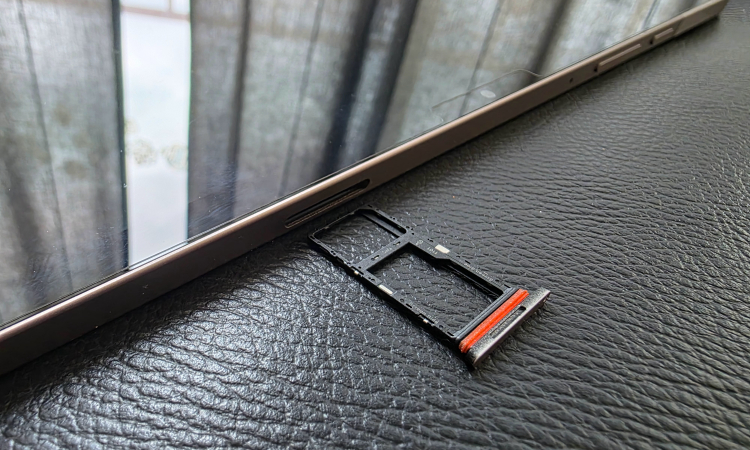
The Infinix XPAD 20 Pro SIM card and memory card tray
In the box, Infinix have been generous enough to include a free cover case along with documentation, a charger and a USB Type C cable. However, if there's still stock, you can also get a keyboard case and Infinix X Pencil stylus as well (but our review unit didn't come with them, so we couldn't test them).
The Infinix XPAD 20 Pro runs on XOS 15, which is based on Android 15, and it's a rather utilitarian operating system. This means it does the job, but doesn't look that pretty, with a basically dual colour Settings Menu. At least there's a dark mode you can easily switch to.
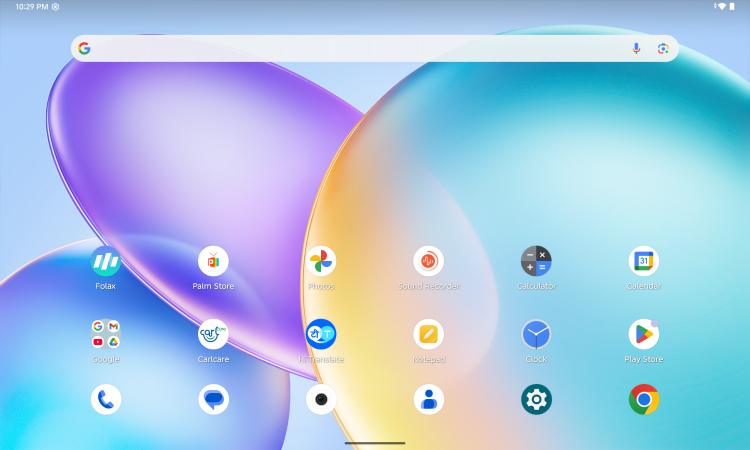
The Infinix XPAD 20 Pro runs on XOS 15, which is based on Android 15
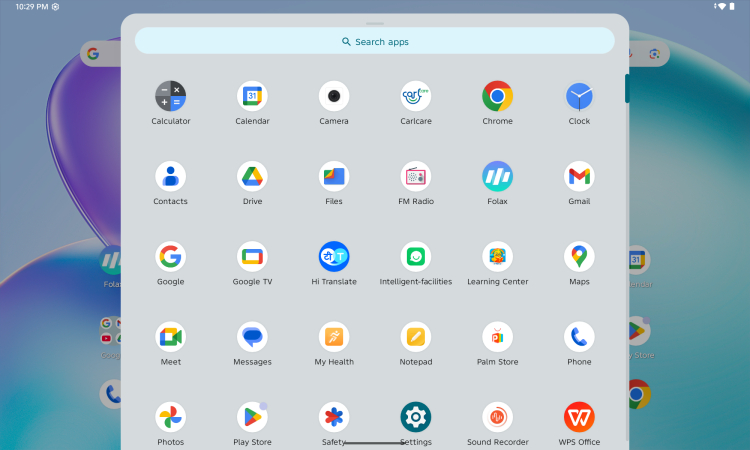
Not much bloatware except for WPS Office
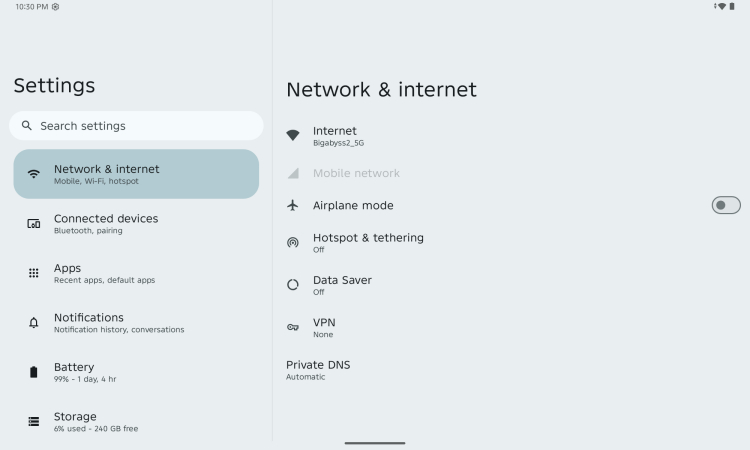
The actual Settings menu is rather utilitarian, but at least there's a dark mode
Nonetheless, it runs smoothly and quickly, but it appears that there are not many multi-tasking features aside from going to the recent apps. There was an option called Parallel Windows for a split-screen type of view, but no toggle button for it, so I suppose it's been deactivated for this tablet.
Thankfully, the only bloatware appears to be WPS Office, which is a mostly useful app. There are also other system apps like CarlCare, XArena and Learning Center. You can't uninstall them, but at least they do serve a purpose.
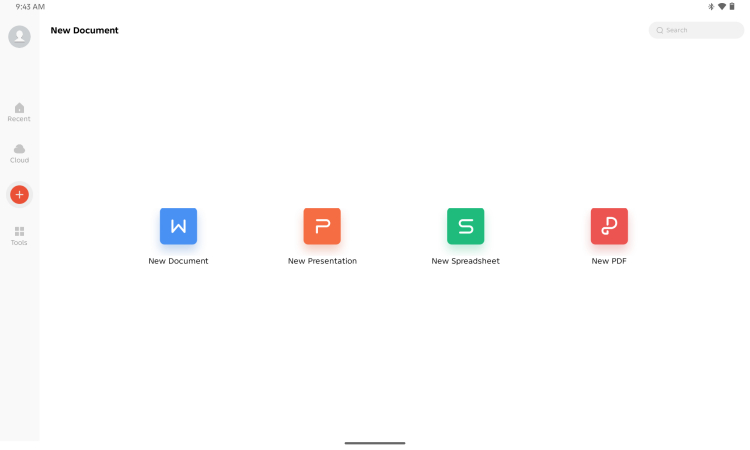
You can use WPS Office to handle most of your Office app needs
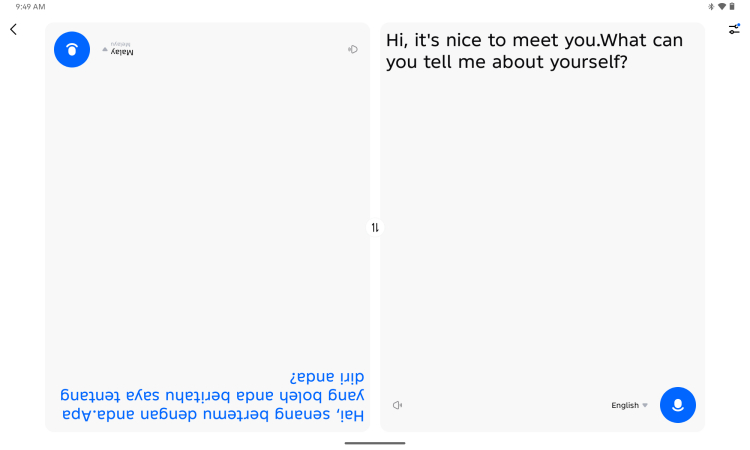
Live Translation in action
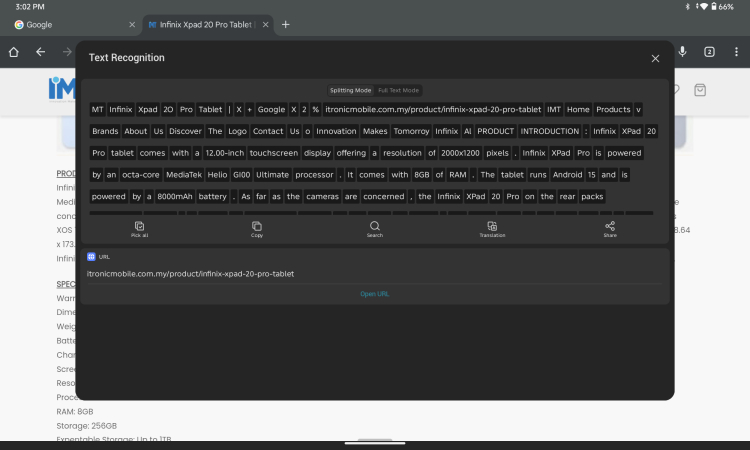
Smart Touch lets you scan text on the screen
Infinix AI features for the Infinix XPAD 20 Pro include the Deepseek R1-based chatbot Folax, Notepad app with sketch-to-image generation and Hi Translation to translate languages. There's also a Smart Touch feature under the Intelligent-facilities app.
You can use Folax to take photos of problems and questions and ask it to solve them, which Infinix say is their AI-Powered Homework Solver, but as with all things AI, we'd suggest you double-check and use it more for research than just copy-pasting. You can also use Folax to write out emails and summarise, just like most other chatbots.

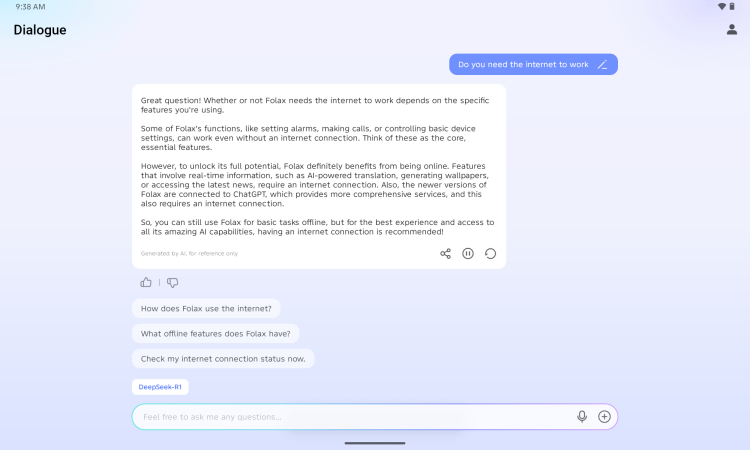

One of the Infinix AI features on the Infinix XPAD 20 Pro tablet includes Folax, which is a Deepseek R1-based chatbot
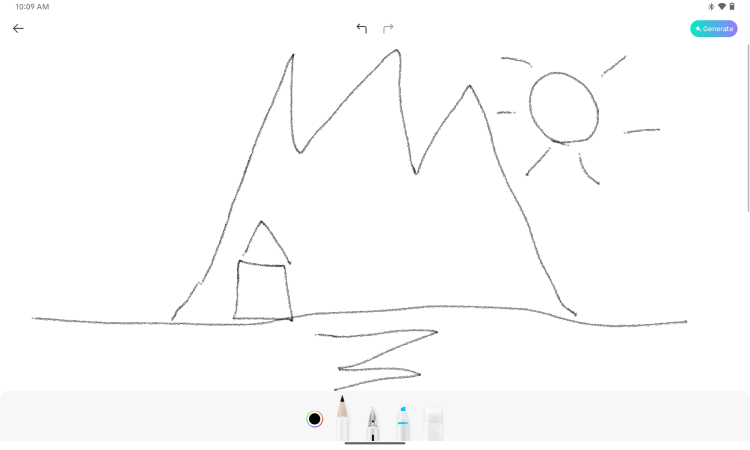
You can also use the Notepad to sketch something and then tap Generate...

You can then choose different styles
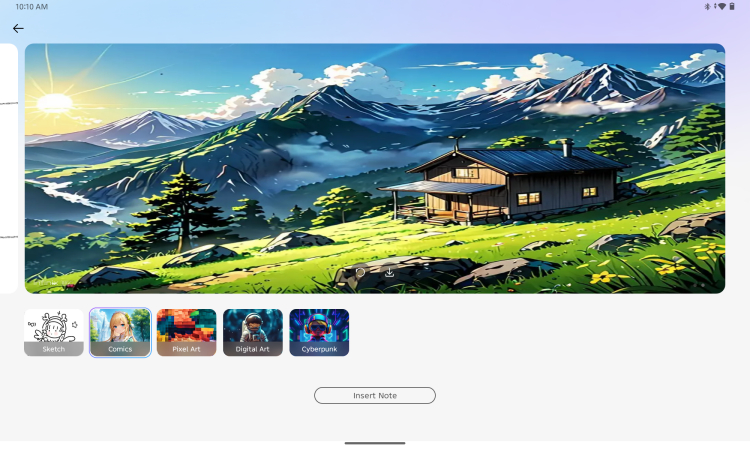
This style gives off an Anime or Ghibli Studio-like vibe
The Notepad app lets you take notes, and you can also sketch with it. You can then tap the Generate icon in the top right and make a sketch-to-image generation in Sketch, Comics (more like anime style), Pixel Art, Digital Art and Cyberpunk. Smart Touch is like an OCR scanner for onscreen text. So, rather than use it for a website, you could perhaps use it for an image that has text.
Performance-wise, the tablet only gets entry-level scores in both Geekbench 6 and 3DMark. While you can play fairly smooth Asphalt Legends or Call of Duty Mobile, it's rather pixelated and can't handle the higher resolutions, much less more demanding games like Genshin Impact. It's not that you can't play, but you may have to tweak the settings a bit lower.
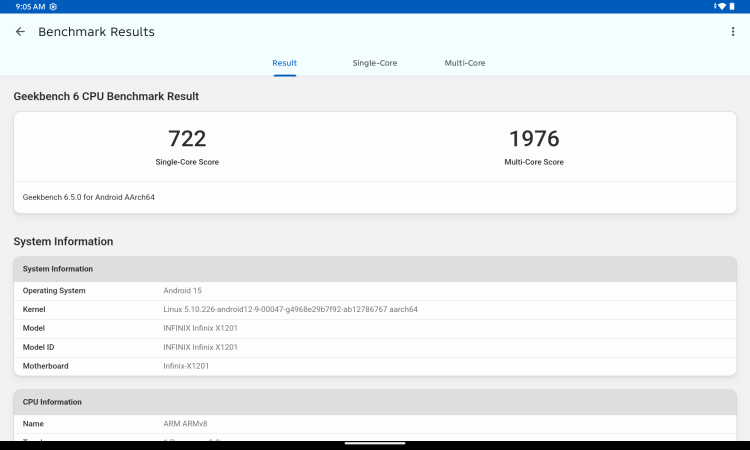
Geekbench 6 scores for the Infinix XPAD 20 Pro were about average for an entry-level device
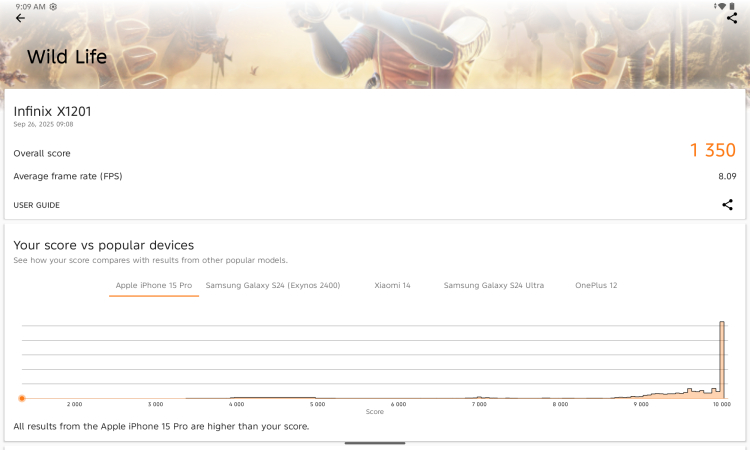
3DMark scores for the Infinix XPAD 20 Pro were rather low

While you can play games like Asphalt Legends, you can see some pixelated details here and there

You can still sketch pretty well with a standard stylus
That being said, the Infinix XPAD 20 Pro does last quite some time (about 3 to 5 days depending on usage) on its 8000 mAh battery, but needs about 2 hours or so to get back to 100%. At least there's an 18W fast charger bundled with the tablet. The 4 speakers are quite loud on maximum volume, and the screen does show vivid colours for movies.
While we couldn't test the bundled keyboard and stylus, the tablet does handle Bluetooth keyboards and the usual silicone stylus just fine. This means that while you may not get pressure-sensitive drawing, you can still sketch and write with the tablet and get some work done.
As usual for tablets, we don't really recommend using them for taking photos, but the 8MP rear camera can handle QR codes and most photos as long as there's enough light. You'll have to wait for the autofocus sometimes. The front 5MP camera is good enough for most online meetings as it has a fairly fast autofocus. Check out our samples below.

The 8MP rear camera does take pretty nice shots with enough light. You may have to wait a bit for the autofocus though

Auto

The 5MP front camera works pretty good with enough light, it should be good for most online meetings
Overall, the Infinix XPAD 20 Pro is a surprising mix of AI features and tech specs in a tablet for just RM999. We wouldn't have expected a built-in chatbot like Folax or sketch-to-image generation at all, to be honest. You could probably use it for some light work, sketching and notation, making this a good device for students or professionals on the go.
It should also be just fine for watching or streaming movies on the go, but it probably lacks the power and definition needed by gamers. We would have liked it better if the interface were a bit more cohesive and had more multi-tasking features, but perhaps this may come with further updates.

The Infinix XPAD 20 Pro can handle streaming videos quite well
Potentially, the Infinix XPAD 20 Pro could well be a very good tablet for productivity on the go, especially considering its AI features like Folax, Notepad and so forth. However, you may have to invest in a better keyboard, mouse and stylus first, which could add on anywhere from RM200 to RM400.
Alternatively, if you're looking for an AI tablet with a more sensitive stylus, then there's the Samsung Galaxy Tab S10 Lite with an S Pen for a few hundred ringgit more at RM1499. It also has a more cohesive interface, but the Infinix XPAD 20 Pro does offer a bit more in terms of bang-for-your-buck memory at a lower price range.
What do you think? Are you looking for an entry-level tablet with AI capabilities, or do you just want a tablet to stream movies with? If so, the Infinix XPAD 20 Pro could be the one for you. If not, or if you bought it already and know how the keyboard and stylus perform, please share your thoughts in the comments below and stay tuned to TechNave.com.
Infinix XPAD 20 Pro Tech Specs and Features
Here are the tech specs and features of the Infinix XPAD 20 Pro tablet:
- MediaTek Helio G100 Ultimate chipset (6nm process)
- 8GB RAM + 256GB storage
- 12-inch LCD (2000×1200 resolution, up to 90Hz refresh rate, 86% screen-to-body ratio, 450 nits typical brightness, TÜV Rheinland Dual Eye Care Certified)
- Measurements: 6.58mm Ultra-Slim Metal Unibody, 545g weight
- 8000mAh battery (18W Fast Charging)
- Android 15
- Features: 4-Speaker Symphony for True 360° Immersion, (Infinix AI): Folax, AI Multimodal Content Search, AI-Powered Homework Solver, Image to Doc Conversion, Hi Translation, AI Creation (AI Writing, AI Art)
- Supports: 4G and Wi-Fi support
- Available in Titanium Gray and Mist Blue
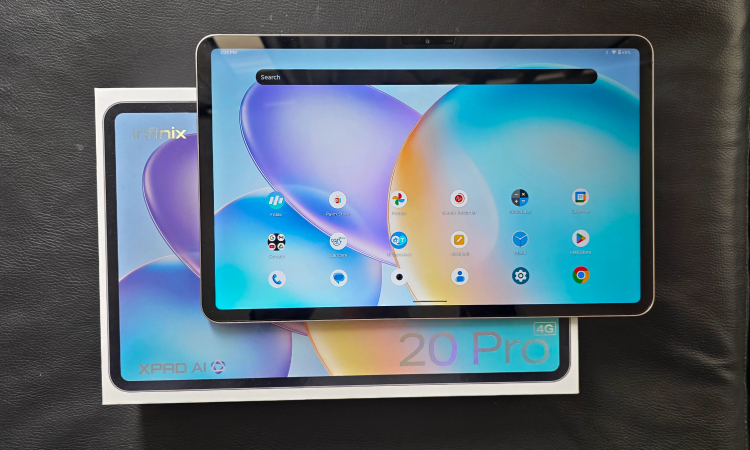
Pros and Cons
Pros: 12-inch 90Hz 2K display, Quad speakers, 4G LTE, Infinix AI
Cons: Not for gamers
Summary: A good value 12-inch 4G tablet to stream movies and do light productivity on the go with surprising AI features, but you might need to get a mouse, stylus and keyboard to go with it






COMMENTS