
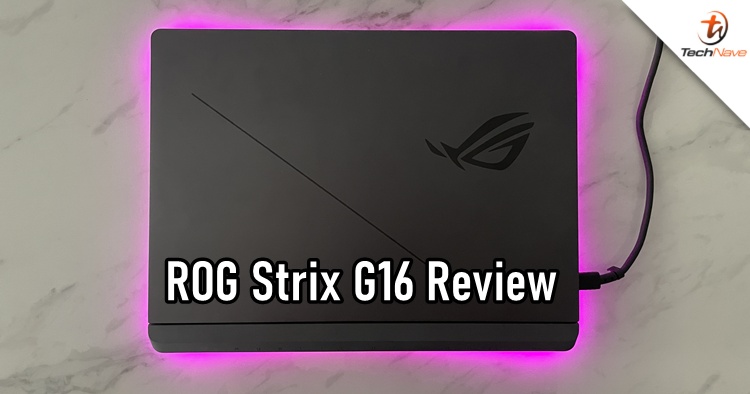
When you think of gaming laptops with fancy RGB lighting, there's a good chance that you will think of the ROG series by ASUS. As a household name, this brand does not need any introduction, even though it has a couple of models that can be confusing at times.
I have reviewed several ROG laptops over the years, but the ROG Strix G16 (G614F) model might just be the best one yet. Why is that? And do the tech specs justify its high price tag? Let's dive right in on the good, the bad and everything else.
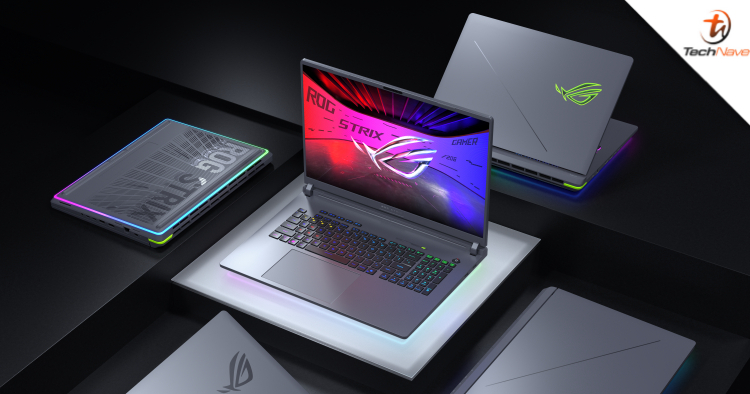
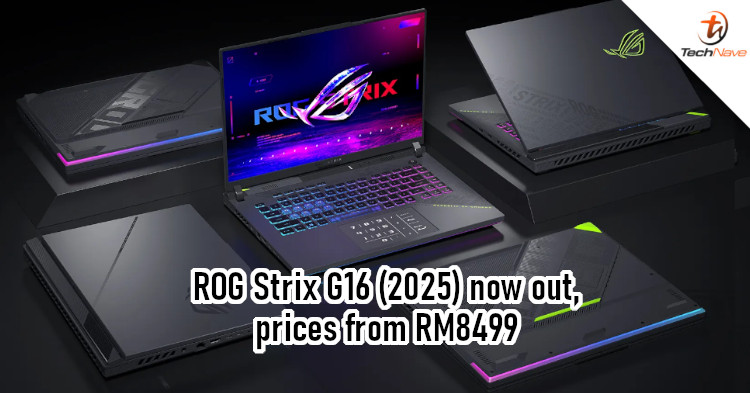
To begin, I don't have much to say about the ROG Strix G16 design. ASUS has pretty much maintained its trademarked gaming aesthetic over the years, with bits of improvements here and there. Despite this, there are two noticeable changes - the all-around RGB light surrounding the bottom and a detachable back cover.
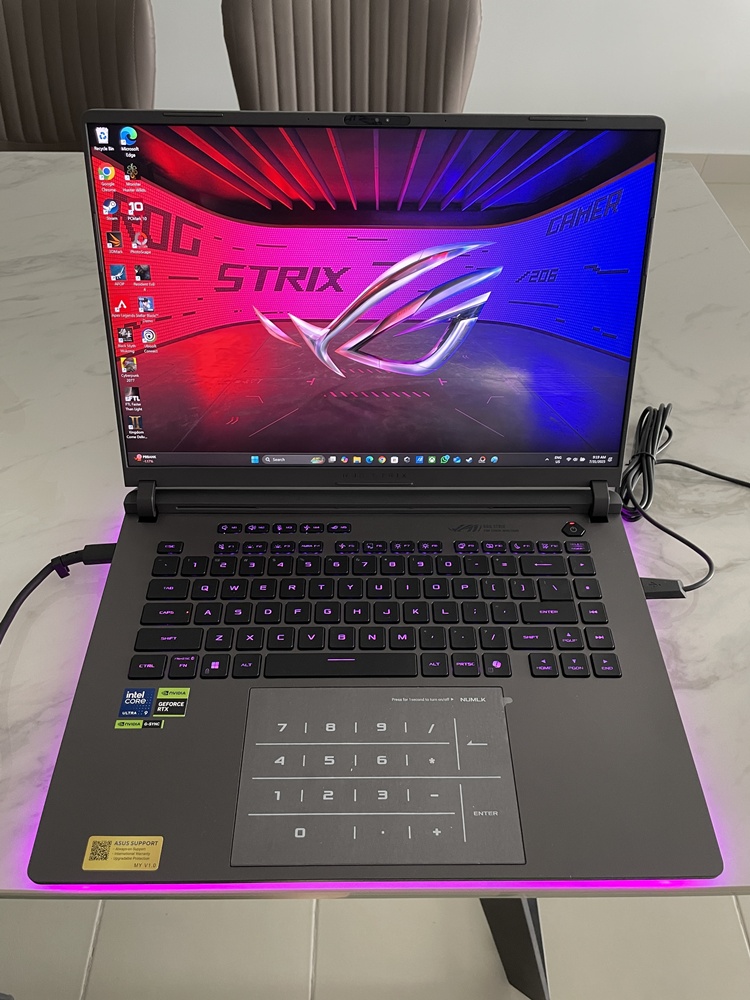
THE ROG Strix G16 in the flesh, now with surrounding RGB lighting
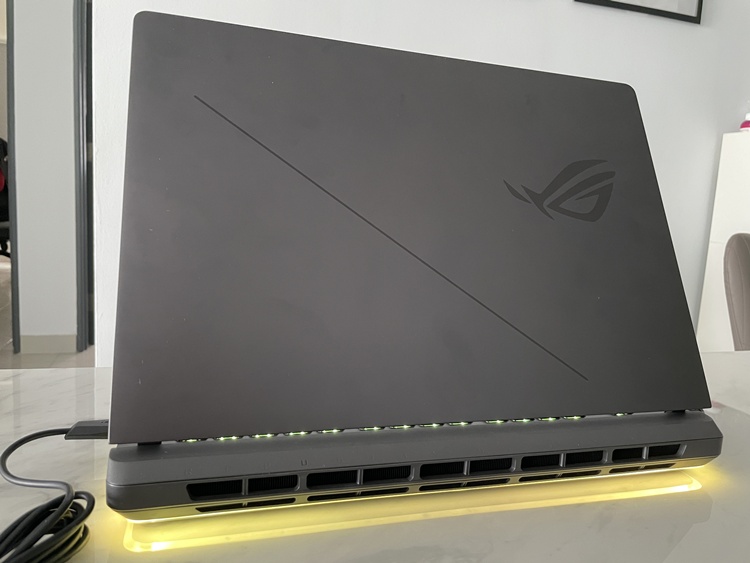
Nothing much on the laptop cover
The RGB light is very much self-explanatory, so I am moving on to the detachable back cover. This feature is long overdue and might be the best thing on this gaming laptop. The instructions on how to detach it are conveniently printed on the box, so it's very straightforward. With just a press of a slider button and a push on the back cover, you can easily look inside.
Once you open it up, you can immediately see the dual fans, RAM and SSD installation. If the memory is not enough, you can easily slot another one in yourself (super easy, barely an inconvenience). Not only that, you can also manually clear out any dust buildup later. However, the other compartments are pretty much sealed off, including the cooling system, Li-ion battery pack and the other RAM slot on the right.
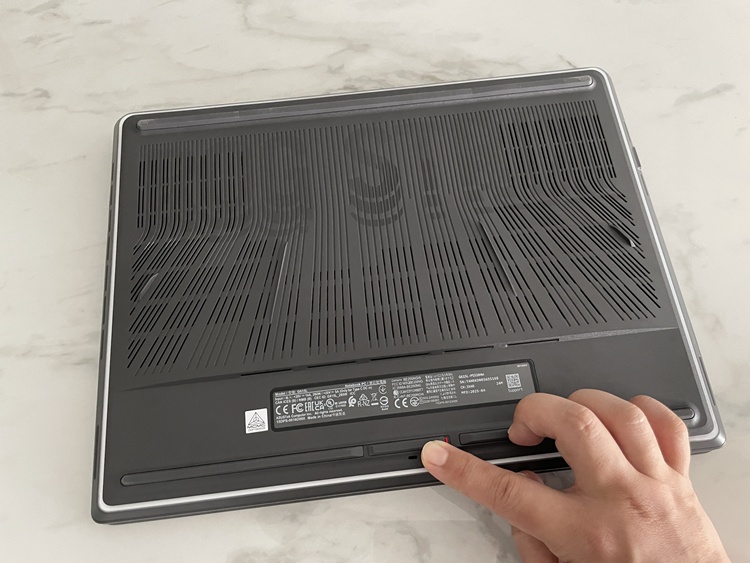
Just press this slider button and push the back cover downwards
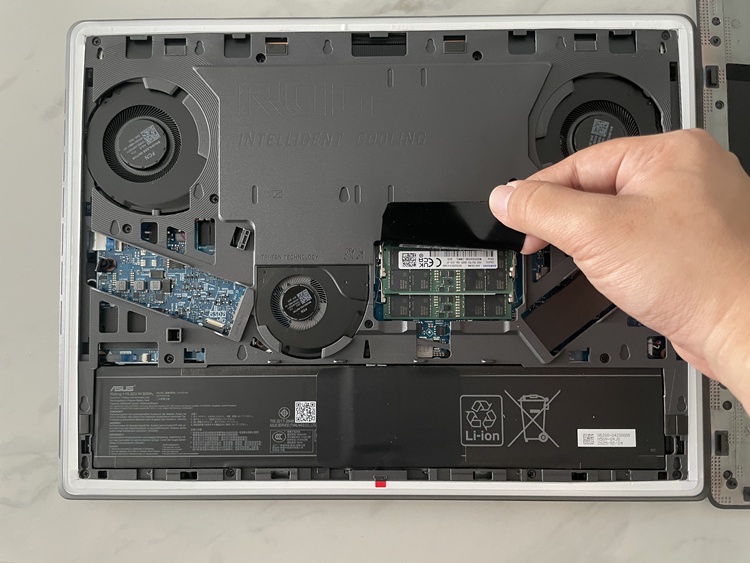
Inside the machine
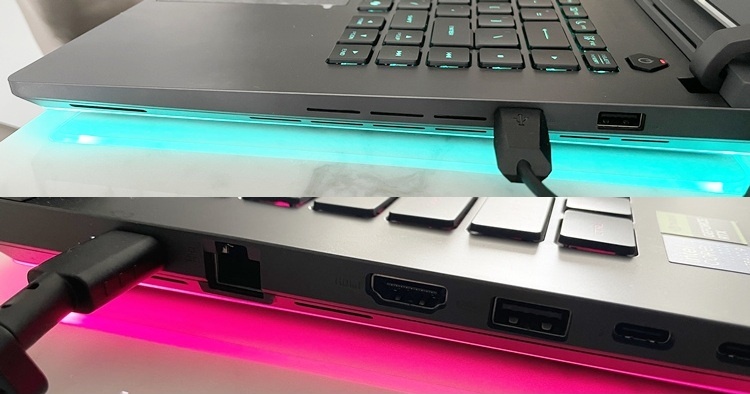
I/O ports
Other than that, the keyboard caps are nice to type on. The trackpad is huge as usual, and can turn into a digital Numpad if you need one. There are enough essential I/O ports to use as well. All in all, the ROG Strix G16's build quality is solid and fancy, thanks to the surrounding RGB lighting that makes it look like a mini flying UFO device.
As for performance, the ROG Strix G16 is powered by an Intel Core Ultra 9 275HX processor and NVIDIA GeForce RTX 5070 GPU. Granted, it's not top-tier like the RTX 5080 or 5090, but the 5070 is more than enough for most modern gaming requirements. However, the only nitpick I have is that the video memory is still not enough, as it maxes out at 8GB.
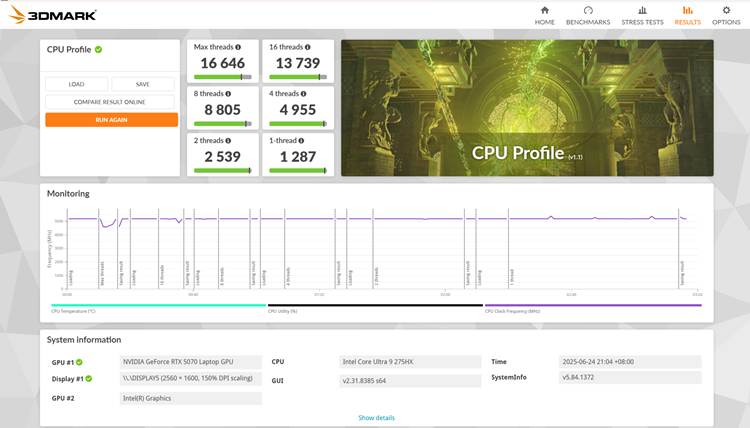
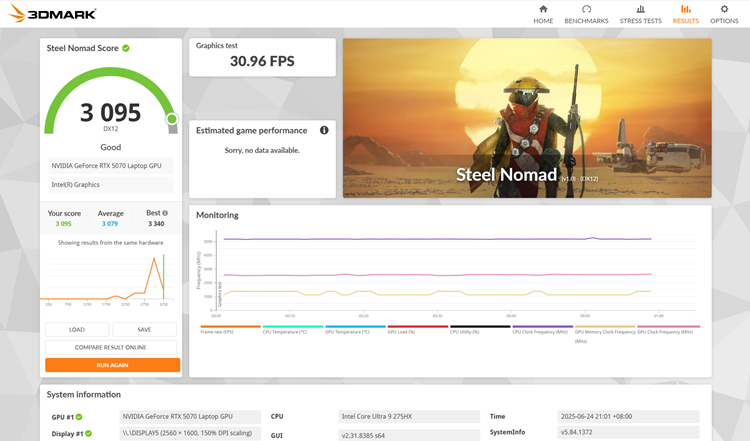
3DMark scores on CPU Profile and Steel Nomad
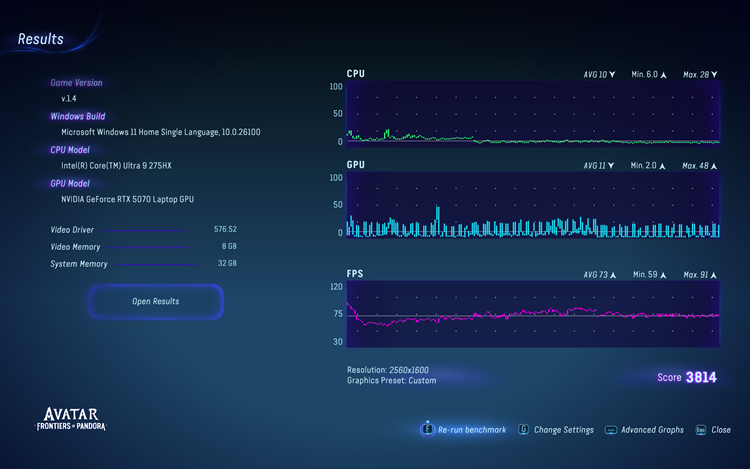
Benchmark score from Avatar: Frontiers of Pandora in its recommended settings
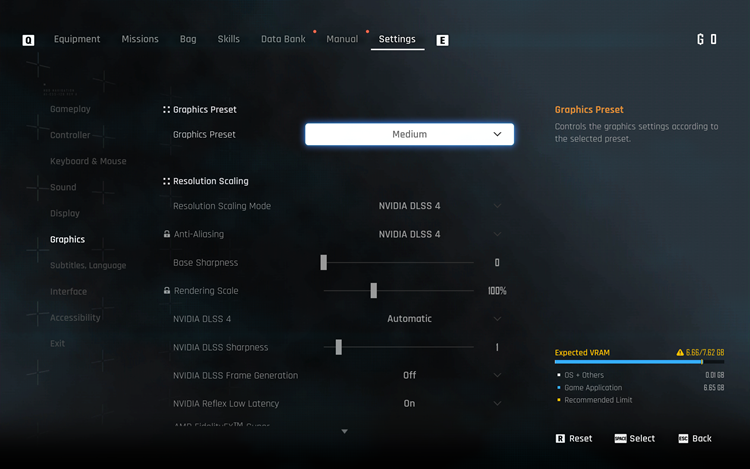
Playing Stellar Blade on medium settings is just sad
For casual gamers, 8GB of VRAM may seem more than sufficient. Some popular tech YouTubers suggest that the 12GB of VRAM on the RTX 5070 is sufficient for most current games, especially with DLSS and other upscaling technologies. However, newer titles, particularly those with path tracing or high ray tracing settings, may require more VRAM at higher resolutions, like 1440p.
For example, Sony has been porting PS5 games to the PC for a few years now. Its latest entry, Stellar Blade, needs lots of VRAM, and 8GB isn't going to cut it. Sure, you can just max everything, and it will still function well. Lowering your game settings is the best way to play, but experiencing games like Stellar Blade at lower resolutions won't be that enjoyable.
Stellar Blade in its default medium settings
Smooth and consistent framerate (see top left) in Kingdom Come: Deliverance 2
When a game needs more VRAM than your graphics card has, it will start using the system RAM. It's slower, resulting in stuttering, lower frame rates, and visual glitches like blurry textures or missing details. But no worries, exceeding VRAM limits will not damage your graphics card or PC. It simply impacts performance, leading to a less enjoyable gaming experience.
Besides Stellar Blade, I also tested out Kingdom Come: Deliverance 2 and Avatar: Frontiers of Pandora. It's not surprising that the ROG Strix G16 can handle them like a champ, albeit the loud fans may disturb others if they are in the vicinity. If you're still playing older titles, the ROG Strix G16 is more than enough.
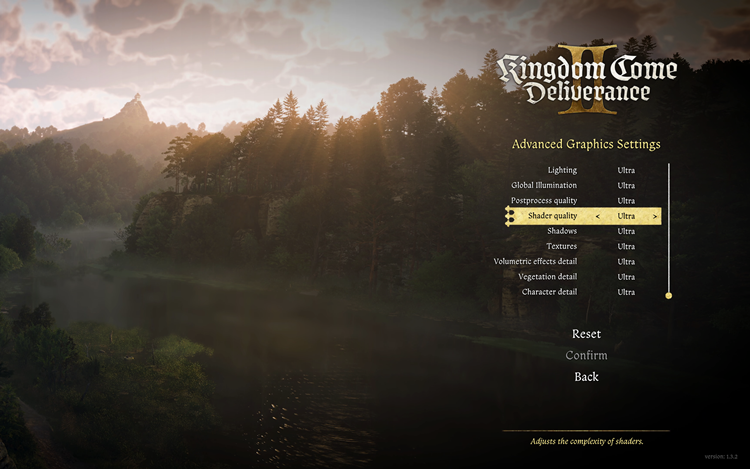
On the other hand, games like Kingdom Come: Deliverance 2 are set to ultra by default
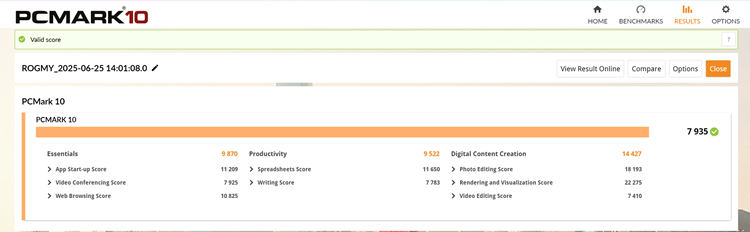
PCMark 10 score
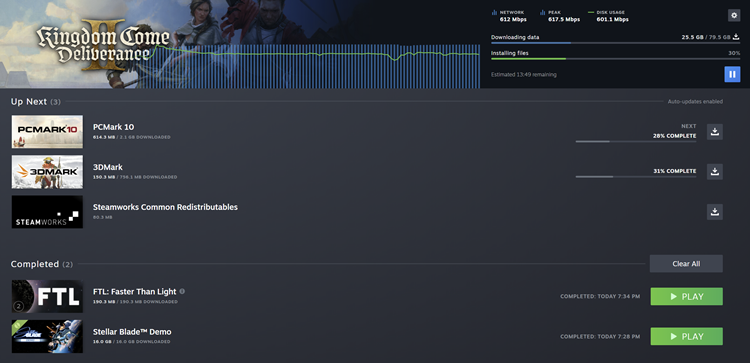
Download speed is at maximum (using TIME's 600Mbps plan)
As for other tasks, whether it's just watching 4K movies and shows on Netflix or video editing, the ROG Strix G16 more than delivers. In terms of battery life performance, you can expect just around three hours of gaming (results may vary with select games), but at least the laptop won't feel like a barbecue pit thanks to the efficient cooling fans and system. Fast charging is great, so no need to worry about that either.
All in all, the ROG Strix G16 is a pretty good gaming laptop. To recap, the best thing about this device is the detachable back cover, which allows you to easily expand the RAM or SSD storage. If you love RGB, then that's also another highlight since it surrounds the whole laptop now.
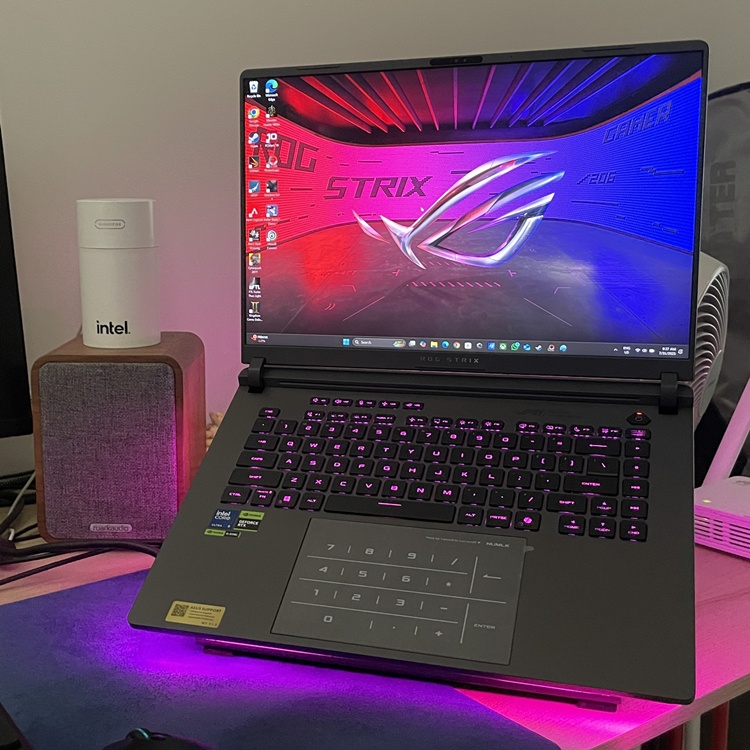
Overall solid
However, hardcore gamers may be put off by the RTX 5070's low 8GB VRAM. As I mentioned before, most newer games nowadays need more VRAM at high resolutions, especially with high ray tracing settings and others. Lowering the graphics settings will make more modern graphics-hungry games playable, but where's the fun in that?
There are other variants of the ROG Strix G16 on the ROG Malaysia website, with prices from RM6599 (Intel-based). The G614F model starts from RM8799 and goes up to RM12299 for the highest configuration. But in these tough economic times in Malaysia, it's understandable that most consumers look for other "affordable" options, which can be difficult to find.
ROG Strix G16 (G614F) tech specs and features:
- Intel Core Ultra 9 Processor 275HX 2.7 GHz (36MB Cache, up to 5.4 GHz, 24 cores, 24 Threads); Intel AI Boost NPU up to 13TOPS
- NVIDIA GeForce RTX 5070 Laptop GPU, ROG Boost: 1475MHz* at 115W (1425MHz Boost Clock+50MHz OC, 100W+15W Dynamic Boost), 8GB GDDR7
- Measures 35.4 x 26.8 x 2.28 ~ 3.08 cm, weighs 2.65kg
- 16GB DDR5-5600 SO-DIMM (the memory speed of the systems vary by CPU SPEC x 2)
- 1TB PCIe 4.0 NVMe M.2 SSD
- Expansion Slots (include used) - 2x DDR5 SO-DIMM slots and 2x M.2 PCIe
- 16-inch ROG Nebula Display, 2.5K (2560 x 1600, WQXGA) 16:10 aspect ratio, IPS-level, Anti-glare display, DCI-P3:100%, 240Hz refresh rate, 3ms Response Time, G-Sync enabled, Pantone Validated, MUX Switch + NVIDIA Advanced Optimus, Dolby Vision HDR
- I/O ports - 1x 3.5mm Combo Audio Jack, 1x HDMI 2.1 FRL, 3x USB 3.2 Gen 2 Type-A (data speed up to 10Gbps), 1x 2.5G LAN port, 2x Thunderbolt 5 with support for DisplayPort / power delivery / G-SYNC (data speed up to 120Gbps)
- Support - Wi-Fi 7(802.11be) (Triple band) 2*2+Bluetooth 5.4 Wireless Card
- Battery - 90Whrs, 4S1P, 4-cell Li-ion
- Power supply - Rectangle Conn, 280W AC Adapter, Output: 20V DC, 14A, 280W, Input: 100-240V AC, 50/60Hz universal
Pros - An easy way to install additional RAM and SSD, thanks to the detachable back cover, nice RGB lighting and a powerful, solid gaming laptop.
Cons - The 8GB of VRAM on the RTX 5070 may not satisfy most hardcore gamers, and the price may be too high because of this.
Conclusion - Despite that, it is still a good gaming laptop that can play many popular video game titles, but at a price.
So what do you think of the ROG Strix G16? Let us know, and stay tuned for more original trending tech reviews only at TechNave.com.




COMMENTS