
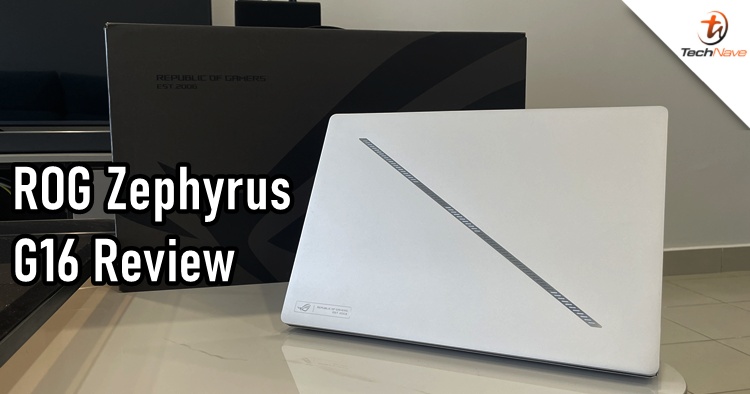
By now, you should know that AI is the current marketing trend across all products. ASUS Republic of Gamers (ROG) already unveiled its "AI laptop" at CES 2024 earlier this year. But now, we finally got our hands on the ROG Zephyrus G16 (GA605, AMD) model. So, without further ado, here's a review of the Zephyrus 2024 laptop.
As ROG continues to blur the line of marketing towards gamers and casual users, one can easily mistake the Zephyrus G16 for a gaming laptop. Although it features quite high-end hardware specs, the Zephyrus G16 is actually tailored to a wider audience, hence its simplistic tone and design. When we got the laptop, the first thing that came to mind was "Apple", as it certainly gives off the MacBook vibes.
Compared with the Zephyrus M16 and Zephyrus G16 2023 models, the Zephyrus G16 is even thinner. According to ASUS, the Zephyrus G16 was designed to be up to 25% thinner and equipped with a more premium aluminium CNC unibody by 24% with an additional rigid chassis. It comes in Eclipse Gray like the previous models but also has a Platinum White variant that looks awesome.
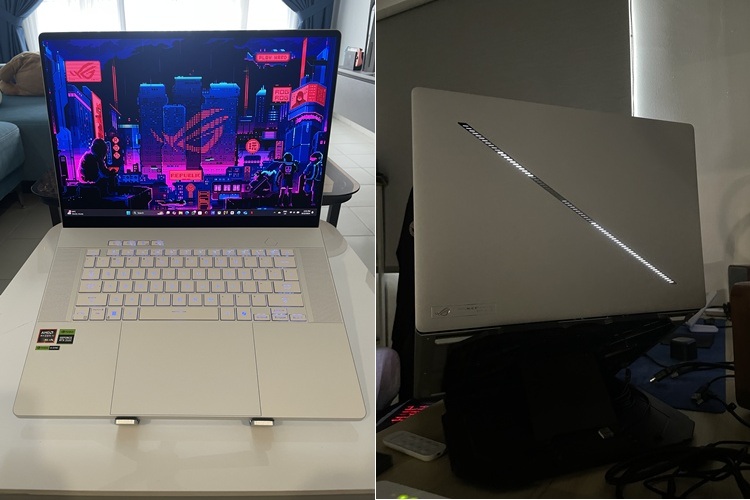
The front and back view of the Zephyrus G16
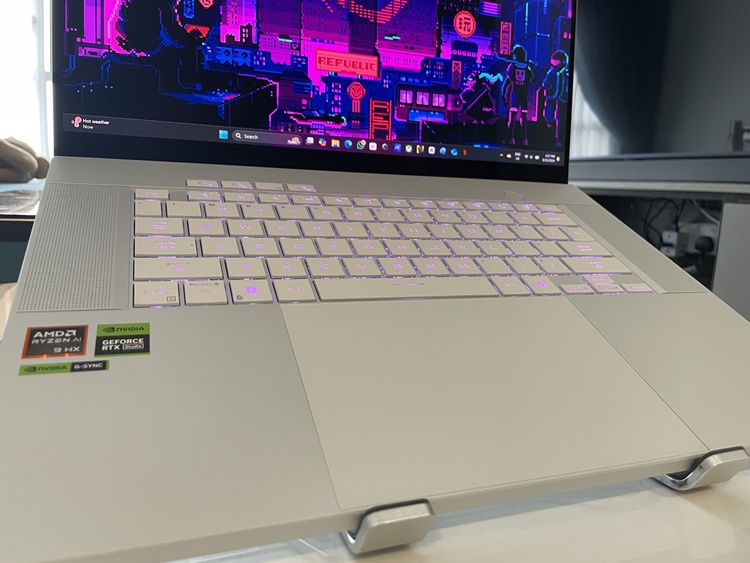
A HUGE trackpad
For the new model, you can see that it has just one line of LED lighting section that gives off different lighting patterns. It doesn't stand out like the AniMe Matrix display from previous Zephyrus models, but you can still customise the lighting patterns or simply disable the function. Personally, I didn't do much with the LED lighting because it's just one line of LEDs.
In other design aspects, the display area is an 88.4% screen-to-body ratio with slim bezels. The keyboard also received an upgrade with new keycaps that are 12% larger. Also, the keyboard now has a 1.7mm keycap gap and 1.7mm travel distance, making the typing experience quite comfortable and efficient. The trackpad is also much bigger and, thankfully, doesn't really get in the way of typing on the keyboard.
You can find the typical I/O ports on both sides of the laptop, while the back is where the exhaust vents are. One thing that improved is the back vent system, which was reworked to avoid blasting the hot air onto the bottom of the display (a complaint I made before for the G14 a few years ago). ASUS calls this "Stealth Hinge" as the new hinge design blows the air down and under away from the device.
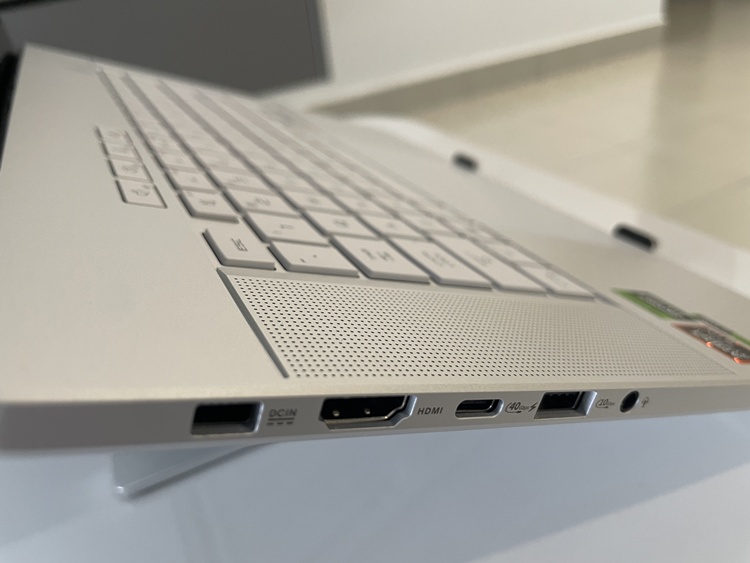
The left side of the ports and speaker
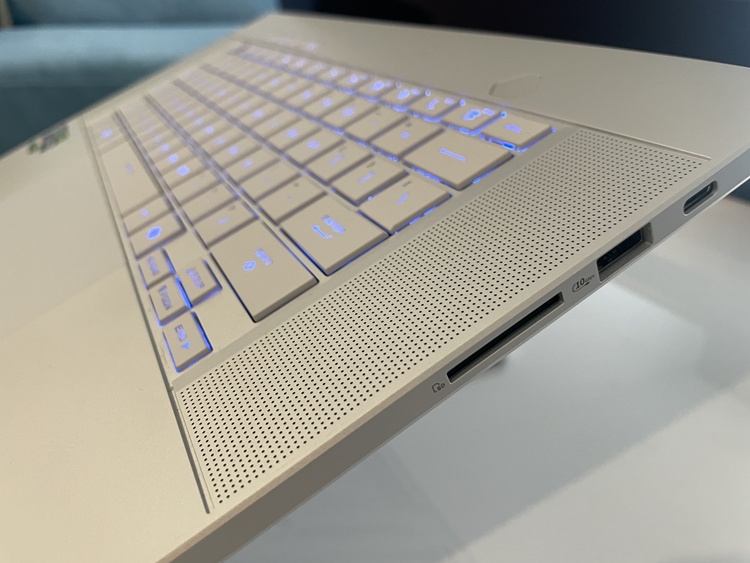
Speaker, SD carder reader, USB A and USB C ports on the right
The Zephyrus G16 comes equipped with the latest AMD Ryzen AI 300 series processor, featuring a TSMC 4nm FinFET manufacturing process and the new Zen 5 architecture. Compared to Zen 4, this series of processors can go up to 12 high-performance CPU cores with 24 threads and 50% more on-chip L3 cache memory. On the other hand, it's also equipped with up to NVIDIA GeForce RTX 4070, but the one we got was the RTX 4060 version.
Yes, it can obviously play graphics intense games very well, but that's not the main point. AMD's Ryzen AI 300 Series CPUs are built on the new AMD XDNA 2 architecture, which offers 50 TOPS of AI processing power. This apparently surpasses Copilot+ AI PC requirements and delivers three times the AI engine performance of the second generation of AMD Ryzen AI. Combining this with ROG's Nebula + OLED display features, the laptop truly offers a satisfactory performance for anyone using it.
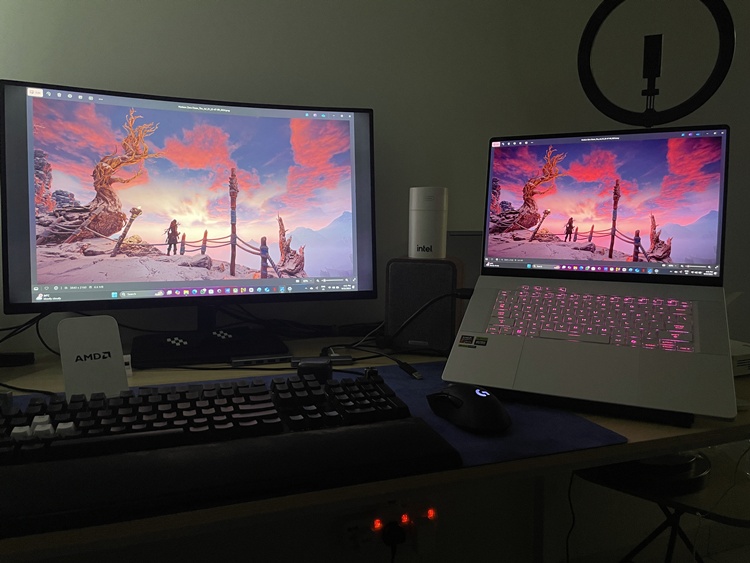
A clear difference between a non-OLED (left) and OLED (right) panel showcasing colour contrast
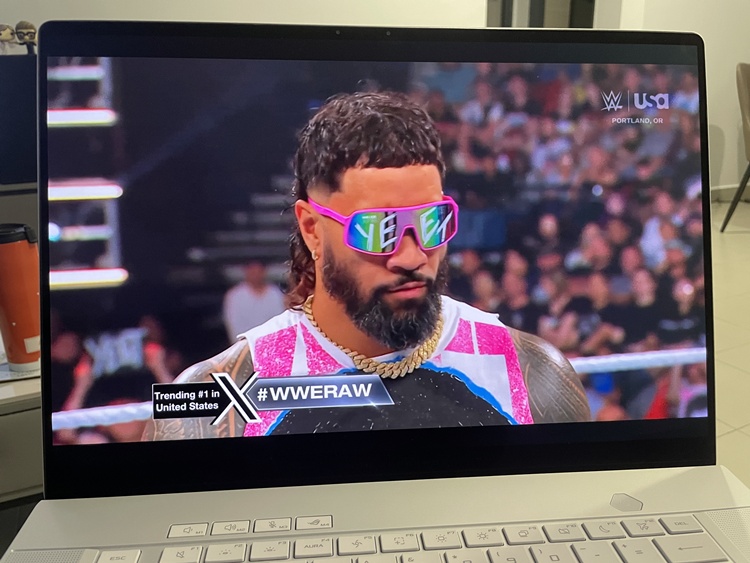
My viewing experience on this laptop has been awesome
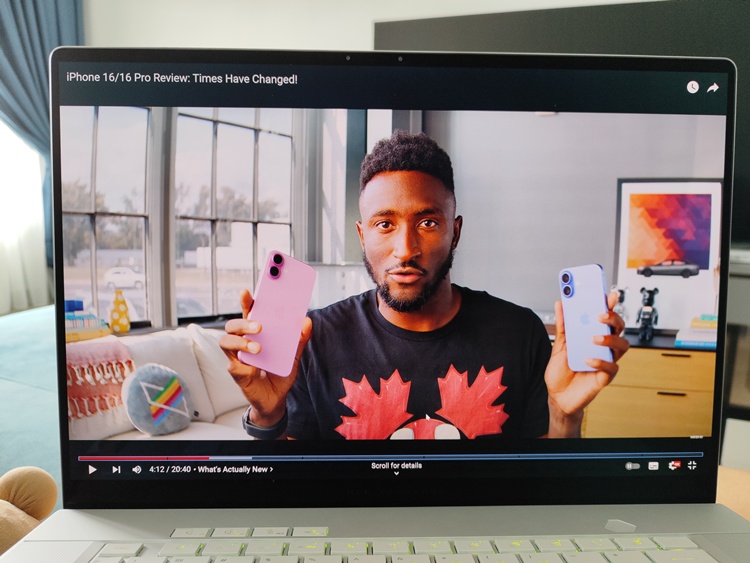
Whether it's Netflix or YouTube, the visuals are just remarkable
ROG Nebula Display technology has been around for a while. But in case you didn't know, it offers the best possible balance for refresh rate, response time, colour accuracy, G-Sync and Dolby Vision. On top of that, the display is now OLED. By working with Samsung, ASUS increased the Pixel Refresh Rate up to 960Hz which is overkill (in a good way). Also, let's not forget the OLED panel is VESA DisplayHDR True Black 500 certified, I rest my case.
While the AI aspect for gaming is great on paper, that cannot be said the same for other AI functions. For example, the automatic framing, eye contact correction and advanced background effects don't really give a huge impression to me. Don't get me wrong, these AI functions are nice to have but I can live without them. As for the Copilot+ experience, it's only coming in late November 2024 so there's nothing much to say.
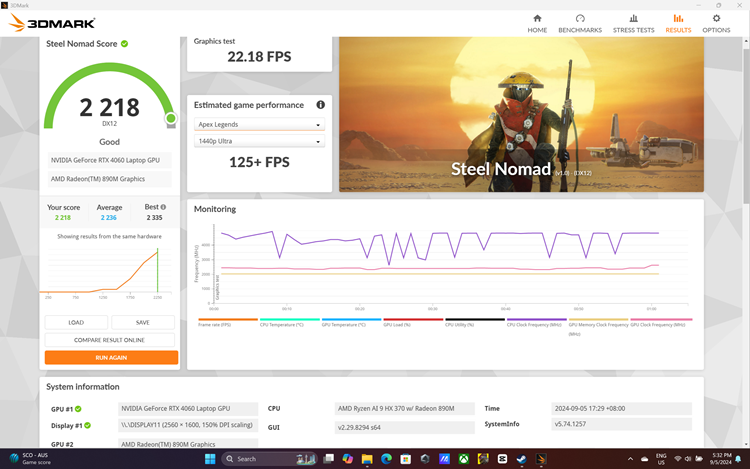
3DMark score
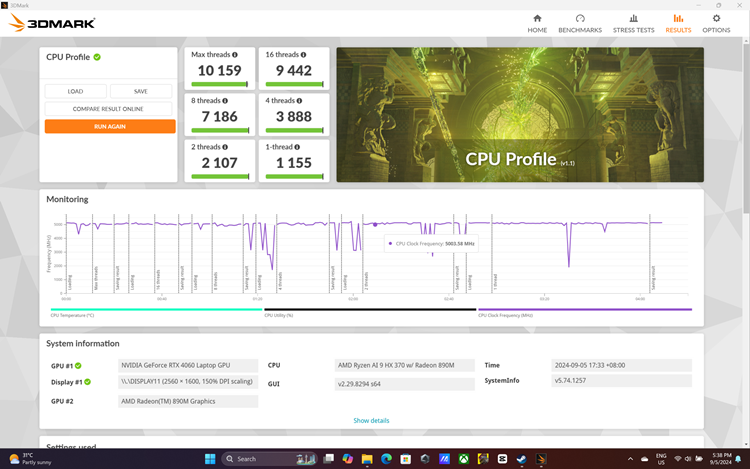
3DMark score for CPU Profile
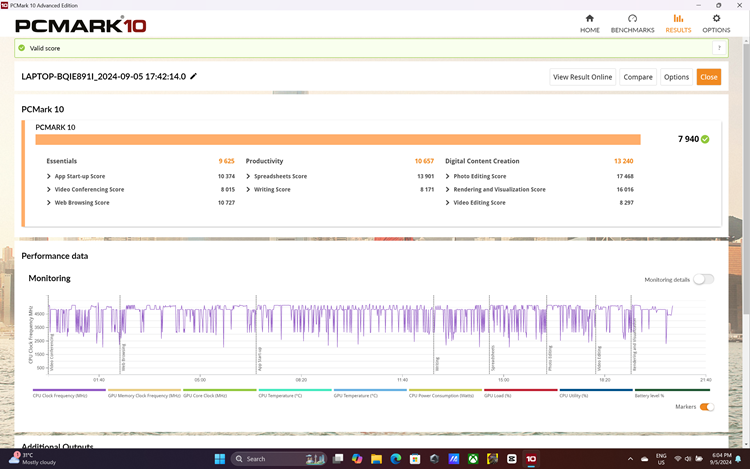
PCMark 10 scores
| Games | Silent mode (1080p) | Performance mode (1080p) | Turbo mode (1080p) | Silent mode (2.5K) | Performance mode (2.5K) | Turbo mode (2.5K) |
|---|---|---|---|---|---|---|
| Rainbow Six: Siege | 260FPS | 301FPS | 313FPS | 160FPS | 216FPS | 237FPS |
| Shadow of the Tomb Raider | 156FPS | 163FPS | 168FPS | 139FPS | 151FPS | 160FPS |
| Red Dead Redemption 2 | 58FPS | 75FPS | 80FPS | 42FPS | 54FPS | 61FPS |
| Assassin's Creed: Valhalla | 78FPS | 102FPS | 111FPS | 51FPS | 66FPS | 73FPS |
| Far Cry 6 | 84FPS | 100FPS | 101FPS | 56FPS | 73FPS | 81FPS |
| Metro Exodus (Ray Tracing off) | 59FPS | 75FPS | 83FPS | 43FPS | 55FPS | 61FPS |
| Metro Exodus (Ray Tracing on) | 49FPS | 64FPS | 69FPS | 32FPS | 41FPS | 46FPS |
| Cyberpunk 2077 | 65FPS | 85FPS | 90FPS | 35FPS | 46FPS | 50FPS |
| Forza Horizon 5 | 82FPS | 107FPS | 114FPS | 63FPS | 83FPS | 91FPS |
Using the Zephyrus G16 for content creation is also fantastic. In just a few minutes, the laptop can finish rendering a video with a size of 2GB. While I'm not exactly the type that edits videos with many special effects, I imagine this laptop can be put to good use by those who are on the go, especially those who need a powerful machine like this one. However, there is just one small caveat.
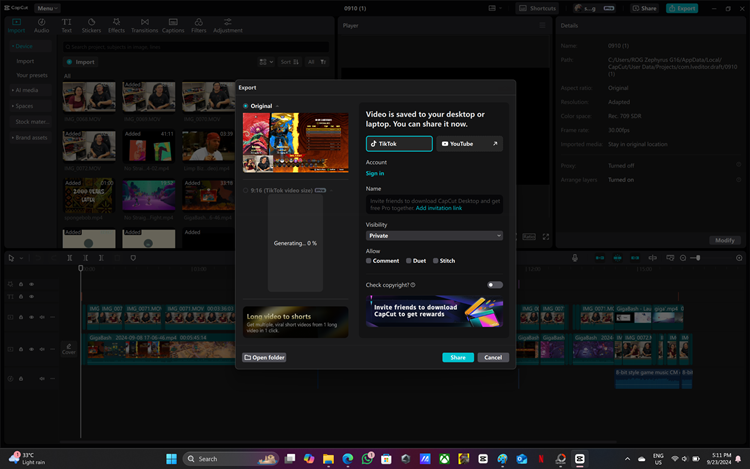
Seriously, I only need to wait for a few minutes to finish rendering a 2GB video



Some screenshots from the games tested on this laptop
I mentioned earlier that ASUS integrated the Stealth Hinge design to dissipate the heat out and away from the laptop below. Combining this with the ROG Intelligent Cooling Ecosystem, it's able to keep the laptop functioning without crashing. Liquid metal has been applied to the CPU, offering 14.6 times better thermal conductivity. The heat pipes, tri-fans, and acr-flow fans have also been upgraded. So what's the issue?
Well, despite the improvements, all the processing power that I've just mentioned earlier will certainly make the laptop super hot. I don't find it ideal or comfortable to put a hot laptop on your lap while working or even casually on your couch. Furthermore, it can get really noisy even if I am just downloading gigabyte-size files. For the best heat dissipation efficiency, I recommended getting a laptop stand, even better if it's equipped with fans.
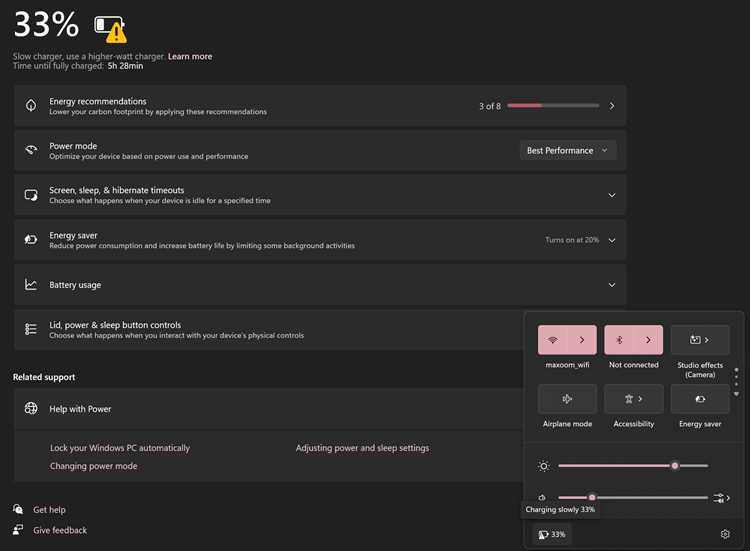
One thing to note - You can use a different or the smaller USB C charging adapter that was given in the box, but the charging speed is slower
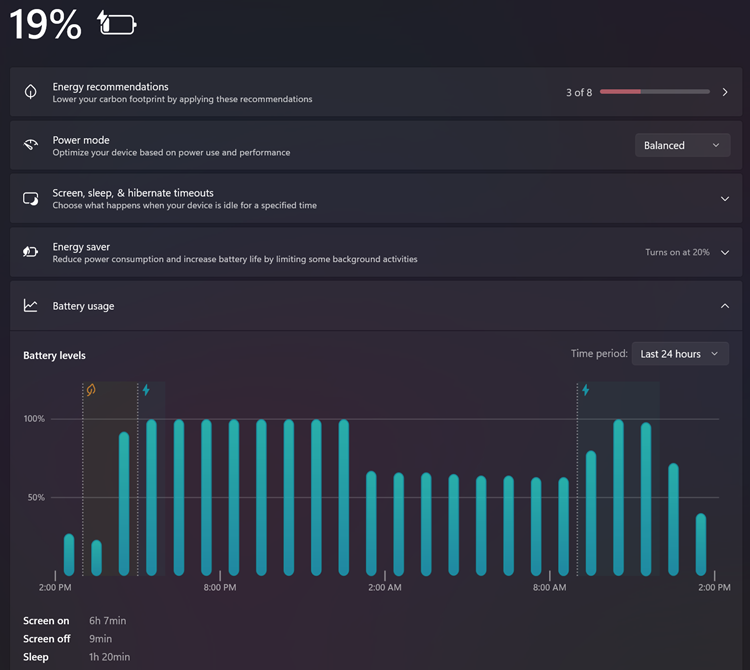
In an hour, it can charge up to 69%. And from 11 AM until 3 PM, the battery drops from 100% to 20% from normal working usage and watching YouTube
Although the Zephyrus G16 gets hot, it doesn't seem to affect the battery life performance much, thanks to the intelligent laptop computing system. On average, I can work on the laptop for almost the whole day (before evening time) without plugging in the 200W battery charging adapter. You can also rely on its fast charging technology. As advertised, the battery can be charged up to 50% in just 30 minutes, so there's no need to worry about doing your work away from home.
Aside from PC performance, there are still other features worth mentioning. One of which is WiFi 7 connectivity, which ASUS said is 2.4 times faster than WiFi 6/6E and can easily enable 8K video streaming. The speakers on each side are also most impressive, able to pump out decent sound quality and support Dolby Atmos. And if you need to do online video meetings often, you can rely on ROG's Two Way AI Noise Cancelling technology.
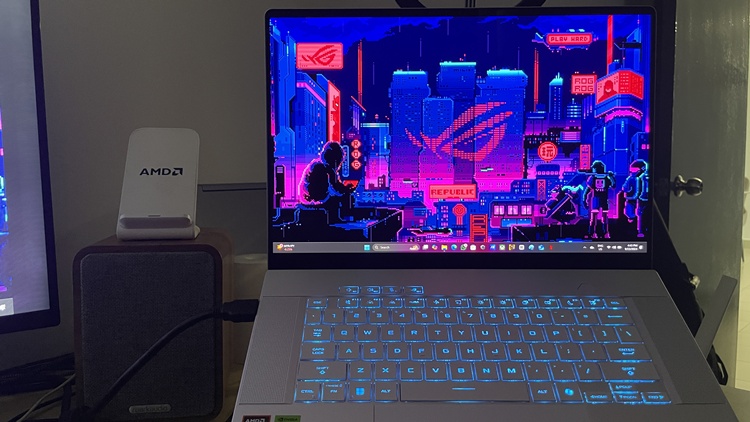
It gets hot and noisy sometimes, but still a great laptop to use
Overall, the Zephyrus G16 is a great laptop for both gaming and productivity with not many issues. This actually reminds me of ASUS handling its ROG Phone 8 series this year with the same strategy, as they try to reach a wider mass audience with a minimalistic design and some gaming capabilities. Will this work with the Zephyrus G16? Time will tell, but personally, this is quite a tough challenge.
Earlier, we said that it has a lot of "MacBook vibes", so customers would easily compare the two. The Zephyrus G16 model I reviewed is RM11,499, which is super expensive as expected. The 16-inch M3 Pro MacBook Pro is in the same price range, starting from RM11,999. And if I'm being honest, the majority of casual users who aren't gamers might prefer the latter due to brand power and software longevity.
ROG Zephyrus G16 (2024) tech specs and features:
- AMD Ryzen AI 9 HX 370 Processor 2.0GHz (36MB Cache, up to 5.1GHz, 12 cores, 24 Threads); AMD XDNA™ NPU up to 50TOPS
- NVIDIA GeForce RTX 4060 (233 AI TOPs) or 4070 Laptop GPU (321 AI TOPs). 1940MHz* at 100W (1890MHz Boost Clock+50MHz OC, 85W+15W Dynamic Boost, 8GB GDDR6
- AMD XDNA NPU up to 50TOPS
- Measures 35.4 x 24.6 x 1.49 ~ 1.64 cm, weighs 1.85kg
- 16GB x2 LPDDR5X RAM (max 32GB), support dual channel memory
- 1TB or 2TB (4070 model) PCIe 4.0 NVMe M.2 SSD, 2x M.2 PCIe
- 16-inch ROG Nebula Display, OLED, 2.5K resolution, 16:10 aspect ratio, up to a 240Hz refresh rate, 0.2ms response time, G-Sync, Pantone Validated, MUX Switch + NVIDIA Advanced Optimus, Dolby Vision HDR support
- I/O ports - 1x 3.5mm Combo Audio Jack, 1x HDMI 2.1 FRL, 2x USB 3.2 Gen 2 Type-A (data speed up to 10Gbps), 1x USB 3.2 Gen 2 Type-C with support for DisplayPort / power delivery (data speed up to 10Gbps), 1x Type-C USB 4 with support for DisplayPort / power delivery (data speed up to 40Gbps), 1x card reader (SD Card) (SD Express 7.0)
- Support - WiFi 7 (802.11be) (Triple band) 2*2+Bluetooth 5.4
- Battery - 90Whrs, 4S1P, 4-cell Li-ion
- Power supply - Rectangle Conn, 200W AC Adapter, Output: 20V DC, 10A, 200W, Input: 100-240V AC, 50/60Hz universal. TYPE-C, 100W AC Adapter, Output: 20V DC, 5A, 100W, Input: 100~240V AC 50/60Hz universal
Pros - Combining the best of both worlds in gaming and productivity, sleek design and compact.
Cons - The laptop can still get rather hot, especially above the keyboard area. It's also very expensive.
Conclusion - Despite the hefty price tag, it's still a suitable productivity + gaming laptop for those who are often on the go.



COMMENTS