
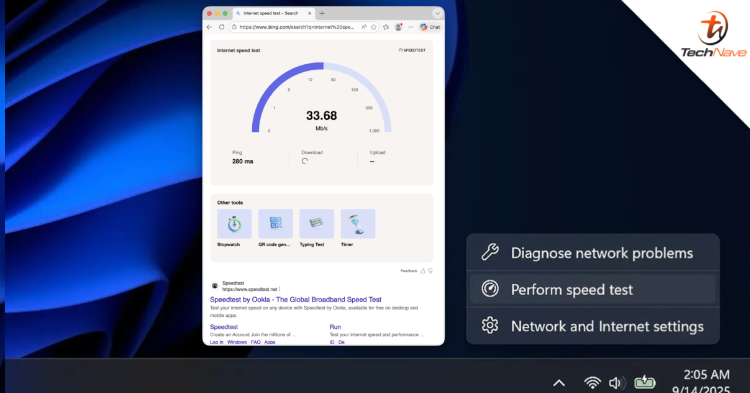
Microsoft and Ookla are now announcing a new partnership that brings the internet speed test feature, Speedtest, directly into Windows 11. So, what should you know about it?
You will no longer need to open a web browser
For your information, users no longer need to open a web browser or manually search for the Speedtest site. Instead, speed tests can now be accessed directly from the taskbar. Users simply need to right-click on the network icon or open the quick settings for Wi-Fi and mobile data connections to immediately start internet speed diagnostics.
Moreover, this integration simplifies the process of identifying network issues without disrupting daily use. It also offers faster access directly from Windows, while leveraging Ookla's global infrastructure to provide more accurate speed and latency readings in real-world situations.
Additionally, this Speedtest integration feature has started being offered to Windows Insider users through the Release Preview channel and is now being rolled out in stages to all eligible Windows 11 users worldwide.
Stay tuned to TechNave.com for more updates like this.




COMMENTS