
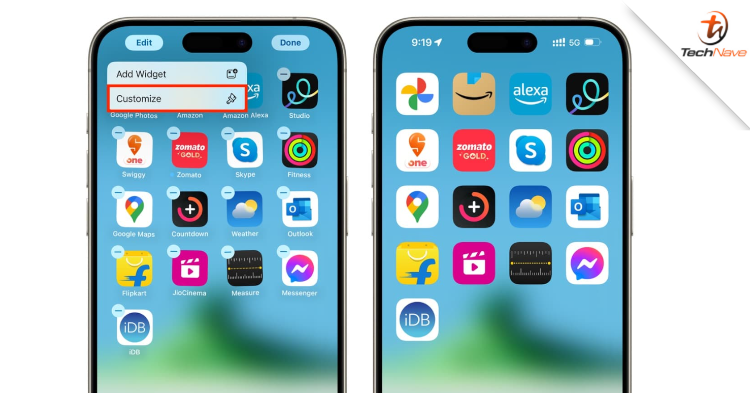
For those of you who want something different on the main display of the iPhone device, here we share how to hide the name display for each application and thus make the size of the application icon larger. So, what should you know about it?
First of all, press and hold the empty part on the iPhone's main display until the application icon display vibrates as if it wants to "dance". Then go to the Edit > Customise menu. Finally, select the "large" display setting. That would end up in the application icon display being larger and its name will be hidden.
We have yet to confirm other details on the update. Hopefully, everything will be resolved soon.
What are your thoughts about this news? Stay tuned for more news and updates like this at TechNave!



COMMENTS