
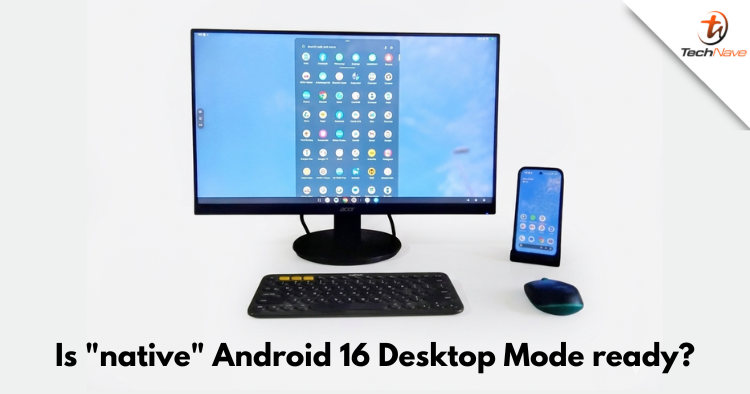
Up until late last year in 2025, I used my phone and Samsung Dex as my only computer, but Samsung decided to stop supporting it partially. This wrecked my workflow, but the good news is that a similar Android 16 Desktop mode is now natively available on Pixel 8 and above devices. Is it good enough yet? Read on to find out.
Not yet… but it has potential
The short answer would be No, but if you need more details, keep reading. Previously, Desktop mode or Desktop experience was only available if you activated Developer mode on your Pixel. It was buggy and could cause your Pixel to randomly hang, freeze or restart.
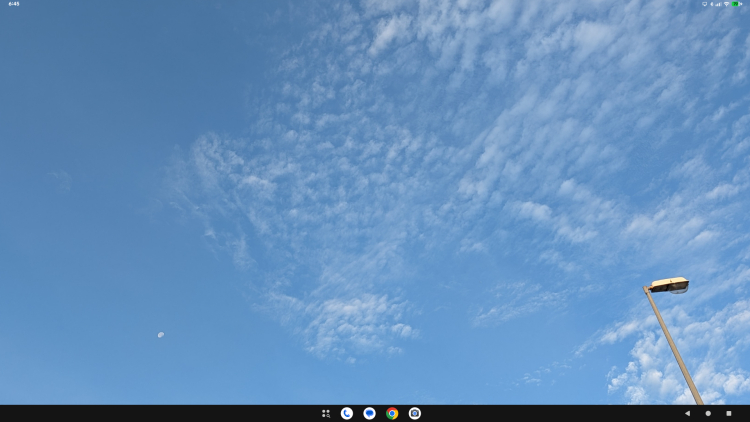
The Android 16 Desktop mode shifts the taskbar to the middle just like how Windows 11 does
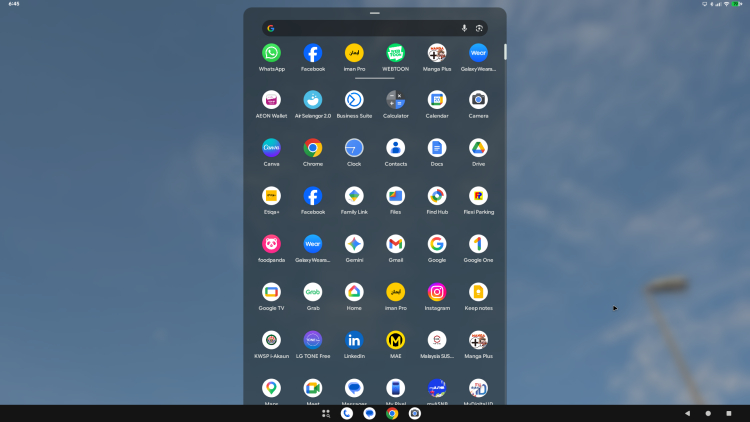
You can pull up the app drawer
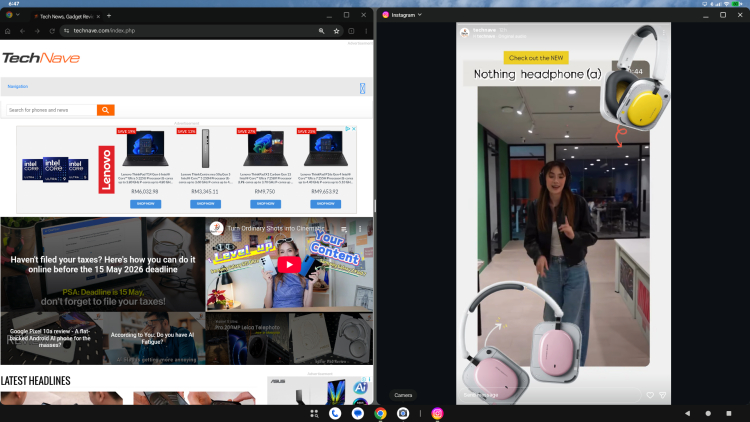
You can also snap 2 windows to a split screen view
Now, all you need to do to activate it is hook up your Pixel device up to an external display like a monitor with a HDMI to USB Type C cable or USB Type C hub and it activates natively. By default, it is running on FHD and lets you move and resize windows.
Now, it is significantly more stable than before but still quite buggy. Nonetheless, you can still snap 2 windows to a split screen view and it does run quite a few apps. You can get by with Docs but many apps are still unoptimized for the larger screen, resulting in them either having wonky layouts or not working at all.
How to use Android 16 Desktop Mode
Here's how to use Android 16 Desktop mode with your compatible Pixel device:
- Connect an external display via HDMI cable and a USB power cable to a USB Type C hub
- Connect your compatible Pixel device (we used a Pixel 10 Pro)
- Select External Display in the popup
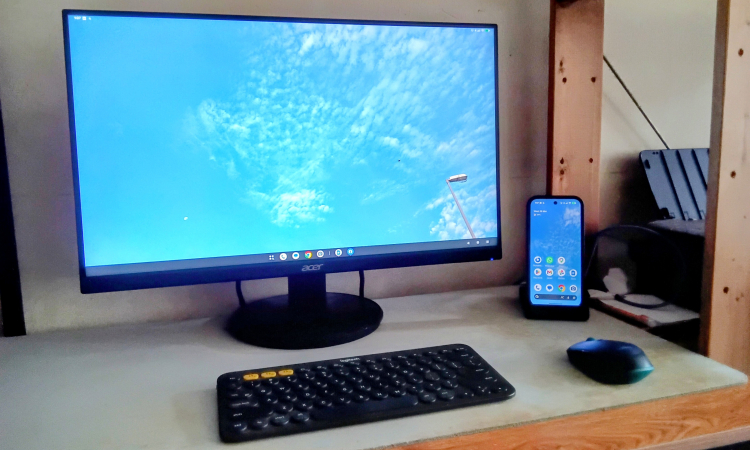
Looks good for those who like a minimalist setup
Android 16 Desktop mode Issues and Bugs
Here are some of the Android 16 Desktop mode issues and bugs that we found as of 27 March 2026:
- The audio stays set for the external display by default even after you set it. At first we thought we couldn't hear any sounds because the sound was broken but you have to press the volume key > settings and switch the output from the external device (monitor) to the phone
- With Google Docs, when typing on a new document, if there is a window behind it, it will briefly show an opaque view of this window which disappears if you leave it but reappears each time you type
- Google Docs, if you open a document to edit and then minimise it, when you click on the Docs Icon in the task bar, it only opens the Docs window with all the documents and has no option for the document you were editing previously
- On occasion, after removing the phone from the dock/cable, when you swipe down to show the notifications, this screen will hang completely and you can’t swipe out. Instead, the only way to leave is to press the power button and then unlock the screen. However, this condition will continue to persist until you restart the phone
- WhatsApp formatting is off - clearly it’s not optimized for larger screens, instead, it likely uses the same settings as mobile
- Certain apps clearly do not work like solitaire from the Google Play games, which doesn’t allow you to open the card deck, effectively crippling the game
- There seems to be a sort of font interlink between apps. For example, even though I changed the font size in a Docs article, the font size inside the WhatsApp app also gets affected and becomes that size as well
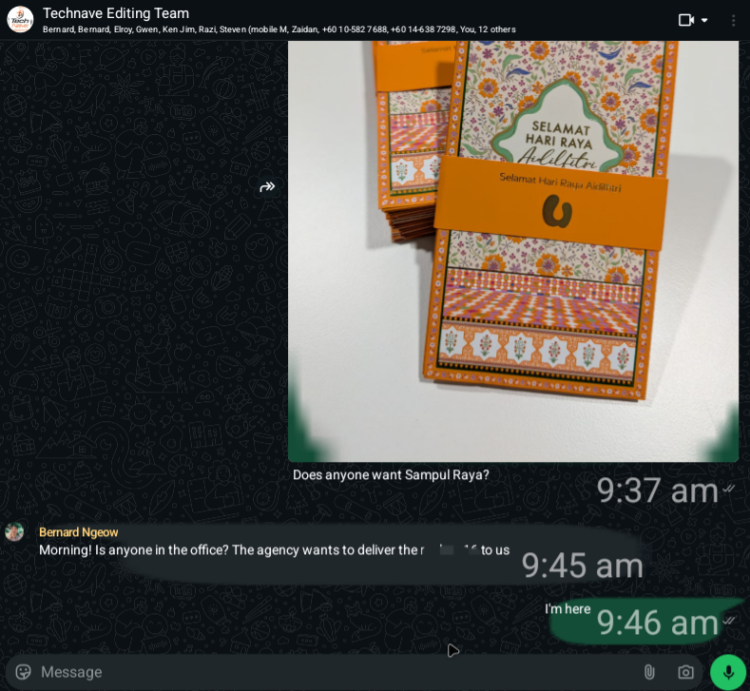
The layout in WhatsApp looks messed up, which clearly shows that it isn't optimised for larger screens
Conclusion - What we'd like to see in the next update
Aside from all the bugs above being fixed, it would be nice if Google paid attention to the GUI a bit such as the wallpaper and widgets. This includes raising the resolution up to 8K (Dex previously supported up to 4K) and enabling lag-free wireless connectivity.
As it is now, Android 16 Desktop mode seems very rough and unfinished despite the native wired connectivity. I am looking forward to eventually returning to using just my phone as my only computer once more, but perhaps not yet.
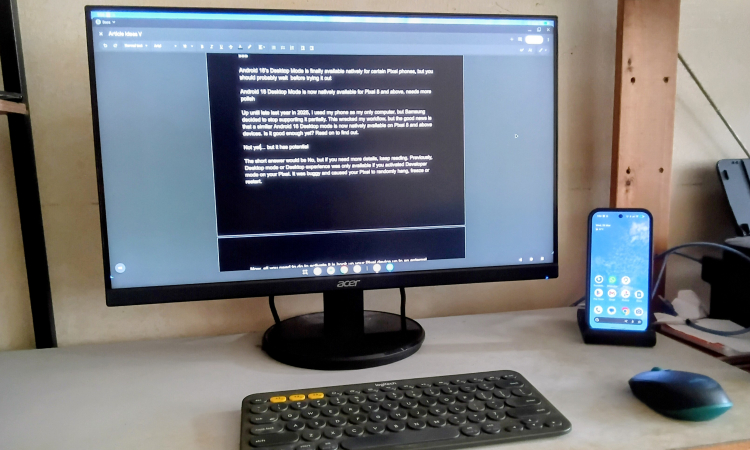
You can use some apps like Docs with not many issues, but everything still needs a bit more polish for the Android 16 Desktop mode
Google has yet to announce when Desktop mode will be polished completely or if all Android 16 devices would support it, but rumours indicate that it could be implemented in the next Chromium or ChromeOS. Do take this with a grain of salt though, as nothing has been confirmed yet.
What do you think? Would you be interested in using just your phone as your only computer too? It would have to be an Android 16 phone though. Share your thoughts in the comments below and as always, stay tuned to TechNave.com for more news and articles on tech.



COMMENTS