
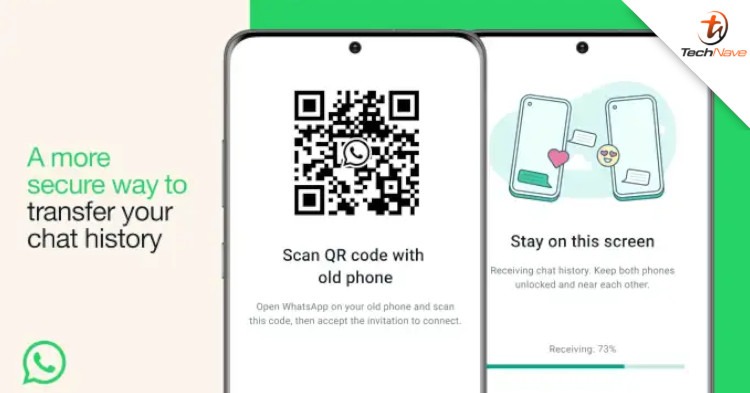
When switching to a new phone, one of the trickiest steps is data migration. For WhatsApp, you normally have to use online transfer for your chat and images. But now, you can also use a new local data transfer feature.
According to The Verge, WhatsApp has added a new chat transfer feature that uses QR codes. Previously, WhatsApp users would have to back up their chat history to Google Drive (Android) or iCloud (iOS). That means you'll need to have sufficient cloud storage available, which could be a problem if you have a lot of videos or photos.
To transfer your WhatsApp data, go to Settings > Chats > Chat Transfer on your old phone. This should generate a QR code you can scan using your new phone. Next, select 'Accept' when prompted to initiate the local data transfer process. It should be completed within minutes, depending on how much data is transferred.
So, do you think this is a better or more secure way to transfer your WhatsApp data? Share your thoughts in the comments below, and stay tuned to TechNave for more tech news like this.




COMMENTS