
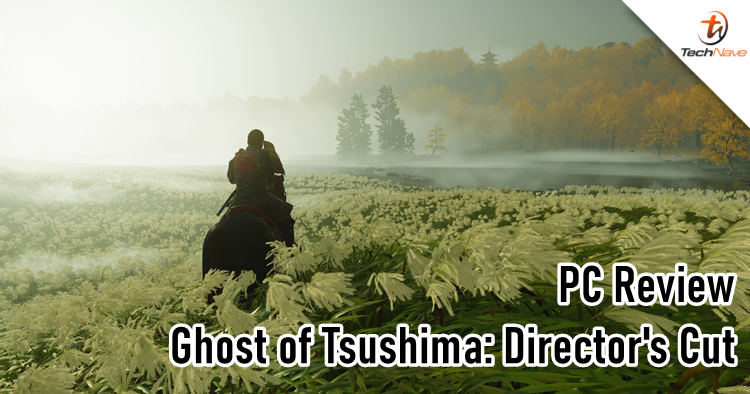
The Ghost of Tsushima has finally made its way to the PC realm and like other PlayStation exclusives, this is a Director's Cut version. Despite the recent controversy of Sony blocking countries that don't support PSN, Ghost of Tsushima: Director's Cut remains a popular game for gamers who have been waiting for years.
In this review, we won't be talking about the story or gameplay since that has been done to death. Instead, we will be taking a look at the PC performance aspect and how optimised the game is with different graphical settings. Let's get on with it.
Before we dive into the technicalities, we have one thing to clear regarding the PSN requirement. As you should know, Sony got criticised big time for almost forcing gamers to sign up for PSN just to play Helldivers 2. Sony made a U-turn later, but not with the PSN login for Ghost of Tsushima: Director's Cut.
It's only needed for Legends Mode
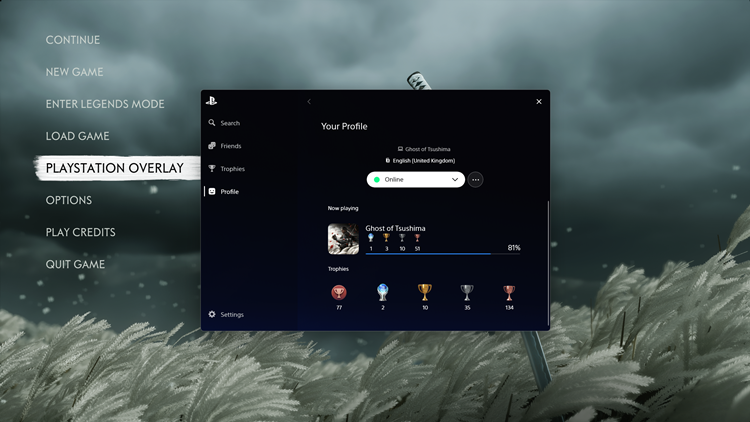
After signing in, you will see a new PlayStation overlay (a first for a PS game on PC) that lets you see your friends, trophies, settings and PS profile)
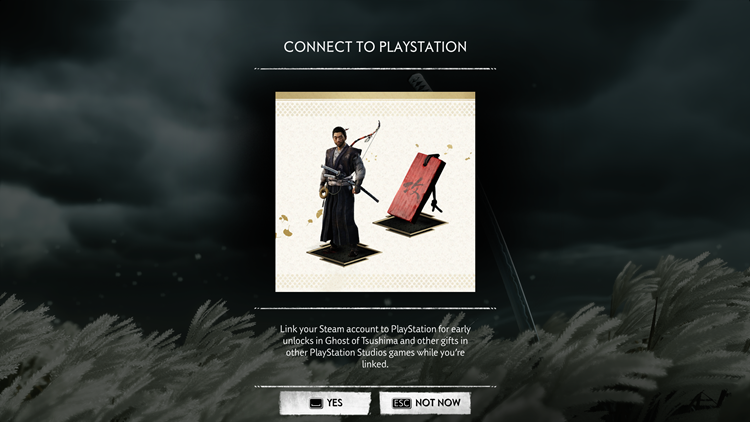
Nice freebies, I guess
Well, here's the good news. It's not necessary to sign into your PSN account to play the game at all. In fact, signing into your PSN account will only grant you some skin and charm freebies for Jin Sakai, so that's nice. At this point, it's very clear that Sony is only after the player's data and profiles. Still, it's a shame for the 118 countries that don't have PSN support.
Onto the PC performance of Ghost of Tsushima: Director's Cut, I'm glad to report that the game didn't launch in a buggy state like previous PlayStation-exclusive titles. It is also no surprise that the graphics are indeed better looking than its PS5 counterpart like many of the PC-port games. What makes Ghost of Tsushima: Director's Cut stand out is the support for Ray Tracing with AMD's FSR 3, NVIDIA's DLSS 3 and Intel's XeSS to upscale the gaming graphics to a whole new level. Personally, FSR 3 is the most preferred one.
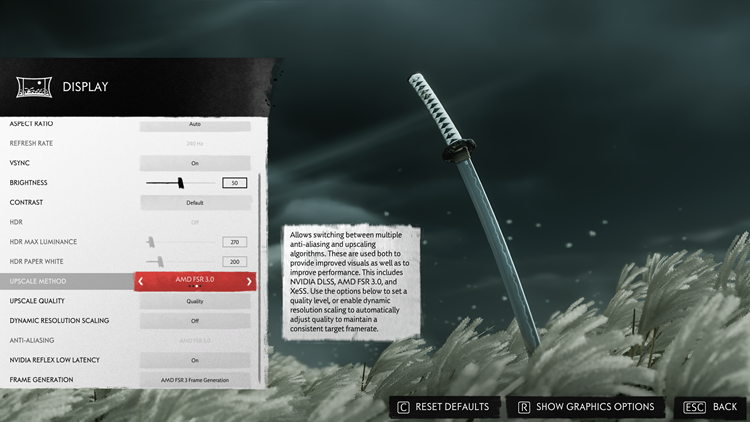
The display settings
DLSS 3 (left) and FSR 3 (right) video comparison
To elaborate further, you can see that on the left side, DLSS somehow makes the lightning more overexposed at the 0.40 and 1.56 mark for some reason. To the naked eye, it may not seem very obvious but when compared side by side, FSR 3 just makes the graphics details more balanced. However, it's not perfect because I remember seeing some pixelated fire arrows flying down during the opening sequence though they didn't reappear on a rerun.
Graphical motion, fidelity and FPS were overall quite smooth but it really depends on your gaming hardware. I tested Ghost of Tsushima: Director's Cut on the ROG Strix Scar 17 X3D (review here), so it was an eye-candy experience with maximum settings. I also tested on a relatively older Razer gaming laptop that features an RTX 2080 Super that can also run the game well, albeit not as smoothly as the former.
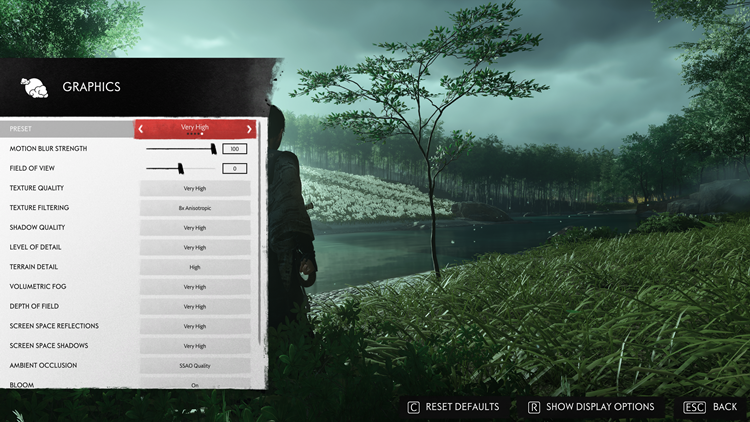
Very high settings
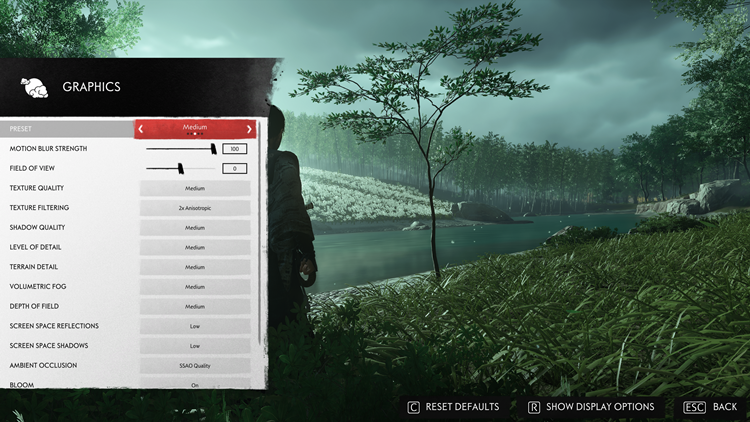
Medium settings
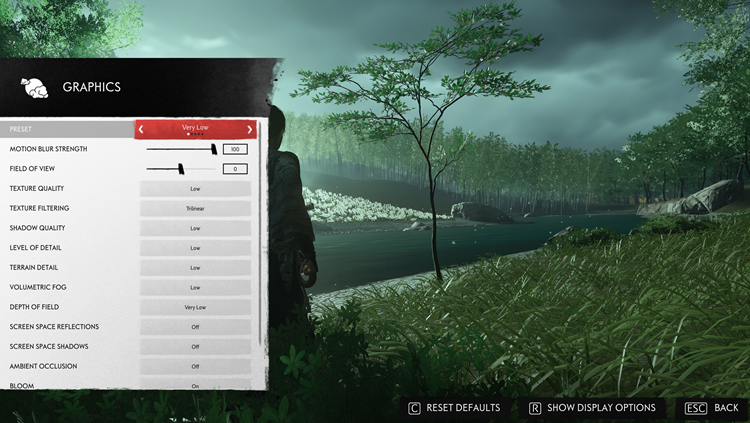
Very low settings
Just like Horizon Forbidden West's PC port, you can compare the graphics settings in the menu and the UI will show you what it looks like (thumbs up to Nixxes for bringing this function back again). As you can see in the screenshots above, the difference is quite minor as the majority of changes are the lighting, shadow and textures from afar which shouldn't hinder your gaming experience.
While I didn't get very far in the story campaign, I came across other reports that some objects or parts of the game would briefly glitch out or flicker when moving your character or surroundings. You will need to do a lot of tinkering in the graphics settings to balance out your PC or gaming laptop's capabilities. To be honest, it's wise to put it in medium settings (or lower) and just enjoy the game because Ghost of Tsushima: Director's Cut itself is a real beauty.
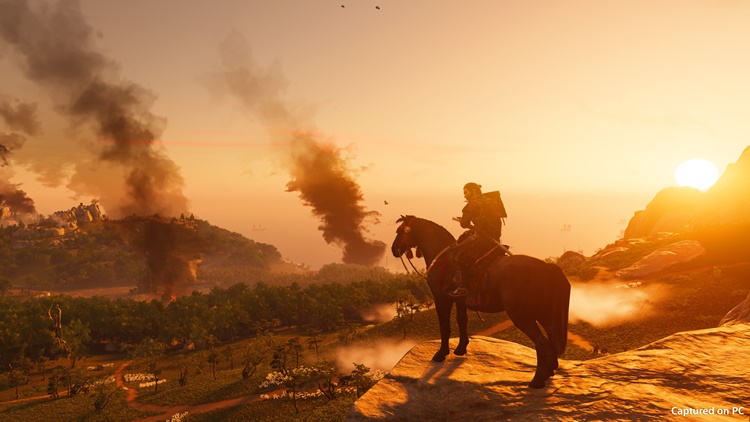
In terms of Ghost of Tsushima: Director's Cut's PC gameplay experience, the keyboard and mouse respond very well. But I think it's best played with an Xbox controller. The controller map layout is exactly the same as the PS4/PS5 version so if you played it before, it will be easy to pick up. However, I also do see a potential in using the keyboard and mouse to go for a different playstyle. Imagine going all in as an archer-samurai hybrid build, it will be so easy to get headshots all day errday.
In other aspects, Ghost of Tsushima: Director's Cut fully supports ultrawide gaming monitors, if you happen to have one. Whether it's 21:9, 32:9, or even 48:9, you will be able to play the game on that setting. Moreover, if you have a triple monitor set up, Ghost of Tsushima: Director's Cut is also fully optimised with it.
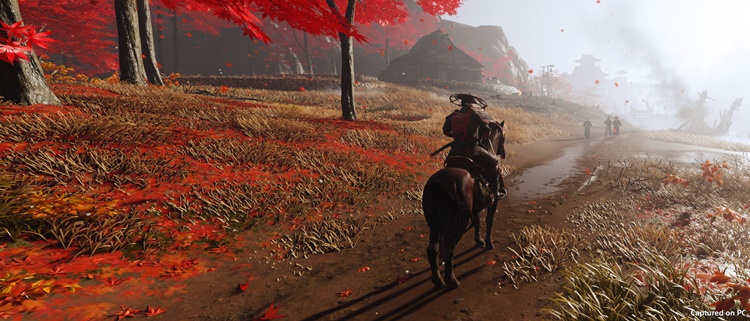
21:9 aspect ratio
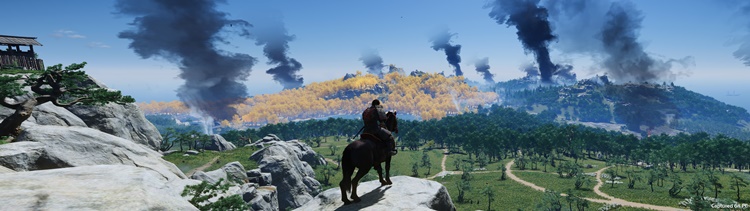
32:9 aspect ratio

48:9 aspect ratio
In case you're wondering, this PC port version also supports co-op online multiplayer called Legends Mode. Unfortunately, I couldn't test it because I don't have any friends on PS5 (#triesnottocry). But the system supports cross-play between PC and PS4/PS5, which is cool. Voice chat is available for cross-play too but of course, you need a PSN account to do so.
For your information, Ghost of Tsushima: Director's Cut costs RM249 on both Steam and Epic Games Store. Is it worth buying it for your PC? Well, absolutely and a resounding yes. As an open-world game, you can make up most of your money worth by spending long hours completing various quests, tasks and collectables. Let's also not forget the DLC - Iki Island expansion - is also included.
That concludes our PC performance review on Ghost of Tsushima: Director's Cut PC port version. Did you get the game yet? For more information, you can visit the official web portal of the game right over here. Do stay tuned for more tech reviews at TechNave.com.
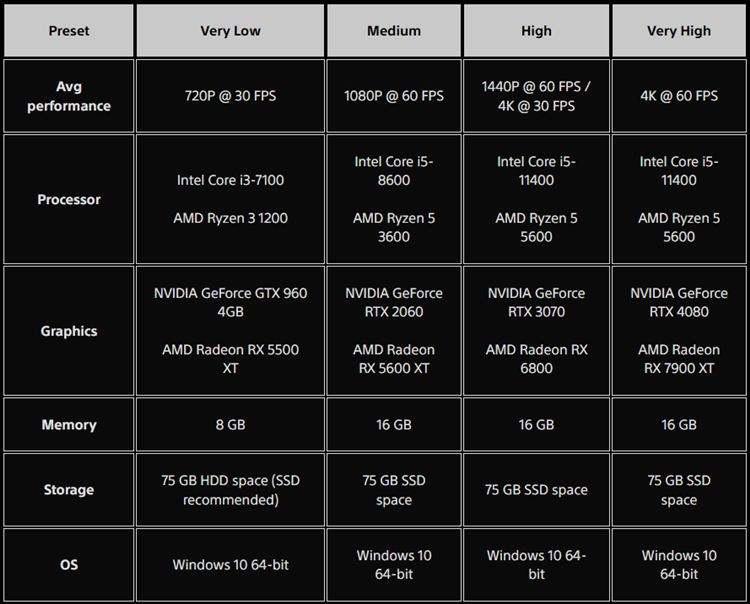
PC requirements for Ghost of Tsushima: Director's Cut
Pros: Better looking than PS5 if you have the latest gaming hardware.
Cons: With the lack of PSN support across many countries, many gamers won't be able to enjoy this long-awaited PC port version.
Conclusion: If you're a fan or have been waiting for a long time, the game is absolutely worth buying.




COMMENTS