
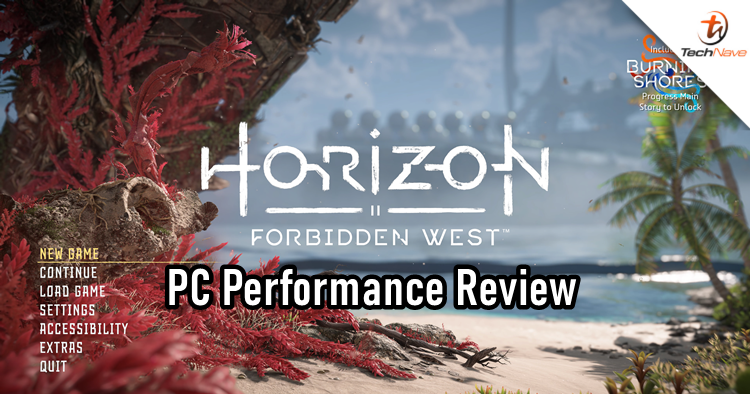
Yes, this game was released way back in March 2024. But to be fair, there is one minor update (read the title) and we also got the game late. In this Horizon Forbidden West Complete Edition PC port version review, we will not talk about the story and gameplay but instead, review the PC performance and other functions.
Now, in case you're wondering if you need a PSN account to play, the answer is no. It isn't required to sign in at all to play. But with the recent controversy of Sony removing the game from 118 countries that don't support it, many PC gamers around the world will have to find other ways to play it (#iykyk).
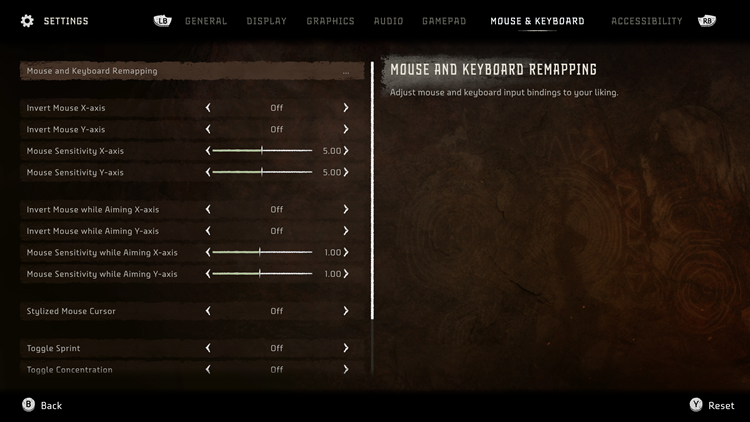
The keyboard and mouse work well with Horizon Forbidden West, it's also much easier to aim and shoot
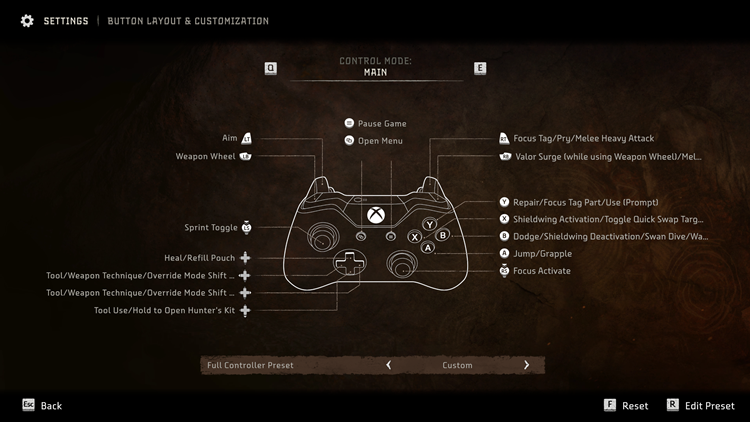
However, I think the game is still best played with an Xbox controller
Horizon Forbidden West Complete Edition is one of those AAA games to benchmark and measure a PC's performance. The game already looks gorgeous on the PS5 and even more so on PC, provided you have the right hardware. With this, Nixxes, who also developed the PC port for the prequel helped optimise Horizon Forbidden West Complete Edition for a console-like experience.
Many PC ports from consoles tend to bug out here and there. But thankfully, that's not the case with Horizon Forbidden West Complete Edition. You get access to settings for PC display and graphics presets ranging from very low to very high. Just so you know, even if you run the game on very low settings, the graphics still look great. The only differences are the shading, textures, lighting and shadows that are passable.
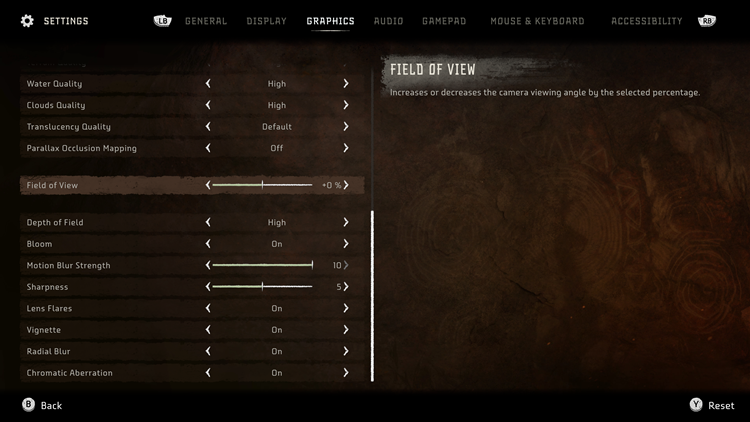
Lots of settings for you to adjust to your liking
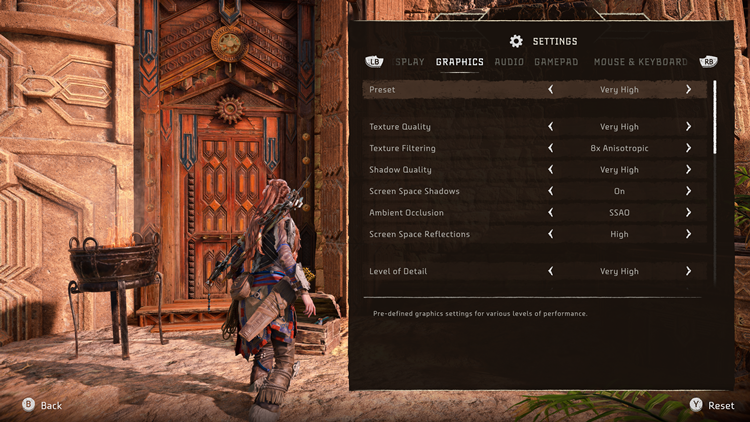
Very High graphics settings
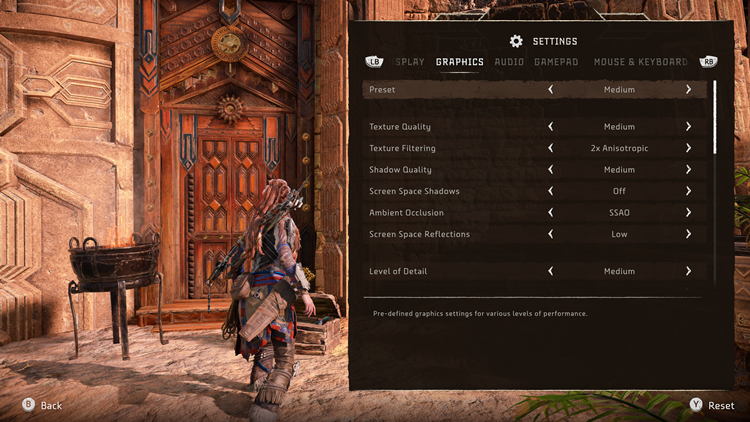
Medium graphics settings
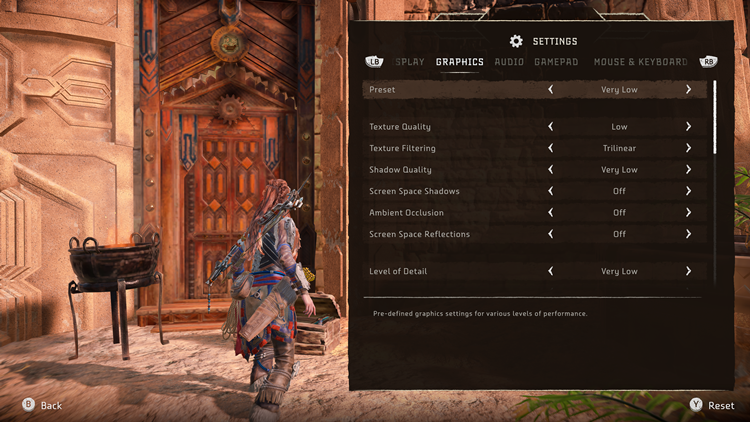
Very Low graphics settings
When setting the graphics, you can actually see how it affects the environment in real-time. This happens in Ghost of Tsushima: Director's Cut PC version as well, and I wish more developers do this instead of having us switch to the settings and game back and forth. There are plenty of options for you to tweak, such as the field of view, motion blur, film grain, radial blur, lens flares, and many, many more.
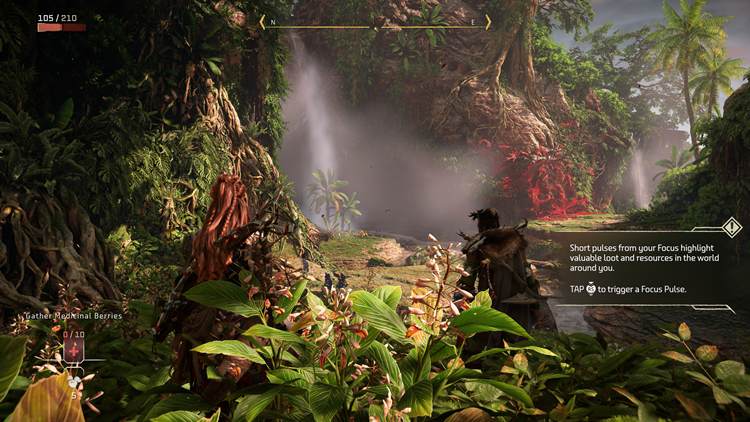
That being said, the graphics performance in Horizon Forbidden West Complete Edition is not perfect. For example, the waterfalls on the first level look weird and artificial. I tested the game on two laptops (the ROG Strix Scar 17 X3D and a 2-year-old Razer laptop with an Intel Core i7-10875H + RTX 2080 Super) and couldn't figure out why it doesn't look smooth. If you encounter the same thing, you will have to find a middle ground by mixing and matching the Anti-Aliasing tools, which have TAA, SMAA and DLAA.
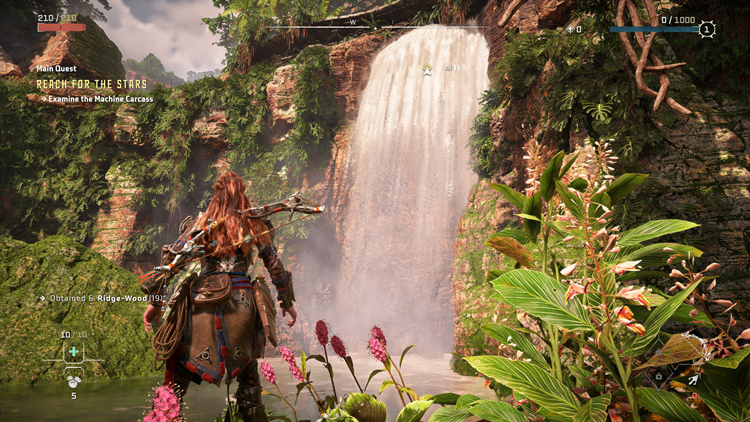
The waterfall there doesn't look right
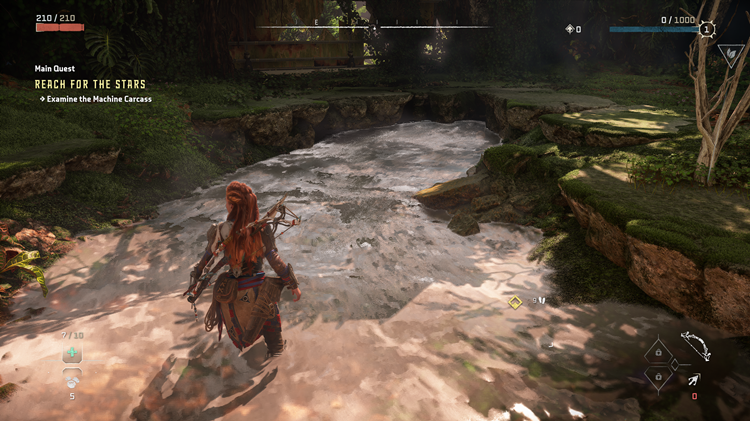
But most of the time, the other areas are fine
That's not all, even in the long opening cutscene sequence, I did notice a couple of times that the red patch of grass did flicker out briefly. This was when I was even running at maximum settings on ROG Strix Scar 17 X3D. Although it's not frequent when testing out the different upscaling methods. If you use DLSS 3, NVIDIA's DLAA and Reflex functions are automatically applied. Some cases would argue switching them off and using TAA is good enough.
Speaking of upscaling methods, you can see the support for AMD FSR 3 (previously 2.2 version), NVIDIA DLSS 3 and Intel XeSS. Horizon Forbidden West Complete Edition didn't release with Ray Tracing technology at launch due to a "variety of artistic and technical challenges", according to its developers. So even though AMD's FSR 3 is updated in the game, there are still no signs of Ray Tracing. But would it matter? Again, the game graphics are already beautiful to begin with.
FSR 2.2 (left) vs non-upscaling mode (right) with AMD Ryzen 9 7945HX3D + GeForce RTX 4090
DLSS 3 (left) vs FSR 3 (right) with Intel Core i7-10875H + GeForce RTX 2080 Super
Just like Ghost of Tsushima: Director's Cut PC version release, I personally prefer FSR 3 for the best balance in overall graphics vibe. It should be noted that if you want to use DLSS Frame Generation, it requires an RTX 40 Series graphics card so there's that. But honestly speaking, it's quite difficult to pinpoint the difference between switching off and on upscaling method modes, the same goes for the DLSS 3 and FSR 3.
Before the new FSR 3 update, I made a comparison between FSR 2.2 and the non-upscaling method mode with the introduction scene. One of the main differences is that FSR 2.2 does better bokeh effects. But in turn, the latter makes the model stand out a little more with noticeable textures. You can also check out the video comparison between FSR 3 and DLSS 3 above. They are pretty much identical with subtle differences.
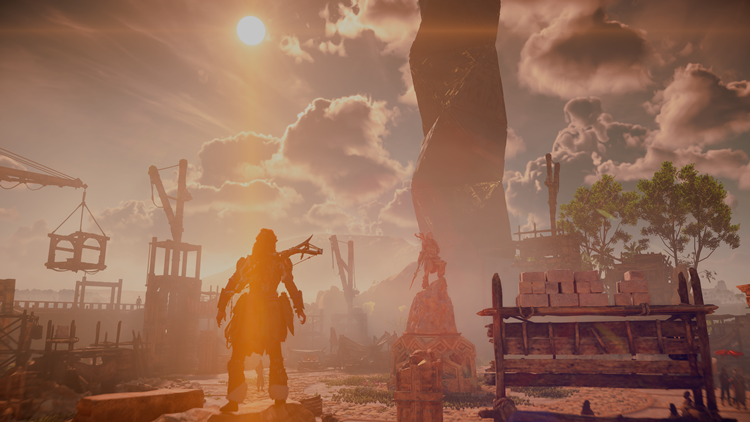
A gorgeous game
Moving away from the graphics, the frame rate in Horizon Forbidden West Complete Edition is overall satisfactory. Although I did notice a tiny bit of stutter during a cutscene. As a general rule of thumb, increasing your settings generally requires the system to lower the FPS to balance it out. If you have a supercomputer, you get to enjoy the best of both worlds. In my case of using the Razer RTX 2080 Super laptop, I did manage to enjoy an average FPS of 45.
Another neat feature is the support for ultrawide gaming monitors. You can set it to 21:9 and 32:9 super ultrawide resolutions, as well as 48:9 triple monitor support. Even if you don't have one, it shouldn't stop you from enjoying the cinematic scenes in that view. It can truly make you feel like watching (and playing) a movie at the same time. This also lets you enjoy watching the sunset on the horizon (#basdumtss) in Horizon Forbidden West Complete Edition.
Horizon Forbidden West Complete Edition is RM249 on Steam and Epic Games Store, which is the same price on the Sony PS5. If you love open-world games, this one is quite value for money especially if you plan to do a 100% completion. I have yet to finish the game but I read that it's kind of sluggish along Aloy's journey and may take too long. But hey, what's not to love a game that combines more robots and dinosaurs?
That's the end of Horizon Forbidden West Complete Edition PC performance review. For more information about the game, you can visit the official website right over here to check it out. Take your time and have fun.
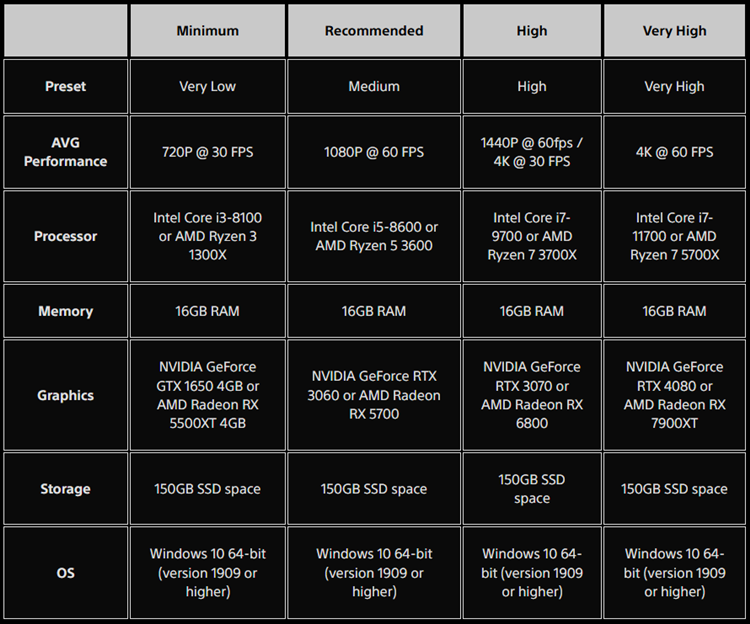
System requirements for Horizon Forbidden West Complete Edition
Pros: Looks absolutely gorgeous with top-tier hardware and features, particularly AMD FSR 3.
Cons: Some brief stuttering, glitching and weird pixelated moments throughout the game.
Conclusion: Another worthy PC port game from the PS5, if you don't mind the RM249 price tag.




COMMENTS